AI Image Generator
Frontier image models in one generator — Nano Banana 2.1, Nano Banana 2 Lite, Nano Banana Pro, GPT Image 2, and FLUX.2 Dev/Pro/Max, plus Seedream 5.0 Pro and Lite, and Grok Imagine 2.0. Turn text prompts and reference images into visuals from 1K drafts up to 4K exports.
One Generator, Leading Image Models
Pick the right engine for every visual — quality, speed, or stylistic control.
GPT Image 2.5
NewFlare and Sunburst editions — half the latency of GPT Image 2, five quality tiers up to 3840px
Nano Banana 2 Lite
Fastest of the family — rapid 1K drafts at the lowest cost
Nano Banana 2.1
NewNewest of the family — 4K and ultra-wide ratios at a lower credit cost
Nano Banana Pro
Pro-grade detail and multi-image guidance up to 4K
FLUX.2 Dev
Fast FLUX.2 drafts with full prompt fidelity
FLUX.2 Pro
High-quality FLUX.2 output with resolution control
FLUX.2 Max
Top-tier FLUX.2 quality for the most demanding renders
Grok Imagine 2.0
NewxAI's Grok Imagine 2.0 — fast generation and editing with up to 5 references
FLUX 3
Coming soonBFL's multimodal model — complex prompts, multilingual text rendering
Muse Image
Coming soonMeta's agentic image model — activates the day access opens
Compare Live Image Models
Every model shares the same generator, credit balance, and workflow — the real differences are resolution, aspect ratios, and how many reference images you can feed in. Specs below are read live from the generator configuration.
| Model | Max resolution | Aspect ratios | Reference images | Images per run | Best for |
|---|---|---|---|---|---|
| GPT Image 2 | 1K / 2K / 4K | 16 presets | Up to 16 | Up to 10 | Legible text, batches up to 10 |
| GPT Image 2.5 | Up to 3840×2160 · 5 quality tiers | 10 pixel sizes | Up to 16 | Up to 10 | Fast iteration and precise edits from OpenAI's newest model |
| Nano Banana 2 Lite | 1K | 15 presets | Up to 10 | 1 | Rapid drafts and high-volume social output |
| Nano Banana 2.1 | 1K / 2K / 4K | 15 presets | Up to 10 | 1 | Newest-tier quality at the family's best value |
| Nano Banana Pro | 1K / 2K / 4K | 11 presets | Up to 8 | 1 | Product shots guided by multiple references |
| FLUX.2 Dev | Up to 1440px (preset or custom) | 11 presets | Up to 5 | 1 | Fast FLUX.2 drafts and prompt exploration |
| FLUX.2 Pro | 0.5–4 MP (preset or custom up to 2048px) | 11 presets | Up to 8 | 1 | High-quality renders with resolution control |
| FLUX.2 Max | 0.5–4 MP (preset or custom up to 2048px) | 11 presets | Up to 8 | 1 | Top-tier FLUX.2 quality for demanding scenes |
| Seedream 5.0 Lite | 2K / 3K / 4K | 8 presets | Up to 10 | 1 | Low-cost 2K–4K Seedream images |
| Seedream 5.0 Pro | 1K / 1.5K / 2K | 8 presets | Up to 10 | 1 | Single high-fidelity Seedream output |
| Grok Imagine 2.0 | Ratio-based (no resolution tiers) | 6 presets | Up to 5 | 1 | Fast drafts and edits guided by up to 5 references |
Everything above runs in the generator — pick a model in the dropdown and the controls adapt automatically.
Get Inspired
Real images generated on Molyin — pick one and remix it into your own.
- gpt-image-2-basic
- Text to image
- auto
![A surreal high-fashion editorial artwork where [CITY/LANDMARK] is formed entirely from flowing sound waves, audio frequencies, and rhythmic lines. The soundwaves begin as tiny vibrations at the bottom of the composition and gradually transform into the recognizable architecture of [CITY/LANDMARK].
Different frequencies become different visual elements — thick bass waves create buildings, delicate high-frequency lines create windows and bridges, glowing pulses become streetlights and moving vehicles. Tiny fragments of typography, coordinates, music notes, and abstract symbols float through the waves.
Clean pale background, intense electric colors mixed with subtle metallic textures, dramatic depth, ultra-fine linework, futuristic editorial art, controlled chaos, sophisticated composition, no people, no ordinary skyline illustration, the architecture itself must visibly emerge from the soundwave pattern, striking and instantly recognizable, premium magazine cover aesthetic.](https://assets.molyin.com/cdn-cgi/image/width=640,fit=scale-down,quality=75,format=auto/creations/c26a2294-c5b0-4d9d-9f38-fdc47442e6df/outputs/27e3b8a6-a2af-4626-8804-187c9cd36bb3-1791446338543-hr1q1a.png)
- gpt-image-2-5-sunburst
- Text to image
- 1024x1536
- medium
![A surreal high-fashion editorial artwork where [CITY/LANDMARK] is formed entirely from flowing sound waves, audio frequencies, and rhythmic lines. The soundwaves begin as tiny vibrations at the bottom of the composition and gradually transform into the recognizable architecture of [CITY/LANDMARK].
Different frequencies become different visual elements — thick bass waves create buildings, delicate high-frequency lines create windows and bridges, glowing pulses become streetlights and moving vehicles. Tiny fragments of typography, coordinates, music notes, and abstract symbols float through the waves.
Clean pale background, intense electric colors mixed with subtle metallic textures, dramatic depth, ultra-fine linework, futuristic editorial art, controlled chaos, sophisticated composition, no people, no ordinary skyline illustration, the architecture itself must visibly emerge from the soundwave pattern, striking and instantly recognizable, premium magazine cover aesthetic.](https://assets.molyin.com/cdn-cgi/image/width=640,fit=scale-down,quality=75,format=auto/creations/c26a2294-c5b0-4d9d-9f38-fdc47442e6df/outputs/27e3b8a6-a2af-4626-8804-187c9cd36bb3-1791446341195-mvzflu.png)
- gpt-image-2-5-sunburst
- Text to image
- 1024x1536
- medium
![A surreal high-fashion editorial artwork where [CITY/LANDMARK] is formed entirely from flowing sound waves, audio frequencies, and rhythmic lines. The soundwaves begin as tiny vibrations at the bottom of the composition and gradually transform into the recognizable architecture of [CITY/LANDMARK].
Different frequencies become different visual elements — thick bass waves create buildings, delicate high-frequency lines create windows and bridges, glowing pulses become streetlights and moving vehicles. Tiny fragments of typography, coordinates, music notes, and abstract symbols float through the waves.
Clean pale background, intense electric colors mixed with subtle metallic textures, dramatic depth, ultra-fine linework, futuristic editorial art, controlled chaos, sophisticated composition, no people, no ordinary skyline illustration, the architecture itself must visibly emerge from the soundwave pattern, striking and instantly recognizable, premium magazine cover aesthetic.](https://assets.molyin.com/cdn-cgi/image/width=640,fit=scale-down,quality=75,format=auto/creations/c26a2294-c5b0-4d9d-9f38-fdc47442e6df/outputs/27e3b8a6-a2af-4626-8804-187c9cd36bb3-1791446343963-y81dqq.png)
- gpt-image-2-5-sunburst
- Text to image
- 1024x1536
- medium
- Nano Banana Pro
- Text to image
- auto
![Create an ultra-realistic cinematic 4:5 vertical travel photograph of a sleek, minimalist travel card held naturally in one hand against an expansive sky.
Use [COUNTRY NAME] as the creative focus. Transform the card into a living window into the destination, with a breathtaking miniature aerial world seamlessly emerging from its surface. Feature the country’s most iconic landmark, surrounded by authentic landscapes, architecture, atmosphere, and subtle details unique to the destination.
Make the transition between the physical card and miniature world seamless, magical, and physically believable, as if the entire destination exists inside the card.
Integrate [COUNTRY NAME] in elegant, bold uppercase typography as part of the card design.
Use cinematic natural light, realistic textures, atmospheric depth, subtle reflections, dramatic perspective, soft lens falloff, and premium editorial travel-photography aesthetics.
Ultra-photorealistic, 8K detail, cinematic color grading, realistic skin and materials, physically accurate lighting, luxurious, emotional, aspirational, universally beautiful. No cartoon, no illustration, no artificial CGI appearance. [COUNTRY NAME]=Shang Hai](https://assets.molyin.com/cdn-cgi/image/width=640,fit=scale-down,quality=75,format=auto/creations/3809eb9d-bf05-4b0d-9a9a-a80be3da9483/outputs/2ca343ed-caf7-4144-aca0-fc4dae1fbb41-1788941955837-6ctdt3.webp)
- gpt-image-2-5-flare
- Text to image
- 2048x1152
- medium
- Nano Banana 2
- Text to image
- 3:4
- gpt-image-2-basic
- Text to image
- 3:4
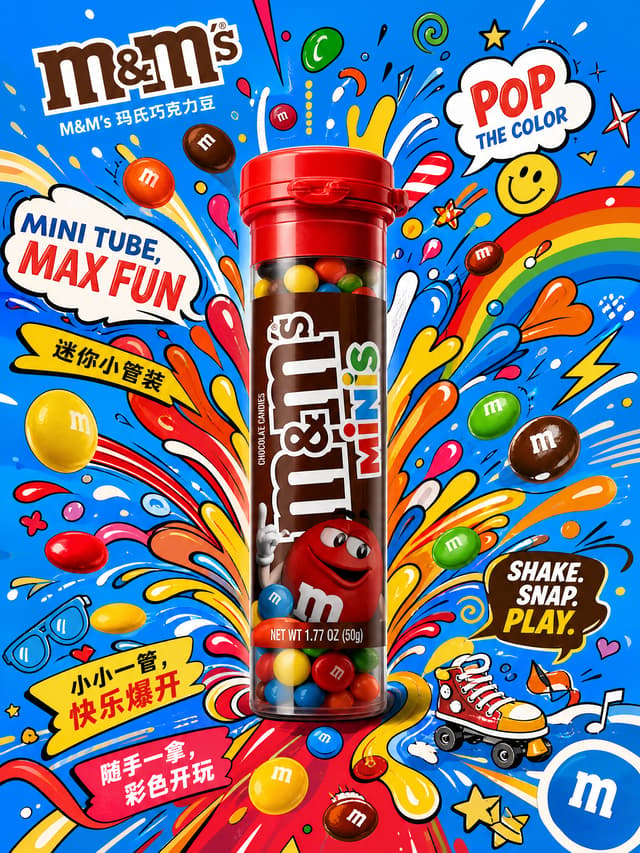
- gpt-image-2-basic
- Text to image
- 3:4
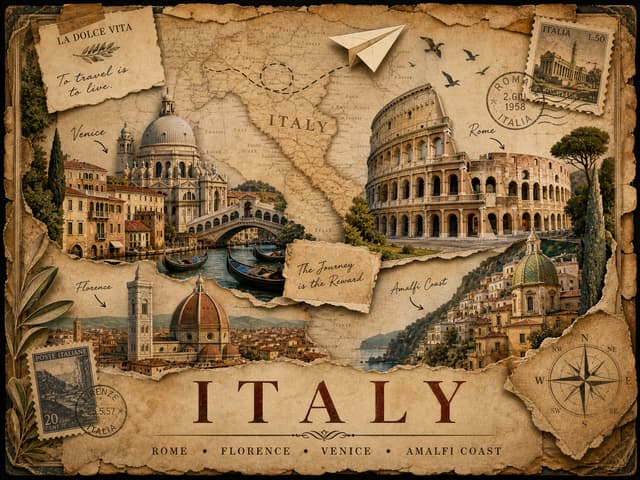
- gpt-image-2-basic
- Text to image
- 4:3
![Universal Plug-in Prompt
A full-body high-fashion editorial studio photograph of a female model wearing an avant-garde couture gown constructed entirely from [PRIMARY MATERIAL]. The gown features [SILHOUETTE], enhanced with [STRUCTURAL DESIGN], showcasing intricate craftsmanship and dramatic sculptural volume.
Behind the model stands an oversized [BACKGROUND INSTALLATION], designed using [BACKGROUND MATERIAL], visually echoing the gown while creating a cohesive artistic composition.
The color palette transitions from [COLOR A] through [COLOR B] into [COLOR C], maintaining smooth gradients and harmonious visual balance.
The model is captured from [CAMERA ANGLE] in [POSE], with [HAIRSTYLE], expressing elegance, confidence, and refined artistic presence.
Professional luxury fashion photography. Museum-quality couture. Sharp editorial styling. Exceptional material realism. Highly detailed textures. Crisp edges. Dramatic dimensional depth. Sculptural lighting tailored to emphasize every fold, bead, petal, pleat, or layered surface.
Minimalist premium studio environment featuring [BACKGROUND COLOR], [FLOOR TYPE], and cinematic composition. Balanced negative space. High contrast with soft shadow transitions. Ultra-clean luxury aesthetic.
Cheat Sheet
[PRIMARY MATERIAL] → Beads, pom-poms, paper flowers, feathers, shells, glass, ribbons
[SILHOUETTE] → Ball gown, trumpet, cape, circular skirt, cathedral train
[STRUCTURAL DESIGN] → Pleats, layered ruffles, radial folds, halos, geometric panels
[BACKGROUND INSTALLATION] → Giant fan, flower wall, halo, sun, wings, sculpture
[BACKGROUND MATERIAL] → Paper flowers, beads, fabric folds, petals, metallic elements
[COLOR A/B/C] → Main gradient or palette
[CAMERA ANGLE] → Front, side, back, three-quarter, profile
[POSE] → Arms extended, holding fan, walking, profile stance, graceful turn
[HAIRSTYLE] → Bun, low bun, ponytail, loose waves, braided updo
[BACKGROUND COLOR] → Charcoal, ivory, grey, black, cream
[FLOOR TYPE] → Studio floor, wood planks, textured concrete, seamless backdrop](https://assets.molyin.com/cdn-cgi/image/width=640,fit=scale-down,quality=75,format=auto/creations/3809eb9d-bf05-4b0d-9a9a-a80be3da9483/outputs/cf2ec55e-185a-4491-ae1f-2481dd2defb9-1784913847133-di0cws.png)
- gpt-image-2-basic
- Text to image
- 3:4
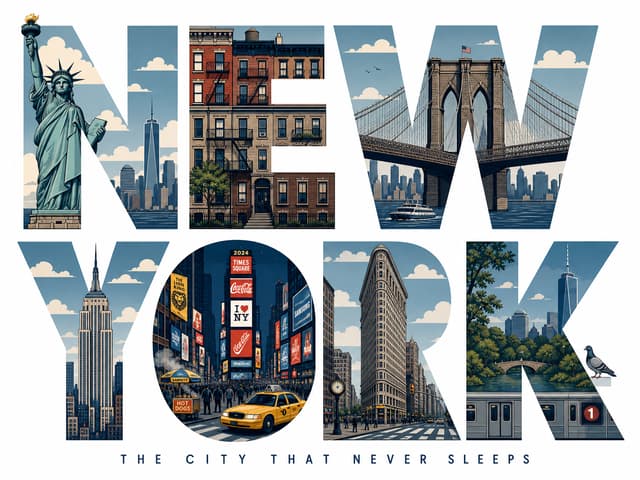
- gpt-image-2-basic
- Text to image
- 4:3
Built for Image Creators
Everything you need to go from prompt to finished image.
Text to Image
Type a prompt and get finished art in seconds. Nano Banana 2.1 and GPT Image 2 follow complex direction — subjects, styles, lighting, and even legible text inside the image.
Image to Image
Upload reference images — up to 16 on GPT Image 2 — and remix them into one result: restyle products, blend characters, or keep a face consistent across a campaign.
Up to 4K Resolution
Draft at 1K, then rerun the same prompt at 2K or 4K for print, hero banners, and large-format export — no separate upscaler round-trip.
Every Aspect Ratio
From 1:1 posts to 21:9 cinematic frames and extreme 8:1 panoramas — pick a preset or auto-match your reference image.
No Watermark, Commercial License
Paid-plan downloads are clean files with no watermark, and commercial usage rights cover client work, ads, and product pages.
One Credit Balance
Credits work across image and video generation, the exact cost shows before you submit, and failed generations are refunded automatically.
How It Works
From prompt to 4K download in three simple steps.
Describe Your Vision
Type a text prompt or upload reference images, then pick a model — the controls adapt to what it supports.
Generate Image
Choose ratio and resolution, check the credit estimate, and submit. Results land in seconds, right below the generator.
Download & Use
Download your image, remix it with image to image, or rerun the same prompt at a higher resolution.
What Can You Make with an AI Image Generator?
Six workflows creators run on Molyin every day — each one starts from a plain-language prompt.
Social Posts & Thumbnails
Scroll-stopping visuals for Instagram, TikTok, and YouTube thumbnails — sized right with 1:1, 4:5, and 9:16 presets.
AI Product Photography
Turn a single product reference into studio-grade catalog shots, lifestyle scenes, and seasonal campaign variants — no photoshoot.
Ad Creatives & Banners
Iterate hooks, styles, and formats at AI speed — then export the winner at 4K for display, print, or ultra-wide 21:9 placements.
Slides & Explainers
Visualize abstract concepts into clear, engaging illustrations for lessons, courses, and presentations.
Branding & Web Design
Hero images, backgrounds, icons, and mockups that match your visual system — with clean backgrounds when you need them.
Anime & Game Concept Art
Characters, environments, and key visuals for world-building, fan art, and trailers — in consistent styles across a whole set.
What Is an AI Image Generator?
An AI image generator turns a written description or a reference image into a finished picture in seconds — no camera, no canvas, no design software. Models like Nano Banana 2.1 and GPT Image 2 are trained on billions of image–text pairs, so they can translate plain language about subjects, style, lighting, and composition into every pixel of a new image.
Molyin puts four of these frontier models behind a single prompt box. Instead of juggling accounts across separate tools, you write the idea once and pick the engine that fits it — fastest, cheapest, or highest-detail — then compare results side by side on one credit balance. Two input modes cover every starting point:
Text to Image
Start from words alone. Describe the subject, style, lighting, and composition — "a cyberpunk street at night, neon reflections on wet asphalt, cinematic" — and the model builds the entire image. Text to image is the fastest way to explore concepts, produce assets without source photography, and generate variations of an idea until one clicks.
Image to Image
Bring existing images in as references. Upload a product photo, a sketch, or several style frames, and the model remixes them while preserving what matters. Image to image is what holds a set together — reskinning products, keeping a character consistent across a batch, or unifying a whole campaign around one look.
How to Write Better AI Image Prompts
Prompt quality decides output quality more than any other setting. Four habits that consistently improve results:
- Lead with the subject and setting — Put the main subject in the first clause, then the environment — "a ceramic espresso cup on a marble counter, morning light" beats a pile of adjectives with no anchor.
- Name a medium and style — "Studio photograph", "watercolor", "anime key visual", "3D render" — one clear style term steers the whole image more than ten vague ones.
- Direct the camera and lighting — Terms like "close-up", "wide shot", "golden hour", "soft diffused light", or "dramatic backlight" give the model the cinematography language it was trained on.
- Iterate at 1K, finish at 4K — Explore ideas on a fast model like Nano Banana 2 Lite or FLUX.2 Dev, then rerun the winning prompt at 2K or 4K on Nano Banana 2.1, GPT Image 2, or FLUX.2 Max for the final export.
Which AI Image Model Should You Choose?
Nano Banana 2 Lite is the speed pick — rapid 1K drafts at the lowest credit cost, ideal for social volume and prompt exploration. Nano Banana 2.1 steps up to 4K with ultra-wide ratios all the way to 8:1 panoramas. Nano Banana Pro adds multi-reference guidance for product and brand work that has to stay consistent. GPT Image 2 is the choice when the image must contain legible text — one model with two control tiers: Easy covers everyday generation with the simplest settings, while Advanced unlocks exact pixel sizes and up to 10 images per run. FLUX.2 Dev is the fastest way to test the FLUX.2 family, Pro adds explicit resolution control up to 4 MP, and Max is the quality ceiling for complex, detail-heavy scenes. Seedream 5.0 Pro delivers a single high-fidelity 2K Seedream image per run, while Seedream 5.0 Lite brings the same Seedream look at a lower credit cost with 2K–4K output.
You never have to commit: every model lives in the same dropdown, the controls adapt to whichever one you pick, and the credit estimate updates before you submit. Compare them in the spec table above, or just run the same prompt through two models and judge with your eyes.
Every image lands in your cloud library, paid plans unlock watermark-free downloads with commercial usage rights, and the same credits also power our AI video generator. Compare plans on the pricing page — or scroll back up and generate your first image with your free sign-up credits.
Learn the craft
Guides from the workshop and the vocabulary behind every frame — prompts, models, and the concepts that unlock them.
From the blog
All articles- How to Swap a Face in a Video: A Practical Guide
A working workflow for swapping a face in a video: pick the right clip, pick the right face photo, avoid tracking failures, and verify before you ship.
- remove.bg is shutting down on 1 December 2026 — here is the free alternative that gives you full resolution
remove.bg closes on 1 December 2026 and moves into Canva. What changes, what to do with your credits, and where to remove backgrounds free at full resolution.
- How to Write Seedance 2.0 Prompts: Direct, Don't Describe
A practical Seedance 2.0 prompting guide — subject binding, shot-by-shot structure, camera language, constraint words, and fixes for face drift, twin characters, and style drift.
- How to Write AI Video Prompts That Actually Work
A practical guide to writing AI video prompts: the four-part anatomy, camera language, common mistakes, and how to iterate with seeds — with Seedance 2.0 examples.
Frequently Asked Questions
Everything you need to know about AI image generation on Molyin.
Create Your First AI Image Now
Free credits on sign-up — four frontier models behind one prompt box.