Virtual try-on — see the clothes on you, not on a model
Add a photo of yourself and a photo of the piece you want to try, and get back the same picture of you, wearing it. The print and the cut come through exactly as they are in the product shot, and your face, your pose and the room behind you stay where they were.
Your photo
Full body, facing the camera
Drop images here, or select files
JPEG · PNG · WEBP · up to 15 MB
Garment photo
Flat on a table, on a hanger or on a model
Drop images here, or select files
JPEG · PNG · WEBP · up to 15 MB
Virtual try-on results — before and after
Every result below came straight out of the tool, with no touch-ups. Drag the handle to read the print and check the fit up close, then add your own photo at the top of the page.
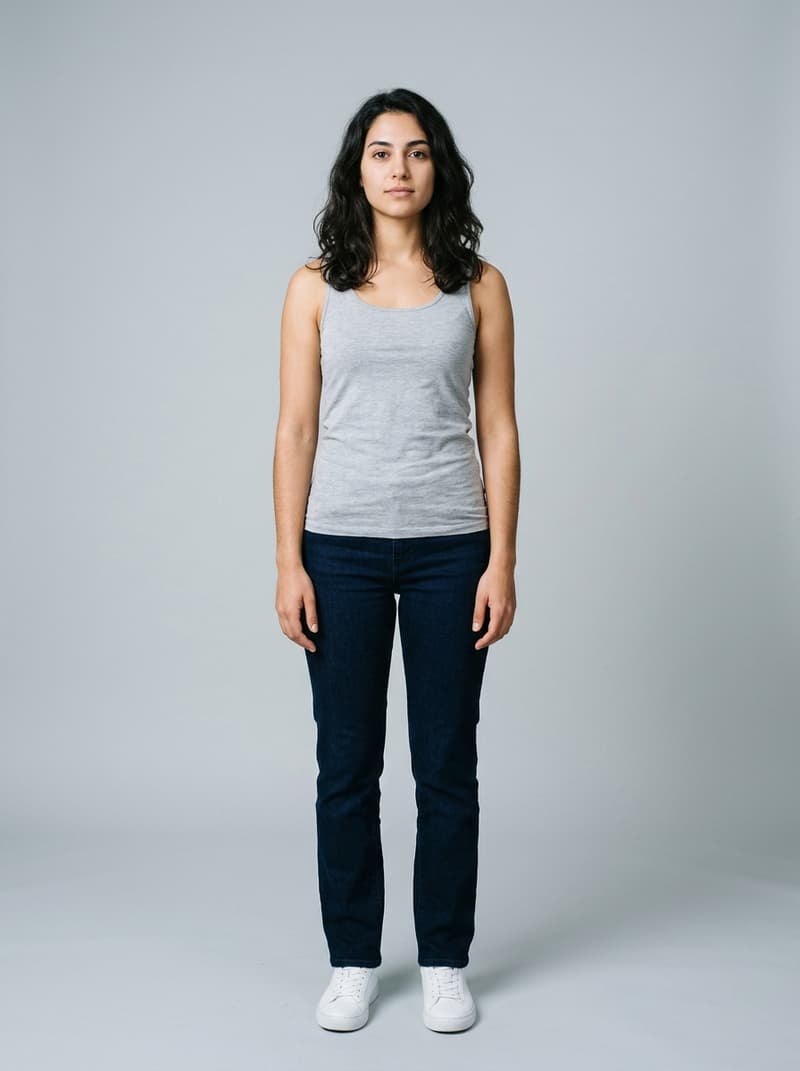
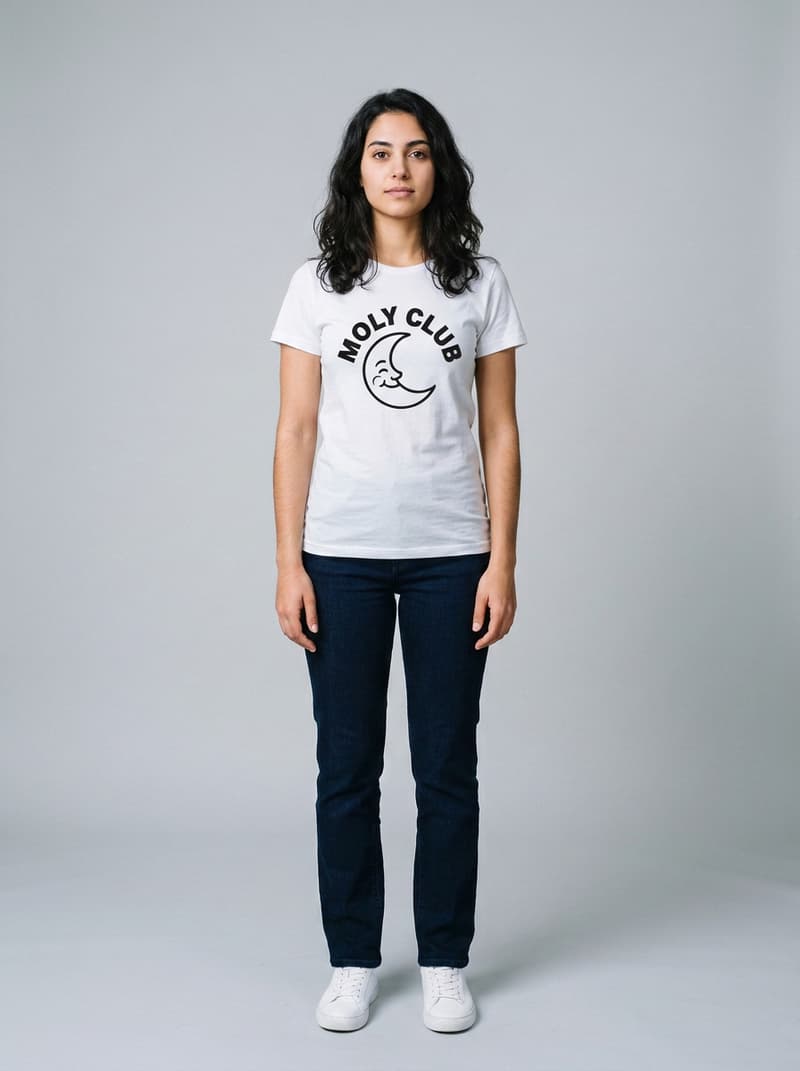
Printed tee from a flat-lay
The graphic and every letter of the wordmark readable
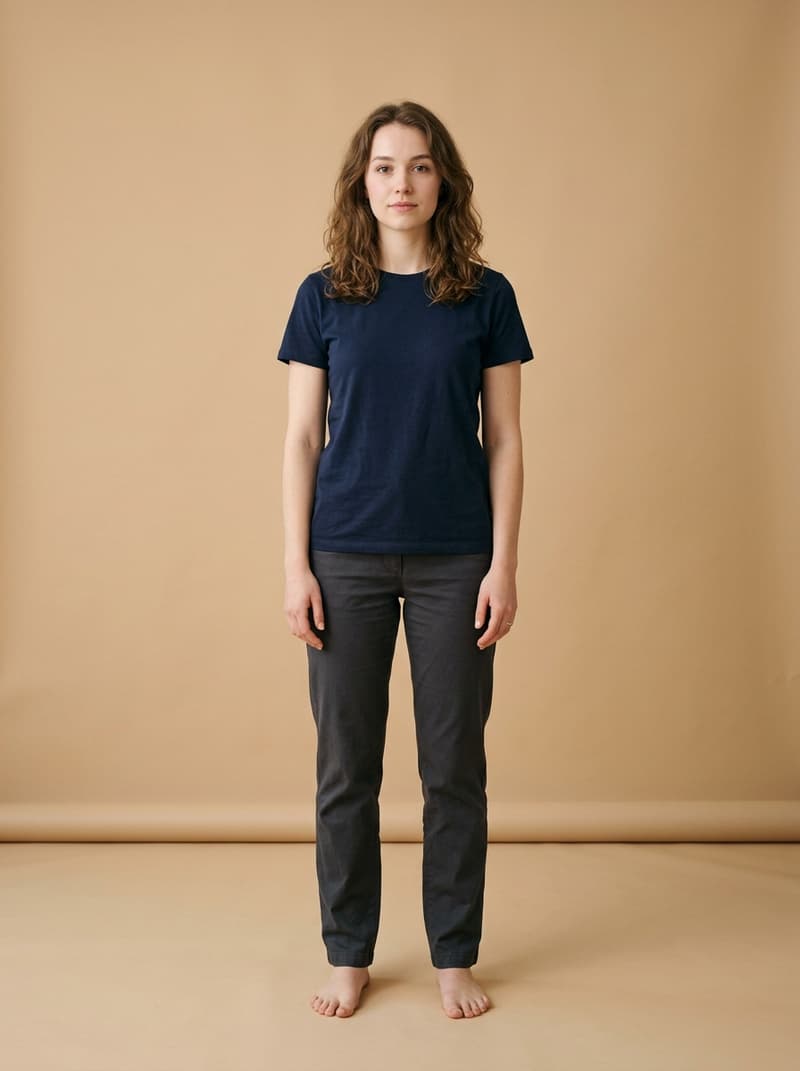
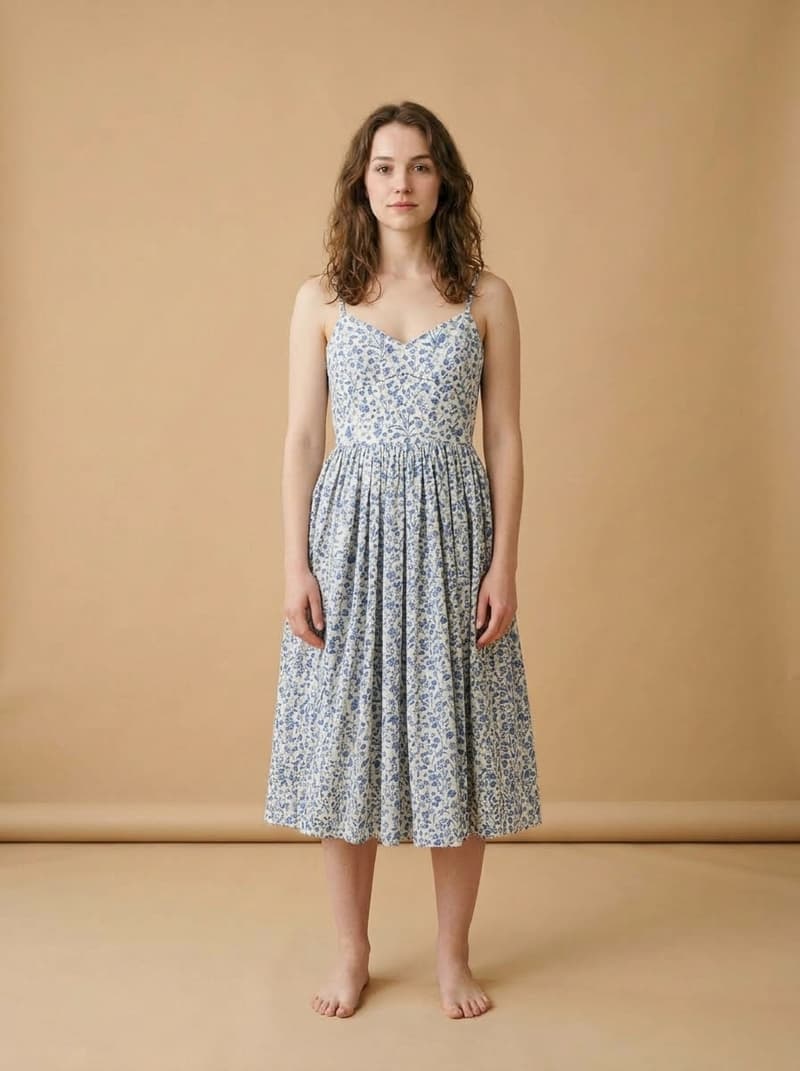
Floral dress from a flat-lay
The whole outfit replaced, the pose and the light unchanged
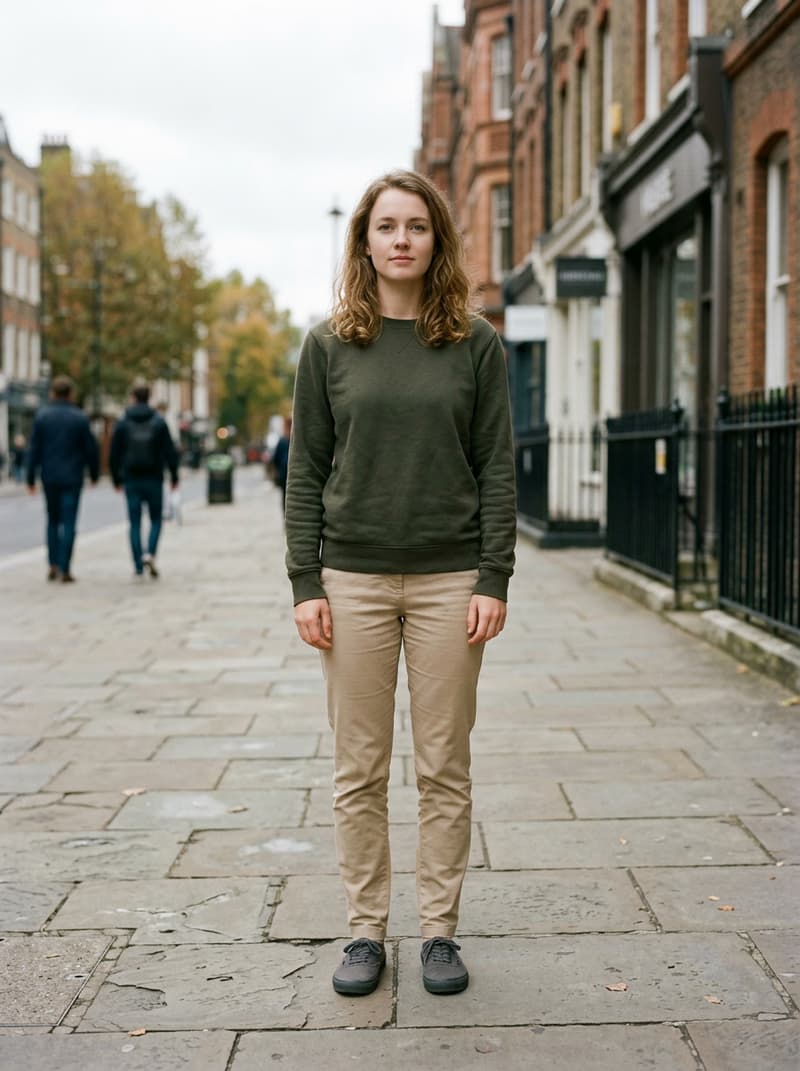
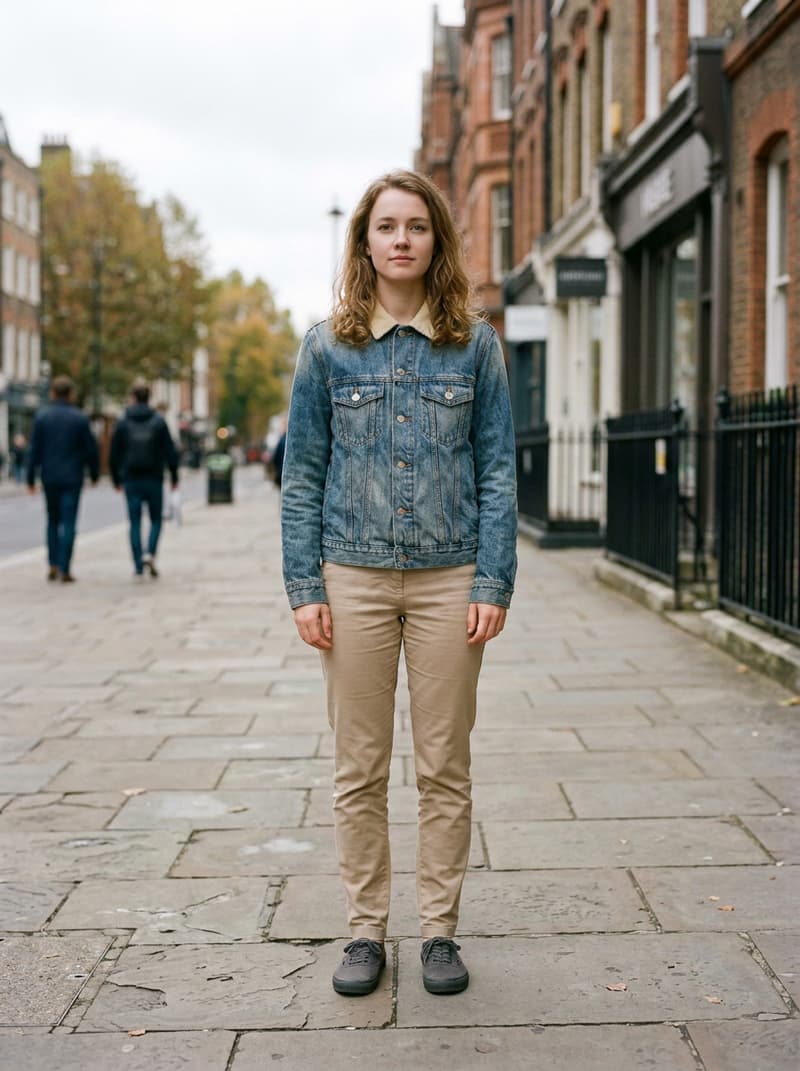
Denim jacket photographed on a hanger
Worn the way the jacket is cut, not the way the hanger held it
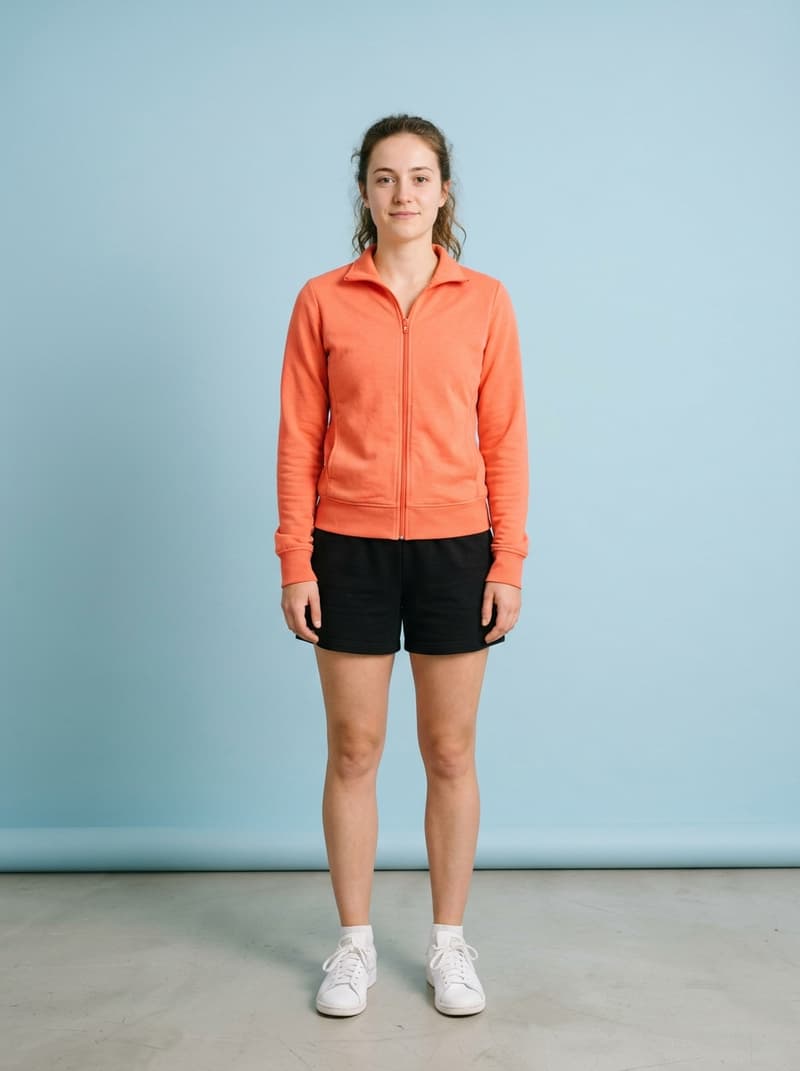
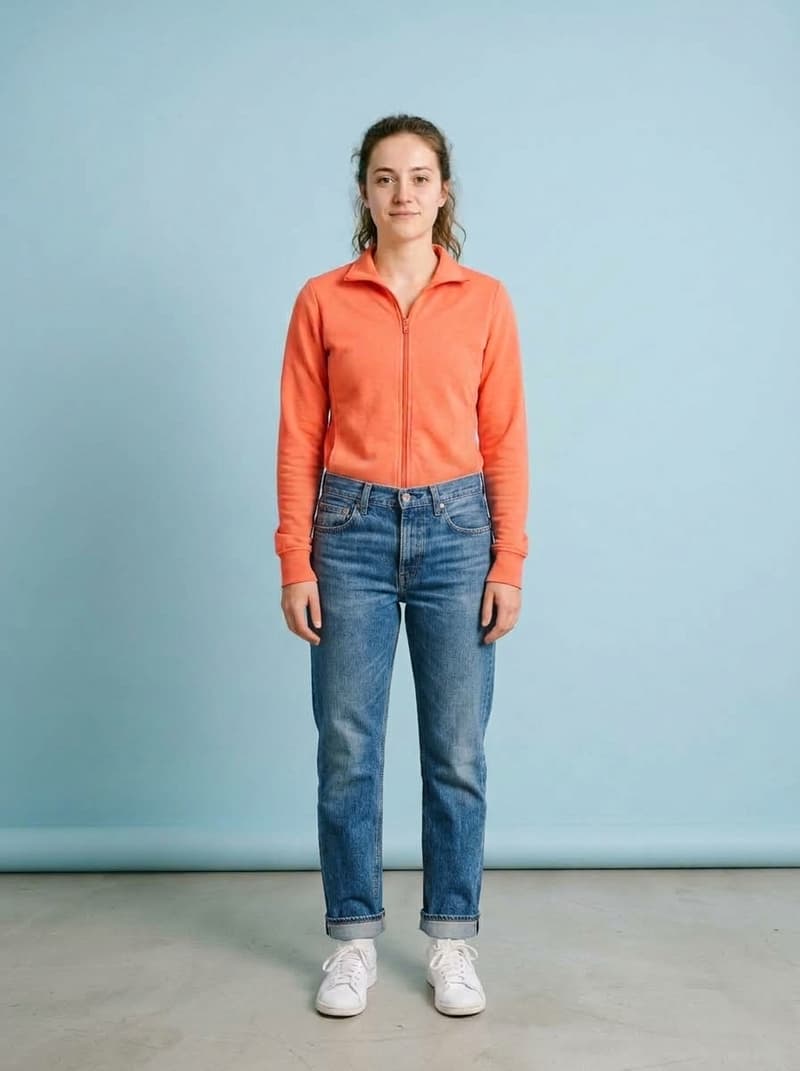
Jeans with Bottoms only on
New trousers, the top half exactly as it was
What virtual try-on does
It takes two pictures — one of you, one of a garment — and hands back the picture of you, wearing it. The piece arrives with its own colour, its own fabric and its own cut, and the print across the chest stays readable letter for letter. Everything that makes the photo yours stays put: your face, your hair, your hands, the way you are standing, the light in the room and the whole background behind you.
Use it before the piece is in your basket, or before it is even made: the jacket that only exists as a flat-lay on a store page, the dress you cannot picture on yourself, the shirt a client wants to see on a real person instead of a mannequin. The garment photo can be flat on a table, on a hanger or already worn by a model — all three work. Leave Bottoms only off and a shirt or a jacket goes on the upper body, while a dress or a jumpsuit takes over the whole outfit; switch it on and only the trousers or the skirt change, with everything above the waist untouched. A product photo with a busy background still works, but running it through the Background Remover first leaves nothing in the frame but the piece itself.
A try-on picture is usually the first step rather than the last: open it in the AI Image Generator to set it against a clean backdrop for a listing, or to build a lookbook page around it. If flat-lay, on-model photography or aspect ratio are unfamiliar words, the glossary explains each one. And when you want the piece moving rather than standing still, the video try-on tool puts it on a model in a clip.
Virtual try-on specifications
| Parameter | Value | Notes |
|---|---|---|
| Input | JPEG, PNG, WEBP · up to 15 MB each | Two photos: one of the person, one of the garment. Product shots work flat, on a hanger or already on a model. |
| Output | PNG · framing follows your photo | PNG framed like the photo you uploaded — same crop, same proportions, same background. |
| Batch size | 1 try-on per run | One person and one garment per run, so every result answers a single question: how does this look on me? |
| Credits | 16 credits per image | Charged per image when you submit — the same price whichever piece goes on. |
| Result retention | 7–365 days by plan | Results stay downloadable for the retention window of your plan, then are deleted from storage. |
| On failure | Credits refunded automatically | Failed images are refunded automatically. |
How to try on clothes online
Three steps from two photos to one you can judge
Add your photo
Pick a picture where you can be seen clearly — full length, from the waist up or from behind all work, and it is fine to be holding something. Drag it in, paste it from the clipboard or click anywhere on the drop area.
Add the garment
A photo from the store page is enough: flat on a table, on a hanger, or already worn by a model. Swapping trousers or a skirt? Turn on Bottoms only and everything above the waist stays exactly as it is.
Download the PNG
The result comes back framed like your original, with a before/after slider so you can check the fit and read the print up close.
Virtual try-on — FAQ
Credits, your photo, the garment, the result