 Grok Imagine 2.0
Grok Imagine 2.0 (Grok Image)
xAI's Quality Mode, built for images you can actually use — sharp text, dense layouts, and edits guided by up to 5 reference images. Live now in the generator below.
- Failed generations auto-refunded
- Credit packs never expire
- Every model's price is public
- Cancel anytime in one click
- Text to image · Image to image
- Generation modes
- 5 presets + auto
- Aspect ratios
- Up to 5
- Reference images
- Arena #2
- Text-to-image rank
Grok Imagine 2.0 example prompts
These prompts map to the capabilities xAI highlighted at launch — precise text, dense layouts and infographic design. Click Remix to drop any prompt into the creator above and generate it with Grok Imagine 2.0.
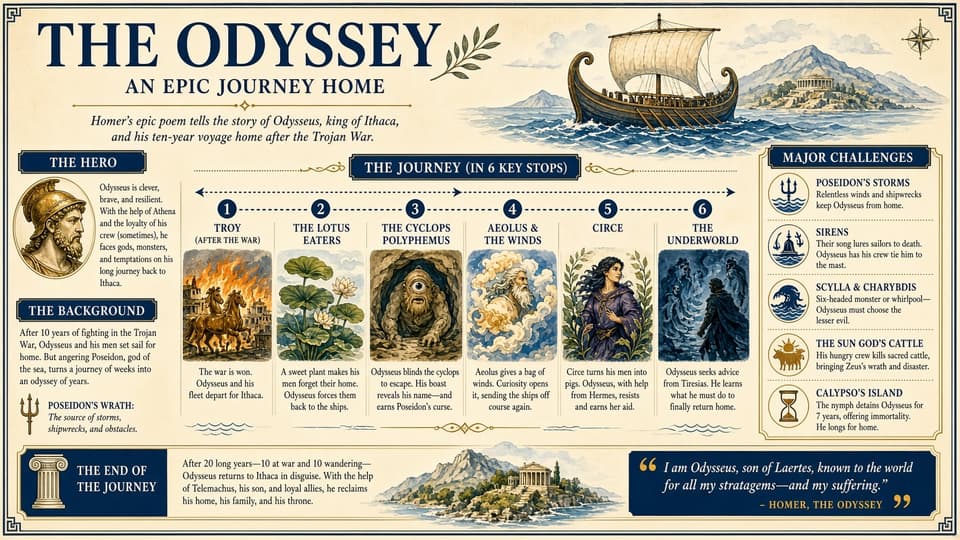
- Grok Imagine 2.0
- Text to image
- 16:9
- high
A vintage-style infographic poster titled 'THE ODYSSEY — AN EPIC JOURNEY HOME'. Subtitle: 'Homer's epic poem tells the story of Odysseus, king of Ithaca, and his ten-year voyage home after the Trojan War.' Left column: 'THE HERO' profile and 'THE BACKGROUND' summary. Center: 'THE JOURNEY (IN 6 KEY STOPS)' timeline with illustrated panels for Troy, the Lotus Eaters, the Cyclops Polyphemus, Aeolus & the Winds, Circe, and the Underworld, each with a one-sentence caption. Right column: 'MAJOR CHALLENGES' — Poseidon's storms, sirens, Scylla & Charybdis, the sun god's cattle, Calypso's island. Footer: 'THE END OF THE JOURNEY' and the quote 'I am Odysseus, son of Laertes, known to the world for all my stratagems—and my suffering.' — Homer, The Odyssey. Aged parchment texture, navy and gold palette, engraved illustration style, every line of text sharp and legible.
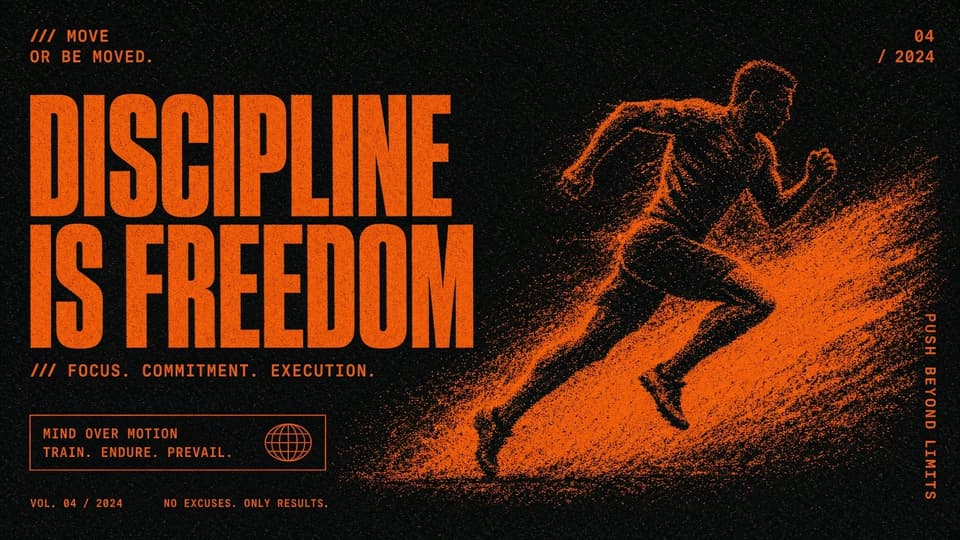
- Grok Imagine 2.0
- Text to image
- 16:9
- high
A motivational sports poster on a black background: bold orange condensed typography reading 'DISCIPLINE IS FREEDOM', '/// MOVE OR BE MOVED.' at the top left, '/// FOCUS. COMMITMENT. EXECUTION.' below the headline, 'MIND OVER MOTION — TRAIN. ENDURE. PREVAIL.' in a bordered box, 'VOL. 04 / 2024' and 'NO EXCUSES. ONLY RESULTS.' at the bottom, 'PUSH BEYOND LIMITS' running vertically along the right edge. On the right, a sprinter mid-stride rendered in orange stipple dots with motion particles. High contrast, gritty texture, all text crisp.
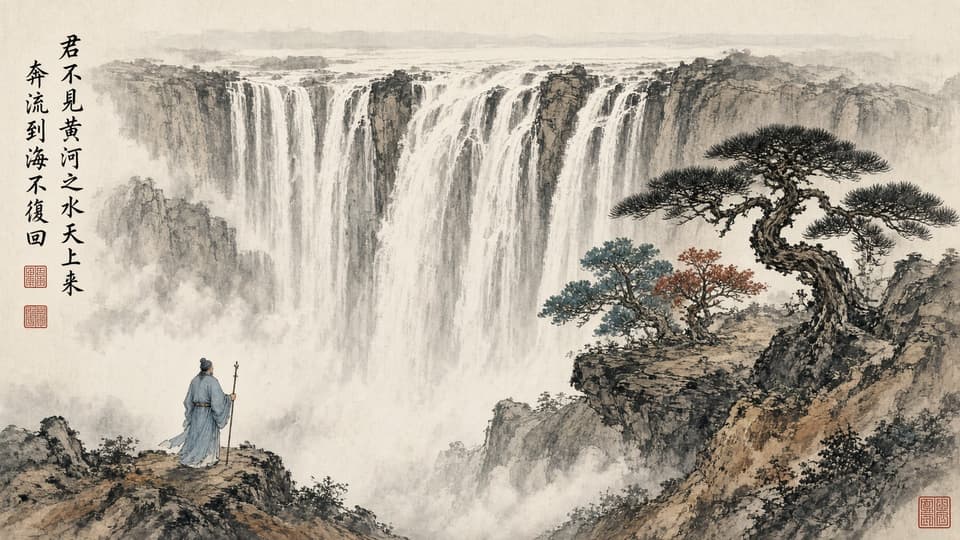
- Grok Imagine 2.0
- Text to image
- 16:9
- high
A traditional Chinese ink wash painting: a scholar in flowing robes stands on a cliff holding a staff, gazing at a colossal multi-tiered waterfall plunging through mist, a gnarled pine tree with teal and vermilion foliage on the right. Vertical calligraphy on the left reads 「君不见黄河之水天上来,奔流到海不复回」 with two small red seal stamps beneath. Rice paper texture, delicate brush strokes, atmospheric mist.
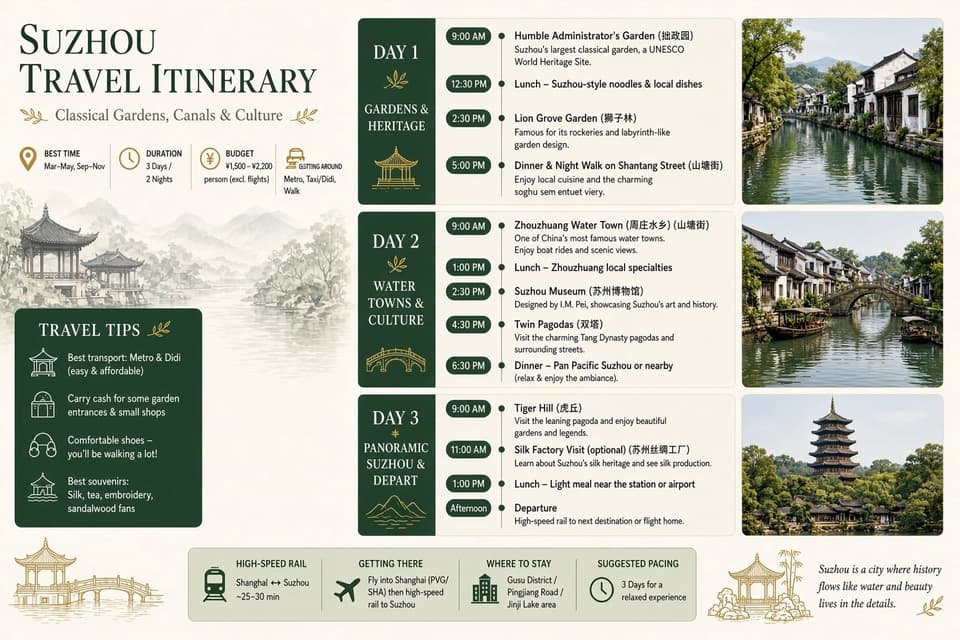
- Grok Imagine 2.0
- Text to image
- 3:2
- high
An elegant bilingual travel infographic titled 'SUZHOU TRAVEL ITINERARY — Classical Gardens, Canals & Culture'. Three day columns: Day 1 Gardens & Heritage (Humble Administrator's Garden 拙政园, Lion Grove Garden 狮子林, Shantang Street 山塘街), Day 2 Water Towns & Culture (Zhouzhuang Water Town 周庄水乡, Suzhou Museum 苏州博物馆, Twin Pagodas 双塔), Day 3 Panoramic Suzhou & Depart (Tiger Hill 虎丘, silk factory visit). Left sidebar: best time to visit, 3 days / 2 nights, budget, travel tips. Right side: three scenic photos of canals, water towns and a pagoda. Footer bar: high-speed rail, getting there, where to stay, suggested pacing. Serif typography, jade-green and cream palette, fine line icons, all English and Chinese text clean and legible.
- Grok Imagine 2.0
- Text to image
- 16:9
- high
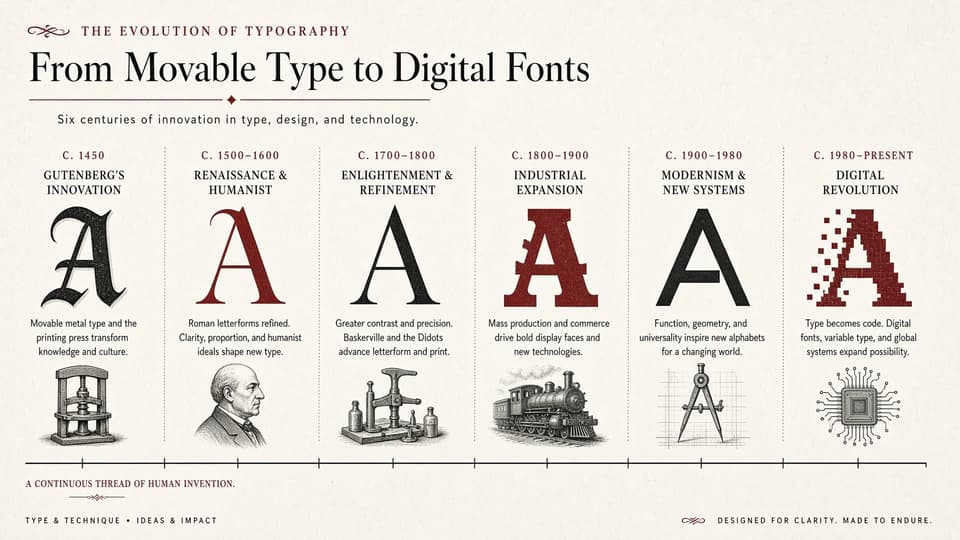
An educational infographic titled 'THE EVOLUTION OF TYPOGRAPHY — From Movable Type to Digital Fonts', subtitled 'Six centuries of innovation in type, design, and technology.' Six columns on a timeline: 'C. 1450 Gutenberg's Innovation' (blackletter A, printing press), 'C. 1500–1600 Renaissance & Humanist' (red roman A, scholar portrait), 'C. 1700–1800 Enlightenment & Refinement' (high-contrast Didone A, hand press), 'C. 1800–1900 Industrial Expansion' (bold slab serif A, steam train), 'C. 1900–1980 Modernism & New Systems' (geometric sans A, drafting compass), 'C. 1980–Present Digital Revolution' (pixelated A, microchip). Footer: 'A CONTINUOUS THREAD OF HUMAN INVENTION' and 'TYPE × TECHNIQUE • IDEAS × IMPACT'. Cream paper background, red and black ink, editorial layout, every caption readable.
- Grok Imagine 2.0
- Text to image
- 16:9
- high
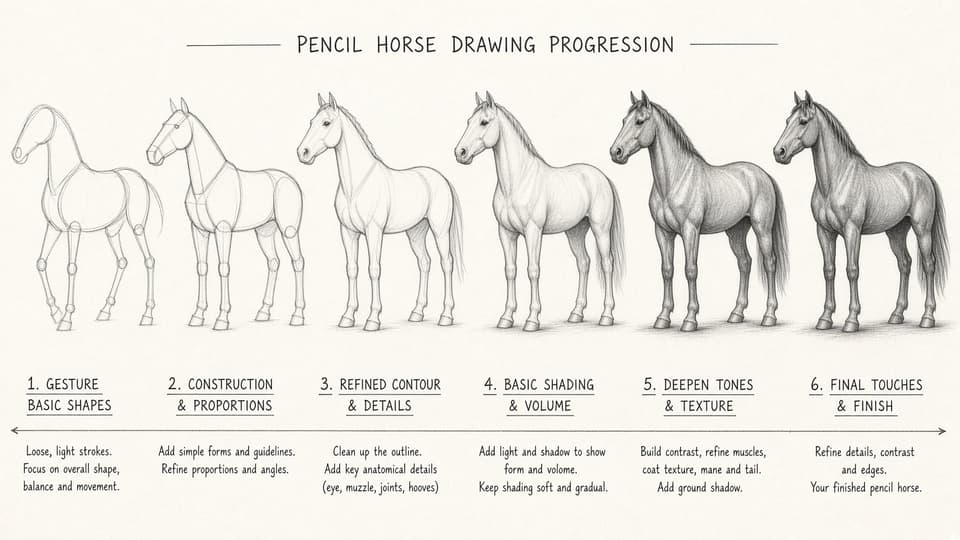
An instructional art chart titled 'PENCIL HORSE DRAWING PROGRESSION': the same standing horse shown in six stages left to right — 1. Gesture (loose basic shapes), 2. Construction & Proportions, 3. Refined Contour & Details, 4. Basic Shading & Volume, 5. Deepen Tones & Texture, 6. Final Touches & Finish — each with a two-line caption and connected by one long arrow. Cream sketchbook paper, graphite texture, clean hand-lettered labels, evenly spaced columns.
What is Grok Imagine 2.0?
Grok Imagine 2.0 is xAI's next-generation image generation and editing model, released in August 2026 as Quality Mode inside Grok Imagine. It is aimed at real creative work: photorealistic textures, accurate small text, dense layouts, and brand-friendly output that stays consistent when zoomed in. You'll see it called Grok Imagine 2, Imagine 2.0 or simply Grok Image — they all refer to the same xAI model.
Beyond generation, Imagine 2.0 brings a full editing toolbox — Magic Wand region editing, segmentation selection, background removal, multi-reference editing with up to 5 reference images, and Smart Resize: reframing a single image across 9 ratios instead of simply cropping. About 15 templates cover product shots, portraits, e-commerce, icons, emojis, mascots, game assets and marketing posters.
Grok Imagine 2.0 is live on Molyin today — the generator at the top of this page runs it, and the same credit balance works across every model in the AI image generator. Transparent per-image pricing is on the pricing page.
Grok Imagine 2.0 vs GPT Image 2
Both models sit near the top of the Arena leaderboard. Below is how xAI positions Imagine 2.0 against the current #1.
| Capability | GPT Image 2 | Grok Imagine 2.0 |
|---|---|---|
| Arena ranking | #1 in text-to-image and image editing | #2 in text-to-image and image editing |
| Text & layout | Strong text and layout skills | Plans layouts and dense compositions so small text stays legible |
| In-place editing | Conversational image editing | Magic Wand + segmentation region editing, background removal |
| Ratio change | Regenerates at the new size | Smart Resize reframes across 9 ratios (not a crop) |
| Templates | No built-in templates | ~15 templates: product, portrait, poster, icon, game asset |
| Reference images | Supports multi-image references | Up to 5 reference images per edit |
| API access | Live on Molyin | Live on Molyin |
Comparison based on xAI's August 2026 announcement and public Arena leaderboards.
Grok Imagine 2.0 vs image models live on Molyin
| Model | Positioning | Release date | On Molyin |
|---|---|---|---|
| Grok Imagine 2.0 | xAI Quality Mode — precise editing + Smart Resize | Aug 7, 2026 (consumer app) | Live — generate above |
| GPT Image 2 | OpenAI top-tier image model | 2026 | Live — generate above |
| Nano Banana | Google fast / standard / pro image family | 2026 | Live — generate above |
| Seedream 5.0 | ByteDance image model, 1K / 2K / 3K / 4K | Jul 8, 2026 | Live — generate above |
| FLUX.2 | Black Forest Labs Dev / Pro / Max | 2025 | Live — generate above |
One subscription, one credit balance — every model available above is included.
Grok Imagine 2.0 full specifications
| Parameter | Value | Notes |
|---|---|---|
| Generation modes | Text to image · Image to image | Generate from text, or upload an image and edit it with natural language. |
| Aspect ratios | 1:1 · 2:3 · 3:2 · 16:9 · 9:16 · auto | Five presets plus auto on Molyin; in image edit, auto follows your input image. |
| Resolution tiers | 1K / 2K | Per xAI's published consumer pricing, Quality Mode outputs up to 2K. |
| Output formats | PNG / JPEG / WebP | Common web-ready formats. |
| Images per generation | 1 | One image per run on Molyin; the Grok consumer app returns multiple candidates. |
| Reference images | Up to 5 | Multi-reference editing can merge up to 5 images to keep style or subject consistent. |
| Templates | ~15 | Product shots, portraits, e-commerce, icons, emojis, mascots, game assets, marketing posters. |
| Text rendering | Sharp small text | Plans layouts and dense compositions so labels, posters and UI mockups stay readable. |
| Background removal | Built-in | Cut out the subject and export a transparent background directly in the workflow. |
| Smart Resize | 9 ratios | Reframe a single image into ratios such as 1:2, 9:16, square, 16:9 and 2:1 instead of simply cropping. |
| Seed control | No | Seed control is not exposed for Grok Imagine 2.0 on Molyin. |
Specification rows reflect xAI's August 2026 announcement; on Molyin the model runs text-to-image and image edit with up to 5 reference images at a flat per-image rate.
How to use Grok Imagine 2.0 on Molyin
Grok Imagine 2.0 works on Molyin like every other image model — three steps.
Pick the model
Grok Imagine 2.0 is pre-selected in the creator at the top of this page — or pick it anytime from the model dropdown.
Describe your image
Write a prompt, upload reference images, or start from a template for product shots or posters.
Generate and edit
Generate the image, then iterate with region editing, background removal or Smart Resize.
Write better Grok Imagine 2.0 prompts
The core formula from our Grok Imagine 2.0 prompt guide — subject, style and lighting first, then layer in text, layout and mood.
[Subject] + [Style] + [Lighting] + optional [Text] [Layout] [Mood]
Subject
The main person, object or scene. Be specific: 'a raccoon in a teal Hawaiian shirt' beats 'an animal'.
Style
The visual treatment: vintage travel poster, editorial magazine spread, studio product shot, ink wash painting.
Lighting
Golden hour, softbox, overcast window light — light sets the mood fast.
Text
Quote exact lettering in the image: headlines, captions, badges. Grok Imagine 2.0 keeps small text legible.
Layout
Where things sit: 'headline on the left, photo upper right, footer strip at the bottom'. The model plans composition.
Mood
A single emotional word: nostalgic, playful, serene, defiant.
Grok Imagine 2.0 FAQ
What people ask about xAI's image model on Molyin.
Start Creating with Molyin Today
Sign up free and turn your first idea into a cinematic video in minutes.