Text to Image AI
Write what you want to see and get the picture. Nano Banana 2.1, GPT Image 2, Seedream 5.0, Grok Imagine 2.0 and FLUX.2 turn a sentence into magazine covers, product shots, posters and paintings — with legible text, exact aspect ratios, and files ready to publish.
- Failed generations auto-refunded
- Credit packs never expire
- Every model's price is public
- Cancel anytime in one click
- 11
- Text-to-image models
- 4K
- Output up to
- 3 cr/image
- Credits from
- 10
- Free credits on sign-up
One Sentence In, a Finished Image Out
Real text-to-image outputs paired with the exact prompt that produced them — a magazine cover with crisp serif typography, a 4K grain of rice with lettering etched into it, a neon lounge built from a single line, an ink-wash waterfall with calligraphy, and a studio product shot. Remix any of them to start from the same settings.
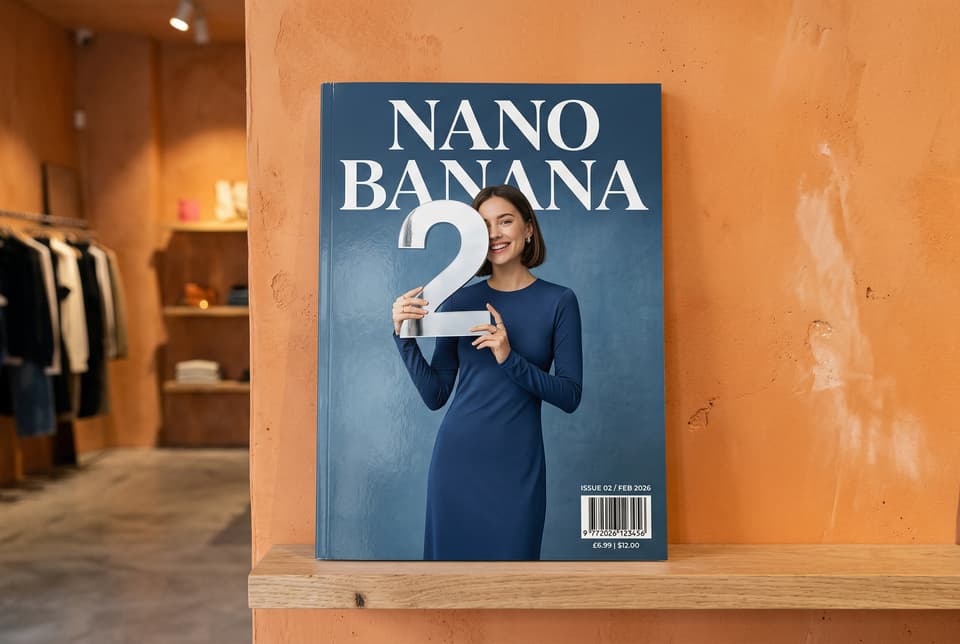
- Nano Banana 2.1
- Text to image
- 3:2
- 2K
A photo of a glossy magazine cover, the minimal blue cover has the large bold words Nano Banana. The text is in a serif font and fills the view. No other text. In front of the text there is a portrait of a person in a sleek and minimal dress. She is playfully holding the number 2, which is the focal point. Put the issue number and "Feb 2026" date in the corner along with a barcode. The magazine is on a shelf against an orange plastered wall, within a designer store.
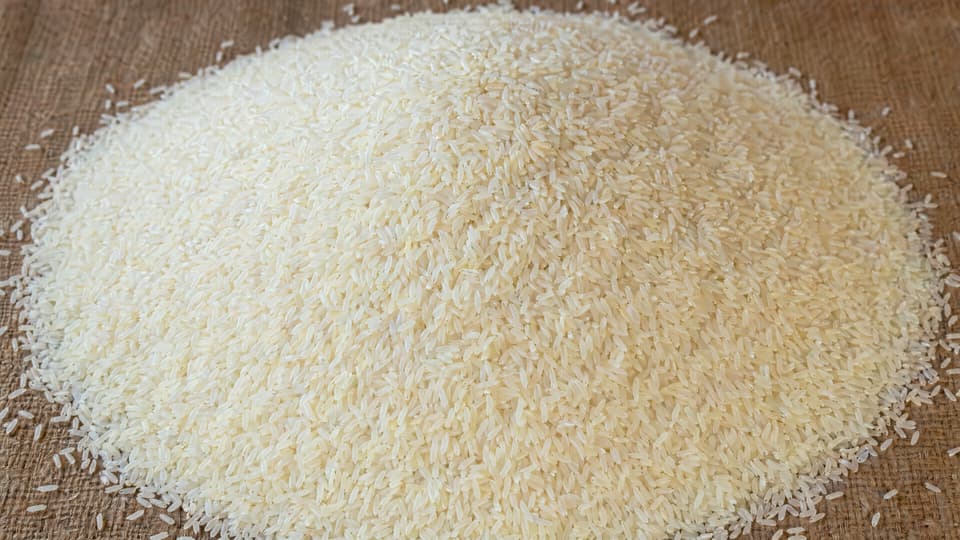
- GPT Image 2
- Text to image
- 16:9
- 4K
Mound of rice with thousands of grains, zoomed out. One of those grains has "GPT Image 2" etched onto it, just big enough to fit on that single grain. This rice grain is exactly the same size as the others, not any bigger or smaller, and blends into the rice mound well so it cannot be spotted at a glance.
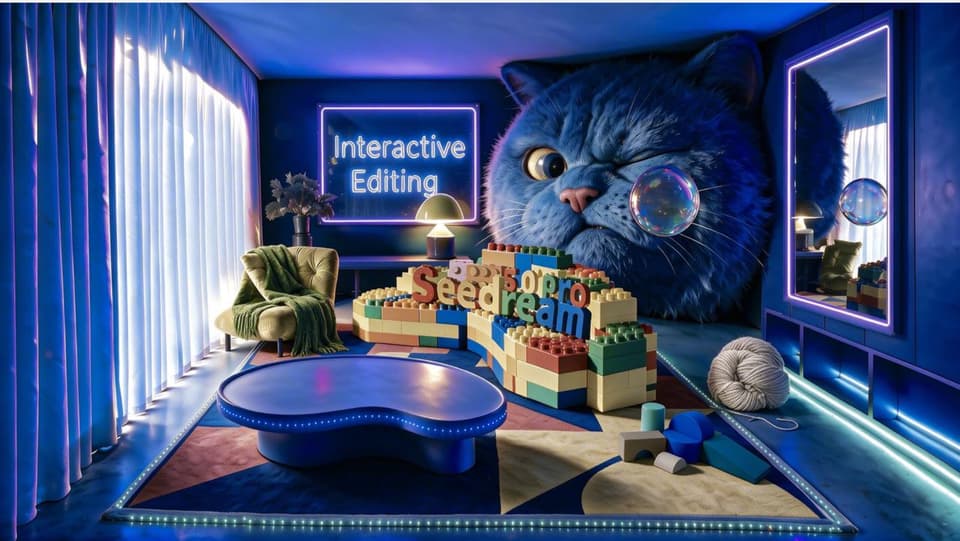
- Seedream 5.0 Pro
- Text to image
- 16:9
- 2K
A surreal neon-lit interior room designed like a playful product showcase for Seedream 5.0 Pro. Wide-angle cinematic view of a cozy modern lounge with deep blue walls, glowing LED strip lights along the floor and furniture, soft daylight pouring through tall sheer curtains on the left, and a large wall mirror with a purple neon frame on the right. A giant blue furry cat head fills the back wall, winking and staring at a floating transparent soap bubble with colorful indoor reflections. In the center, stacked toy-like building blocks form a small platform with colorful 3D letters spelling “Seedream 5.0 Pro.” A rounded glossy blue coffee table sits in the foreground on a geometric rug. Add a green armchair with a grass-green blanket draped over it, a warm beige wool ball on the floor, scattered abstract foam blocks, and a glowing neon sign reading “Interactive Editing” on the back wall. High-detail realistic 3D render, whimsical product demo atmosphere, rich blue and purple lighting, soft reflections, playful surreal composition, cinematic wide shot.
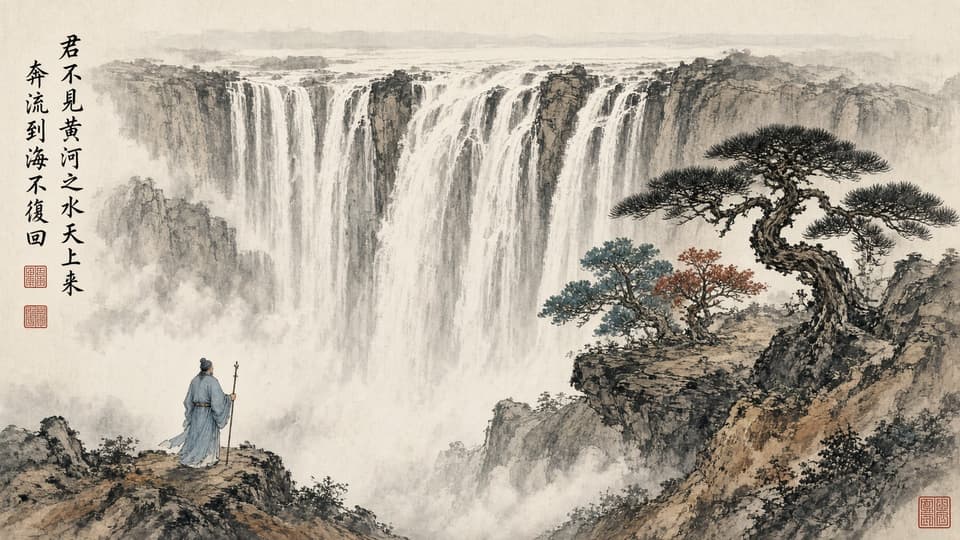
- Grok Imagine 2.0
- Text to image
- 16:9
- high
A traditional Chinese ink wash painting: a scholar in flowing robes stands on a cliff holding a staff, gazing at a colossal multi-tiered waterfall plunging through mist, a gnarled pine tree with teal and vermilion foliage on the right. Vertical calligraphy on the left reads 「君不见黄河之水天上来,奔流到海不复回」 with two small red seal stamps beneath. Rice paper texture, delicate brush strokes, atmospheric mist.
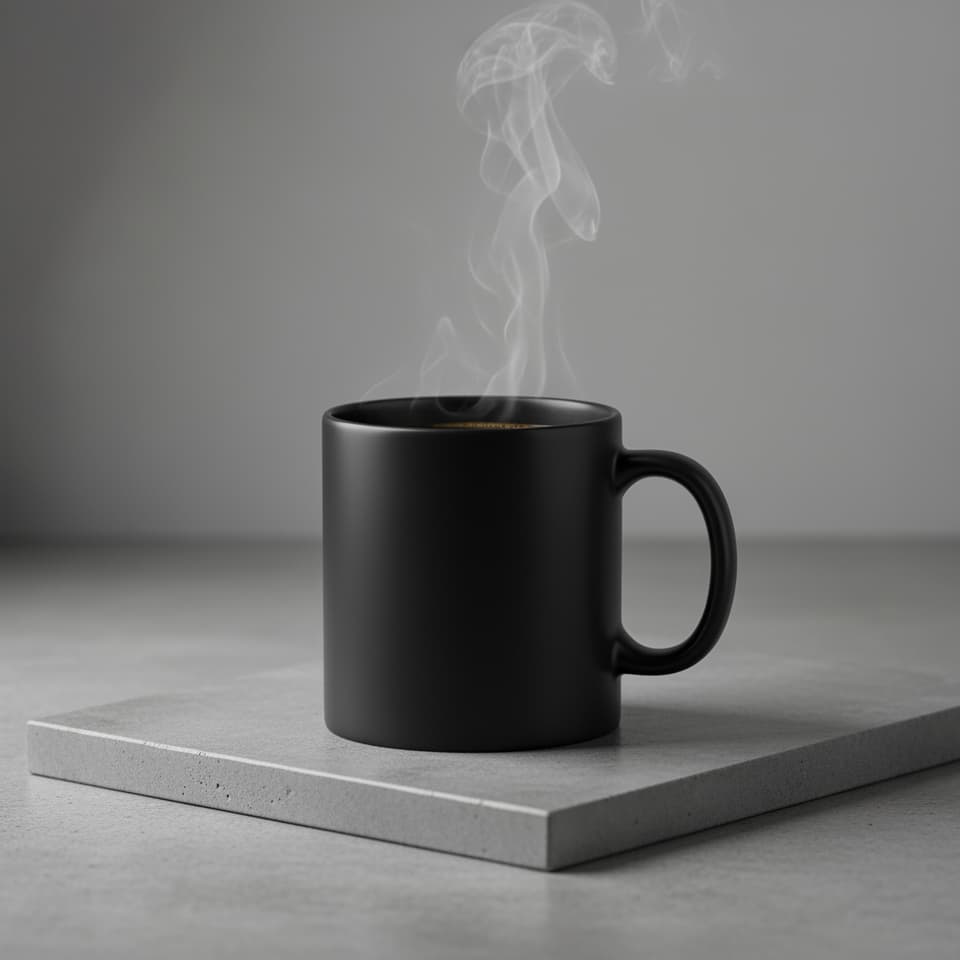
- Nano Banana 2.1
- Text to image
- 1:1
- 1K
A high-resolution, studio-lit product photograph of a minimalist ceramic coffee mug in matte black, presented on a polished concrete surface. The lighting is a three-point softbox setup designed to create soft, diffused highlights and eliminate harsh shadows. The camera angle is a slightly elevated 45-degree shot to showcase its clean lines. Ultra-realistic, with sharp focus on the steam rising from the coffee. Square image.
What Is Text to Image AI?
Text to image AI generates a picture from a written description. You type the subject, the style, the composition and the light; the model renders a new image that matches — no source photo, no stock library, no drawing skill required. The text-to-image glossary entry covers the term itself; this page is where you make one.
Molyin runs every leading text-to-image model in one studio. Nano Banana 2.1 renders typography and product shots at up to 4K in ultra-wide ratios; GPT Image 2 follows precise instructions and fills a page with legible editorial text; Seedream 5.0 handles cinematic scenes and information-dense layouts; Grok Imagine 2.0 delivers infographics, posters and painterly styles at a flat price; the FLUX.2 family gives you custom pixel dimensions for print. Switch models in the picker and the same prompt runs on a different engine.
Text-to-image is one of two modes in the AI image generator — image-to-image shares the same prompt box and credit balance, so a finished picture can go straight back in as a reference for the next one. Every image bills per file, failed generations are refunded, and every paid plan on the pricing page includes commercial usage rights and watermark-free downloads. When a still is not enough, the image to video generator animates it.
Which Model for Which Image
Every text-to-image model on Molyin, with what it does best, the output resolutions it offers, and how many reference images it accepts when you switch to image-to-image.
| Model | Best at | Resolution | Image-to-image |
|---|---|---|---|
| Nano Banana 2 (Lite / 2.1) | Typography, product photography, ultra-wide ratios up to 8:1 | 1K / 2K / 4K (Lite: 1K) | Up to 10 reference images |
| Nano Banana Pro | Highest-detail renders in the Nano Banana family | 1K / 2K / 4K | Up to 8 reference images |
| GPT Image 2 | Precise instruction following, dense legible text, up to 10 images per run | 1K / 2K / 4K, or exact pixel sizes up to 3840×2160 | Up to 16 reference images |
| Seedream 5.0 (Pro / Lite) | Cinematic scenes, interfaces and information-dense layouts | Pro 1K / 2K; Lite 2K / 3K / 4K | Up to 10 reference images |
| Grok Imagine 2.0 | Infographics, posters and art styles at one flat price | Native output, 5 aspect ratios | Up to 5 reference images |
| FLUX.2 (Dev / Pro / Max) | Custom width and height for print, photoreal detail | 0.5K–4K tiers on Pro & Max; Dev at native size | Up to 8 reference images (Dev: 5) |
Every model here also runs in image-to-image mode — generate a picture from text, then feed it back as a reference to refine it.
How to Generate an Image from Text
Three steps from a sentence to a downloadable file — most images render in under a minute.
Describe the Image
Write the subject first, then the setting, style, lighting and composition. Put any words that must appear in the picture in quotes. One clear paragraph beats a list of keywords.
Pick a Model and Format
Choose the model that fits the job, then the aspect ratio and resolution. The credit estimate updates before you submit, so you always know the price of the run.
Generate and Download
The image lands in your library within a minute. Download the full-resolution file, Remix with a tweaked prompt for another take, or switch to image-to-image to refine it.
Text to Image vs. Image to Image
Same models, different starting point: one begins from words alone, the other from a picture you already have.
| Text to Image | Image to Image | |
|---|---|---|
| Starting point | A written description only | One or more reference images plus a prompt |
| What you control | Everything through words — subject, style, composition, text | What stays and what changes; the reference sets subject, layout and palette |
| Consistency | Each generation reinterprets the description | Subject, product or character carried over from the reference |
| Best for | New concepts, posters, illustrations, first drafts of anything | Variations of an existing shot, restyling, product swaps, character series |
Most workflows chain the two: generate the first image from text, then refine it in image-to-image until it is right.
Text-to-Image Credits, Per Image
Every model bills per image at the resolution or quality tier you pick, and failed generations are refunded automatically.
Priced by output resolution
| Model | Resolution | Credits/image |
|---|---|---|
| GPT Image 2 (Easy) | 1K | 8 |
| 2K | 13 | |
| 4K | 21 | |
| Nano Banana 2 Lite | 1K | 5 |
| Nano Banana 2.1 | 1K | 6 |
| 2K | 9 | |
| 4K | 13 | |
| Nano Banana Pro | 1K | 24 |
| 2K | 24 | |
| 4K | 32 | |
| Seedream 5.0 Lite | 2K | 8 |
| 3K | 8 | |
| 4K | 8 | |
| Seedream 5.0 Pro | 1K | 12 |
| 2K | 18 |
GPT Image 2 (Advanced) — priced by quality and output size
| Quality | ≤ 1024×1024 | ≤ 2048×1024 | ≤ 2048×2048 | > 2048×2048 |
|---|---|---|---|---|
| Low | 3 | 3 | 3 | 4 |
| Medium | 11 | 11 | 11 | 11 |
| High | 30 | 30 | 30 | 30 |
The auto quality tier bills at the high rate.
Priced by quality tier
| Model | Quality | Credits/image |
|---|---|---|
| GPT Image 2.5 (Flare) | Low | 4 |
| Medium | 14 | |
| High | 34 | |
| Extra high | 66 | |
| Max | 130 | |
| GPT Image 2.5 (Sunburst) | Low | 4 |
| Medium | 14 | |
| High | 34 | |
| Extra high | 66 | |
| Max | 130 |
Quality-tier models bill the same at every output size — pick any size up to 3840×2160 at the listed rate.
FLUX.2 — priced by output size
| Model | Output size | Credits/image | Reference images |
|---|---|---|---|
| FLUX.2 Dev | ≤ 1MP | 3 | +3 credits/MP |
| ≤ 1.5MP | 4 | ||
| ≤ 2.1MP | 6 | ||
| FLUX.2 Pro | ≤ 0.5MP | 5 | +4 credits/MP |
| ≤ 1MP | 7 | ||
| ≤ 2MP | 10 | ||
| ≤ 3MP | 14 | ||
| ≤ 4MP | 17 | ||
| ≤ 4.2MP | 18 | ||
| FLUX.2 Max | ≤ 0.5MP | 13 | +7 credits/MP |
| ≤ 1MP | 16 | ||
| ≤ 2MP | 23 | ||
| ≤ 3MP | 29 | ||
| ≤ 4MP | 36 | ||
| ≤ 4.2MP | 37 |
FLUX.2 reference images are billed by their real total pixel area — the reference column shows the surcharge per input megapixel.
Flat rate per image
| Model | Credits/image | Reference images |
|---|---|---|
| Grok Imagine 2.0 | 6 | +2 credits/image |
Flat-rate models bill the same for every output; on image-to-image runs, each reference image adds the surcharge shown above.
Subscription plans and one-time credit packs are compared side by side on the pricing page.
Text to Image AI FAQ
Everything about generating images from text on Molyin.
Start Creating with Molyin Today
Sign up free and turn your first idea into a cinematic video in minutes.