Remove any object from a photo by naming it
No brushing, no lasso. Upload a photo, type what should disappear — a passer-by, a wire, a date stamp — and get the same photo back with the gap filled to match its surroundings.
Drop images here, or select files
JPG · PNG · WEBP · up to 15 MB each · up to 4 images
Passers-by, wires, stamps — gone
Every result below came straight out of the tool, with no touch-ups. Drag the handle to inspect the rebuilt area up close, then drop your own photo at the top of the page.
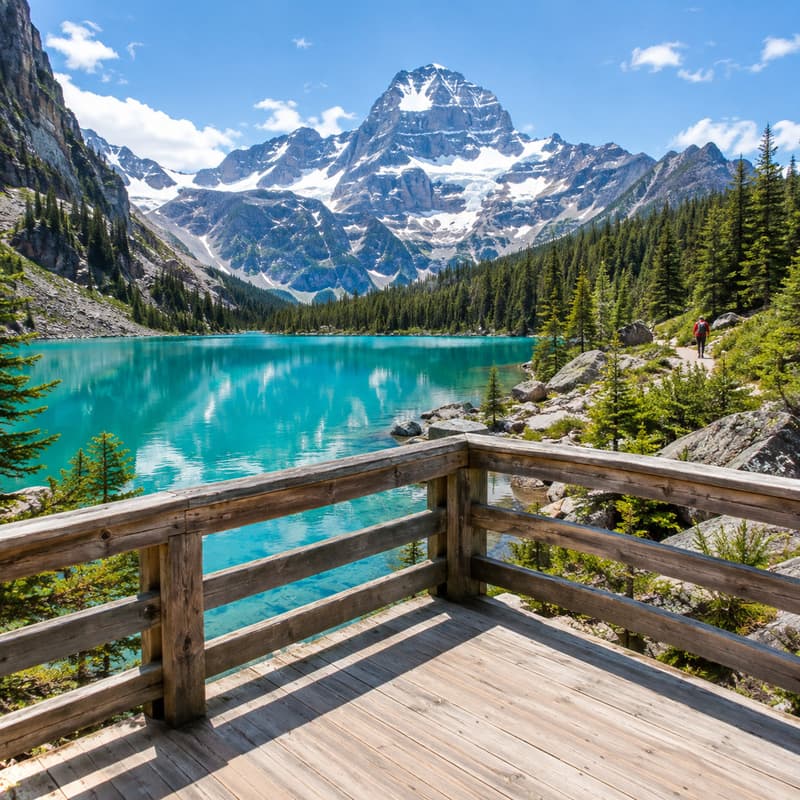
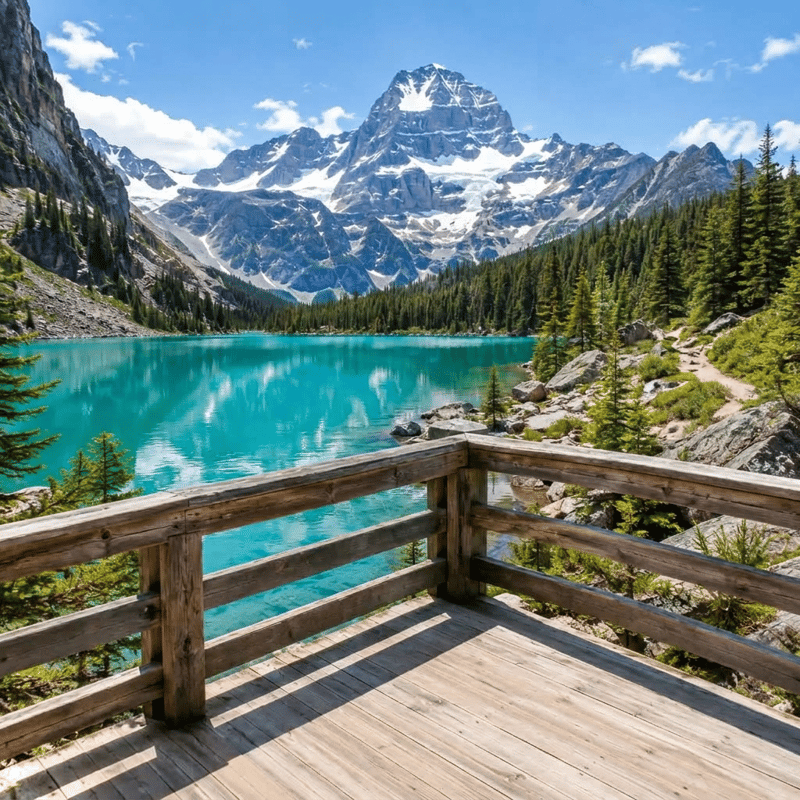
Hiker on the far trail
Gone — the lake shore reads continuous
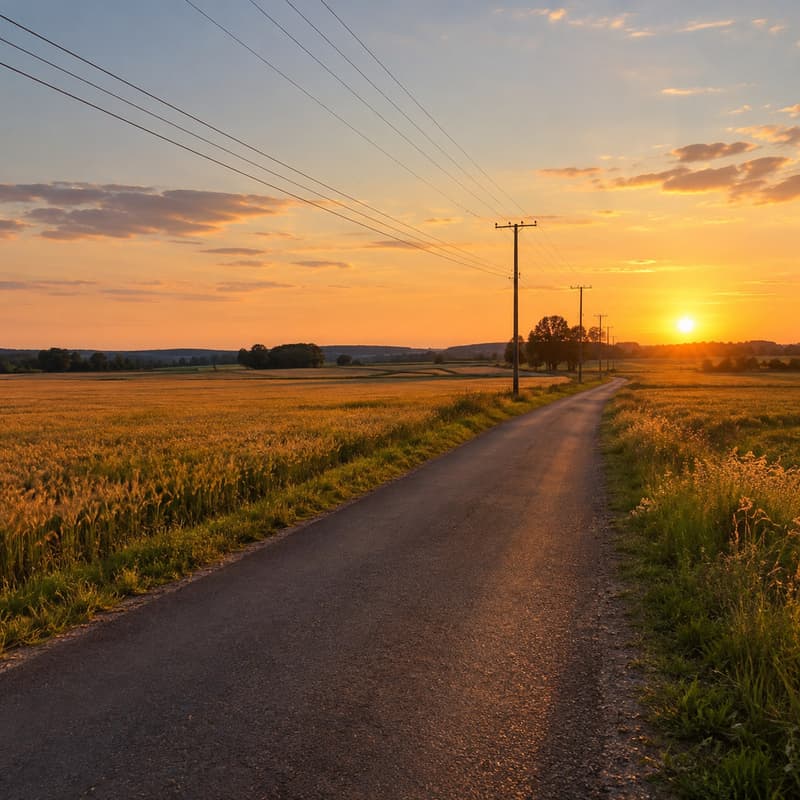

Power lines crossing the sky
Wires gone, the sunset gradient stays smooth


Trash bin at the frame edge
Sidewalk and shopfront close behind it


Price tag tied to the vase
Tag and string gone, the glaze untouched
What this object remover does
It takes a photo and a short description of what should not be in it, and returns the same photo with that thing gone and the background behind it rebuilt — texture, colour and lighting matched to the surroundings. There is nothing to paint over and no mask to draw: the description is the instruction.
Reach for it for the photobomber behind an otherwise good shot, the power line crossing a landscape, the price tag on a second-hand listing photo, or the date stamp an old camera burned in. Short noun phrases work better than long sentences — name the thing, not the story. If what covers your image is a watermark — a tiled pattern or a logo stamp rather than a physical object — the Watermark Remover is tuned for exactly that and needs no description at all.
A cleaned photo usually wants to go somewhere: open it in the AI Image Generator to place it in a new scene, or use it as the opening frame of a short clip. If terms like inpainting or resolution are unfamiliar, the glossary explains each one.
Object Remover specifications
| Parameter | Value | Notes |
|---|---|---|
| Input | JPEG, PNG, WEBP · up to 15 MB each | Any photo with something unwanted in it. .jpg and .jpeg are both fine. |
| Output | PNG · about 1K (≈1,024 px long side) | PNG at about 1K — the removed area is rebuilt to match its surroundings. |
| Batch size | Up to 4 images per run | Images are processed in parallel; each one is billed and refunded on its own. |
| Credits | 16 credits per image · no daily cap | Charged per image when you submit, with no daily cap. |
| Result retention | 7–365 days by plan | Results stay downloadable for the retention window of your plan, then are deleted from storage. |
| On failure | Credits refunded automatically | If an image cannot be processed, the credits for that image are returned to your balance automatically. |
How to remove an object
Three steps from cluttered photo to clean one
Add your images
Drag photos in, paste from the clipboard or click anywhere on the drop area — a whole batch at once, all sharing one description.
Name what should go
A short noun phrase is all it takes — "the person in the background", "the wire", "the date stamp". The same description applies to every image in the batch.
Download the PNG
Every result comes as a before/after slider so you can check the rebuilt area up close. The photo can also go on to AI Image or AI Video without leaving the site.
Object Remover — FAQ
Credits, descriptions, results