Restore old photos — scratches, creases and fading repaired
Scan a print, upload it, and get back a clean PNG with the damage gone and the faces, framing and everyone in the picture kept exactly as they were. Add colour, or leave a black-and-white photo black and white.
Drop images here, or select files
JPG · PNG · WEBP · up to 15 MB each · up to 10 images
Restored old photos — before and after
Every result below came straight out of the tool, with no touch-ups. Drag the handle to check the faces up close, then drop your own scan at the top of the page.
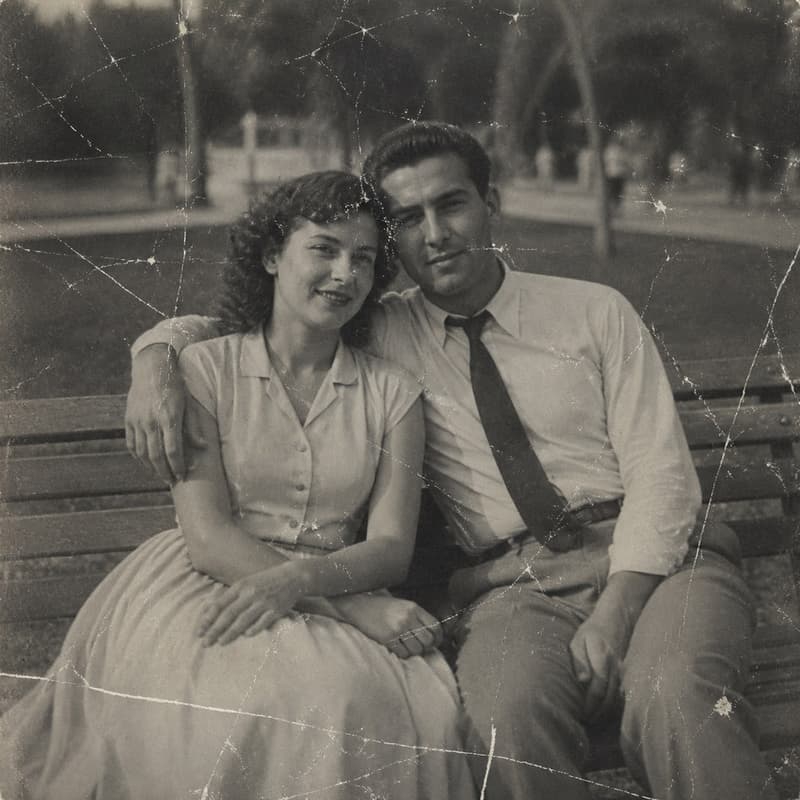
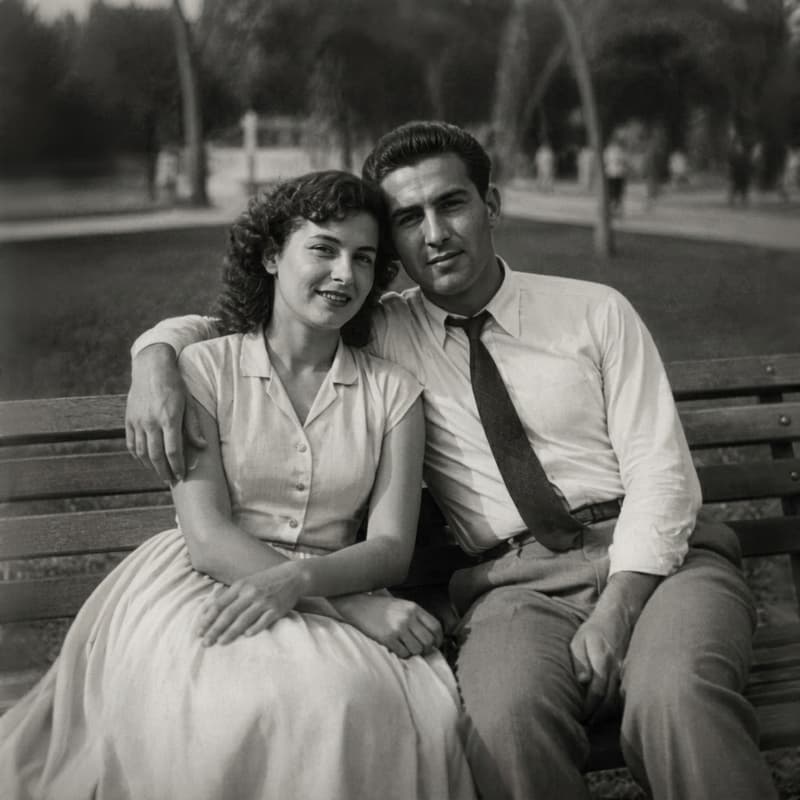
Scratched and dusty print
Scratches and specks gone, the grain calmed
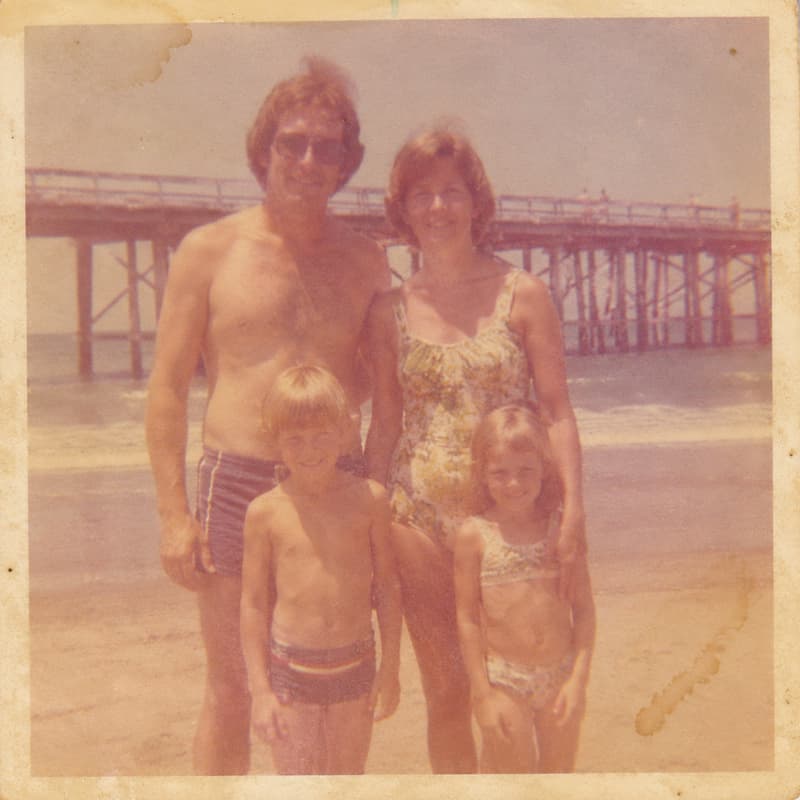
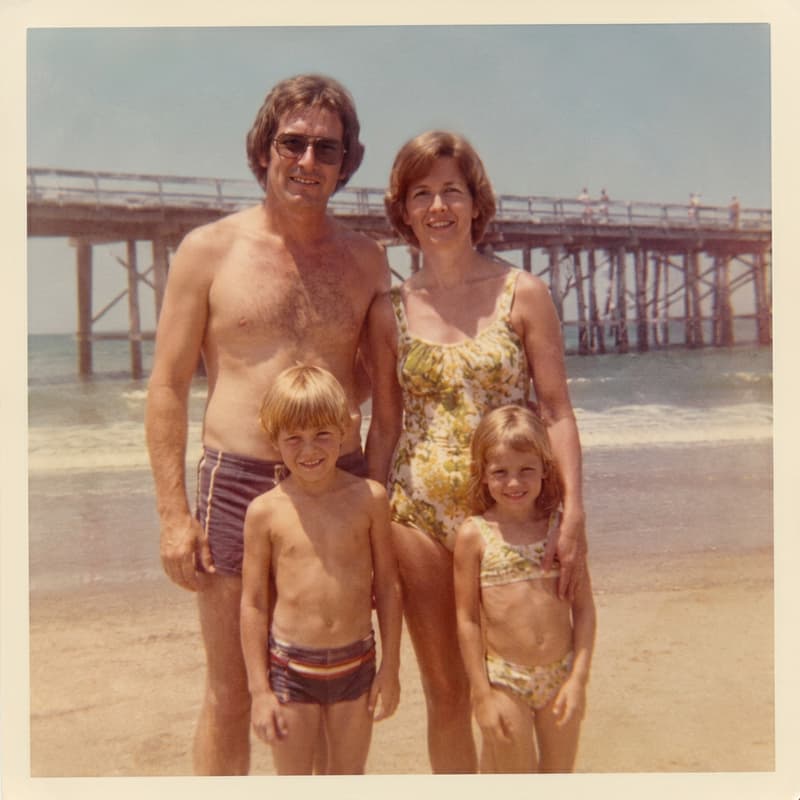
Colour print faded to orange
Skin tones and sky back, the colour balance restored
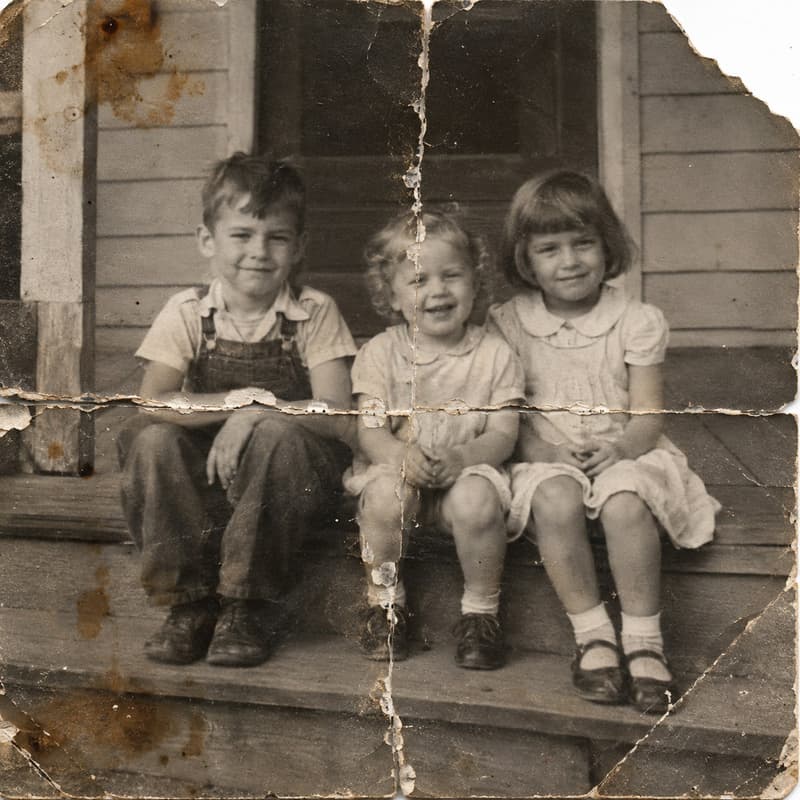
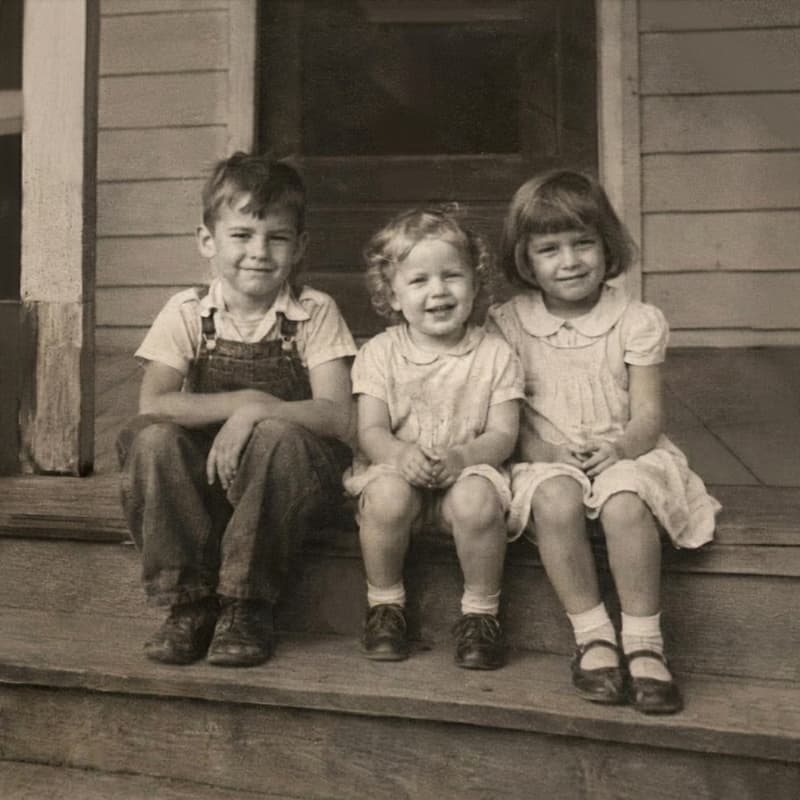
Print folded across the middle
The crease closed, the face beneath it whole
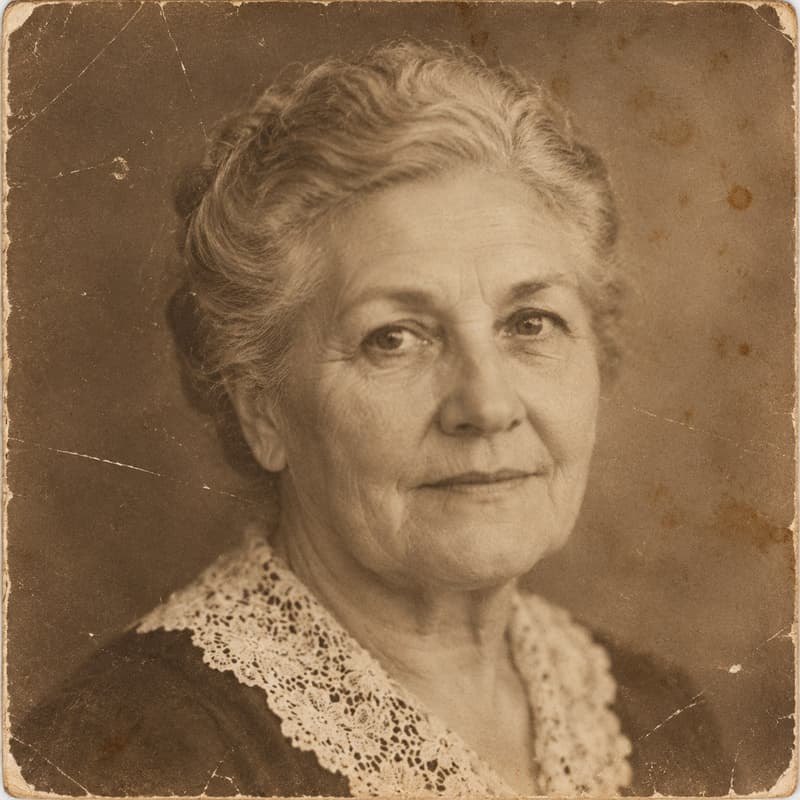
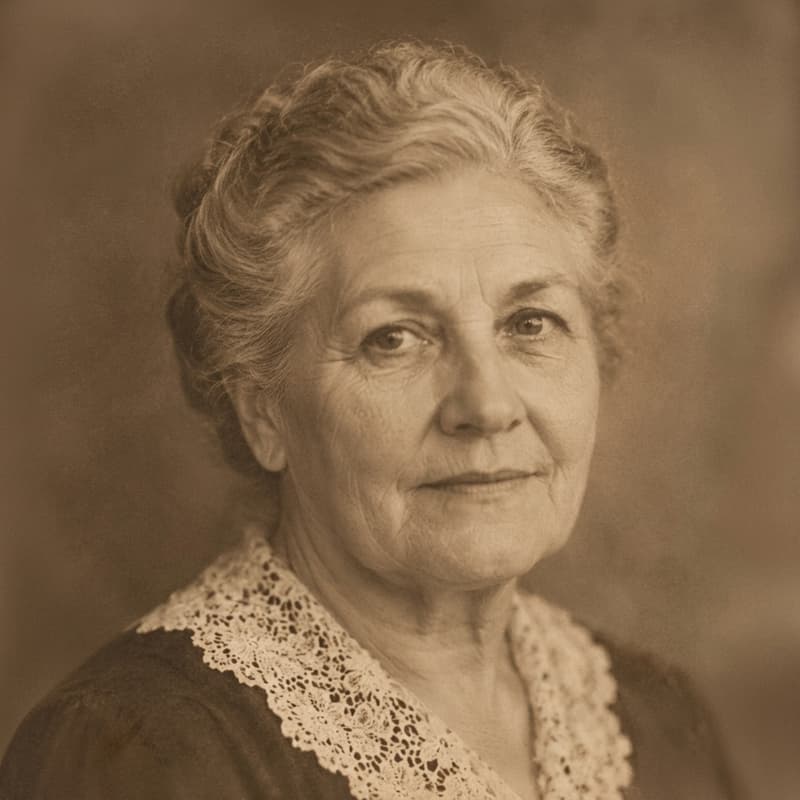
Studio portrait from the 1950s
Eyes, hair and collar sharp, the same person looking back
What this photo restorer does
It takes a scan of an old print — the kind that has lived in a shoebox, an album with sticky pages or a frame in the sun — and repairs what time did to it: scratches and dust, the crease where it was folded into a wallet, the stain in a corner, the colour that drifted to orange, the grain of a cheap film. Faces get their detail back, and the picture stays the picture: same framing, same people, same expressions, nothing added and nobody moved.
Reach for it for the photos that matter: the only picture of a grandparent as a young person, a wedding print from the sixties, the school photo with a fold straight through a face, a family group where the fading has taken the sky. Colour is optional — a black-and-white photo stays black and white unless you ask for colour, and if you do, it is added in the same pass. If colour is the main thing you are after, Photo Colorizer is the same tool with sample results for that. For a photo that is not damaged but simply too small or too soft, the Image Upscaler takes it up to 4K.
A restored photo usually wants to go somewhere: open it in the AI Image Generator to set it in a new scene or make a print-ready version, or use it as the opening frame of a short family clip in AI Video. If scan resolution, film grain or colour cast are unfamiliar words, the glossary explains each one.
Photo Restorer specifications
| Parameter | Value | Notes |
|---|---|---|
| Input | JPEG, PNG, WEBP · up to 15 MB each | Scans and phone photos of prints — .jpg and .jpeg are both fine. |
| Output | PNG · about 1K (≈1,024 px long side) | PNG at about 1K — roughly 1,024 pixels on the long side, proportions kept. Sized for screens, shared albums and standard prints. |
| Batch size | Up to 10 photos per run | Photos are processed in parallel; each one is billed and refunded on its own. |
| Credits | 16 credits per photo · no daily cap | Charged per photo when you submit — the same price with or without colour, with no daily cap. |
| Result retention | 7–365 days by plan | Results stay downloadable for the retention window of your plan, then are deleted from storage. |
| On failure | Credits refunded automatically | If a photo cannot be processed, the credits for that photo are returned to your balance automatically. |
How to restore an old photo
Three steps from a damaged scan to a clean PNG
Add your scans
Scan the print, or photograph it flat under even light, then drag the files in, paste from the clipboard or click anywhere on the drop area — a whole batch at once.
Decide whether to add colour
Every photo gets the full repair — scratches, creases, stains, fading, grain, faces. Colour is a separate choice: keep a black-and-white photo as it is, or turn Colorize on and the colour is added in the same pass.
Download the PNG
Every result comes as a before/after slider so you can check the faces up close. The result can also go on to AI Image or AI Video without leaving the site.
Photo Restorer — FAQ
Credits, scanning, colour, faces