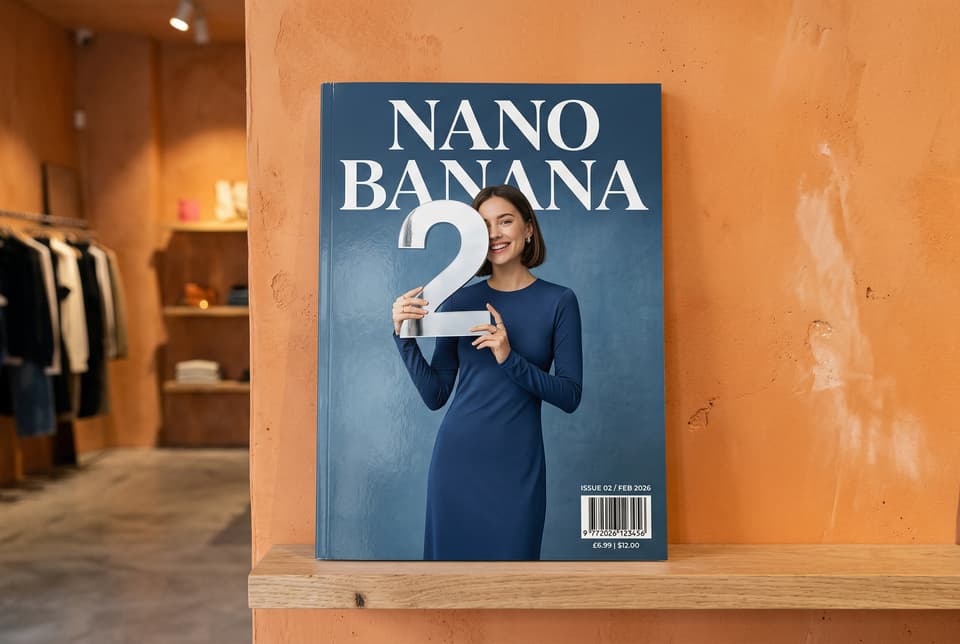
Text-to-image (T2I) is a generative AI technique that turns a written description — a prompt — into a finished image: composition, lighting, style, and detail all rendered from your words. You describe the picture; the model paints it.
("T2I" is simply shorthand for text-to-image — you'll also see it written as text2image, txt2img, or text 2 image.)
How it works
Modern text-to-image models are diffusion models trained on enormous libraries of images paired with captions. Generation starts from pure noise, and the model progressively "denoises" it into a picture, steered at every step by your prompt. The newest generation pairs the diffusion core with a language-model front end that reads your prompt as instructions rather than a bag of keywords — so spatial relationships ("the cup on top of the book"), object counts, and even legible text inside the image come out right far more often.
T2I vs I2I at a glance
| Mode | Your input | The model treats it as | Best for |
|---|---|---|---|
| Text-to-image (T2I) | a written prompt only | the full brief | net-new visuals from nothing |
| Image-to-image (I2I) | one or more source images plus a prompt | structure and identity to preserve | editing, restyling, series consistency |
What it's best at
Text-to-image shines when you need a visual and have nothing but words:
- Concept art and mood boards — explore styles, palettes, and compositions before committing to a direction.
- Marketing visuals — hero images, thumbnails, banners, and social graphics in any aspect ratio, no photoshoot required.
- Illustration at scale — generate a consistent series by locking your style description and varying only the subject.
What a good prompt includes
A strong T2I prompt reads like an art director's brief. Cover four things: the subject (what's in the frame), the composition (framing, perspective, focal point), the style (medium, artist reference, rendering technique), and the lighting and mood (golden hour, neon noir, soft studio light). Specific beats vague: "a ceramic teapot on a linen cloth, overhead shot, soft window light, minimalist product photography" outperforms "a nice teapot" every time.
Text-to-image on Molyin
Text-to-image is the baseline mode across Molyin's image lineup — every live model takes a text prompt. What differs is how far you can push the output:
| Model | Top output resolution |
|---|---|
| GPT Image 2 (Easy) | 4K |
| Nano Banana 2 / Nano Banana Pro | 4K |
| Seedream 5.0 Lite | 4K |
| FLUX.2 Pro / Max | 4MP |
| Seedream 5.0 Pro | 2K |
GPT Image 2 (Advanced) and the GPT Image 2.5 pair price by quality tier rather than a fixed pixel ceiling. Whichever you pick, the generator only offers the aspect ratios and sizes that model actually supports, and shows the cost before you generate.