Relight your photo, keep your subject
Drop in one photo, drag the light where you want it — front, back, top, sides — then pick a light style from natural daylight to neon haze. The person, the product, the moment stay yours; only the light changes.
Drop an image here, or select a file
JPG · PNG · WEBP · up to 15 MB
Light direction
Light style
Same photo, new light — before and after
Every result below came straight out of the tool, with no touch-ups. Drag the handle to see what the new lighting changed, then drop your own photo at the top of the page.
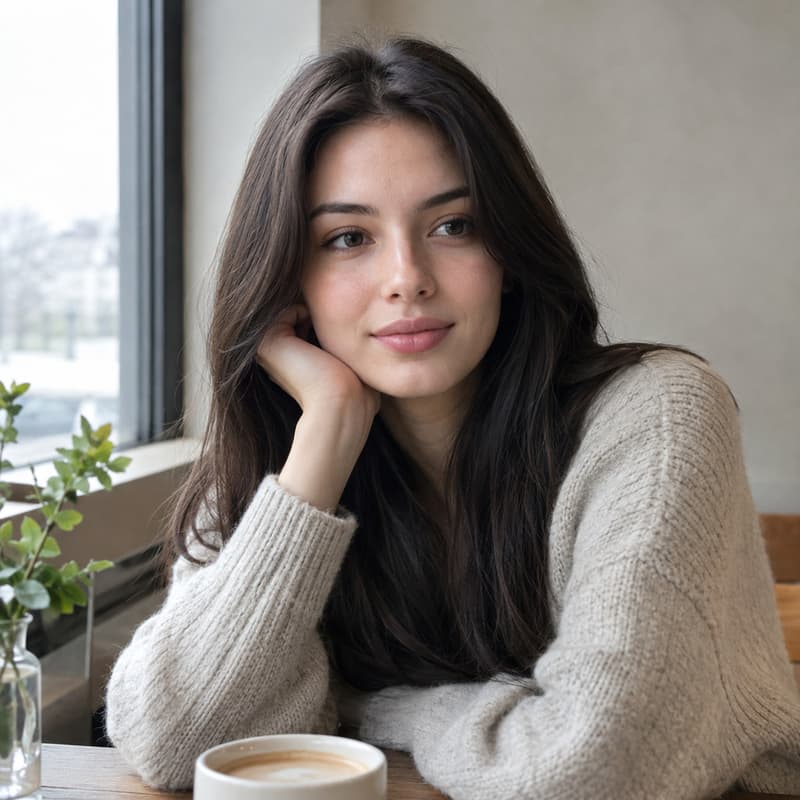
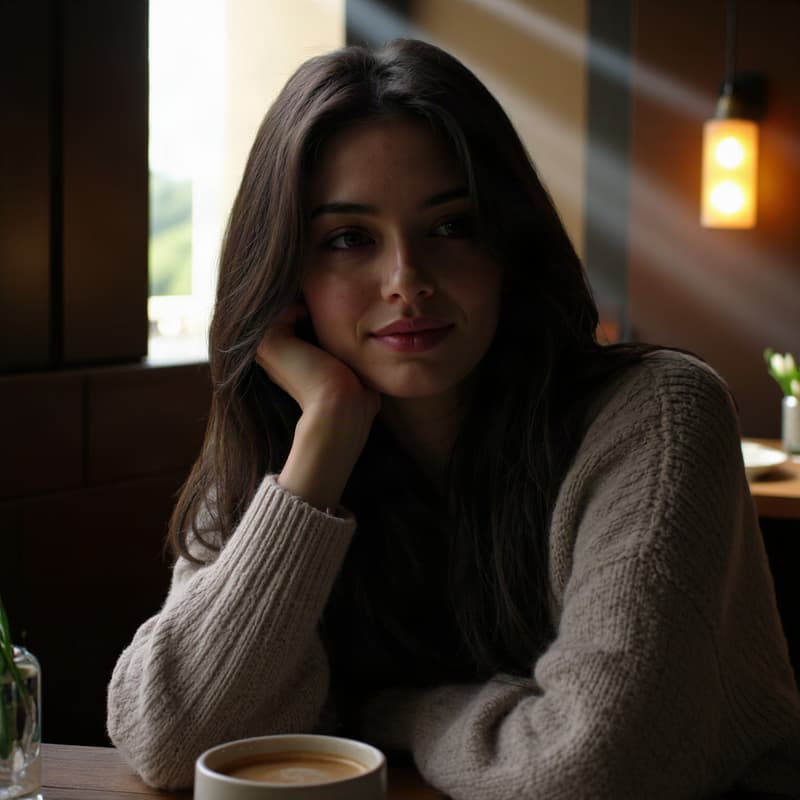
Portrait relit with cinematic backlight
Rim light on the hair, mood carried by the shadows
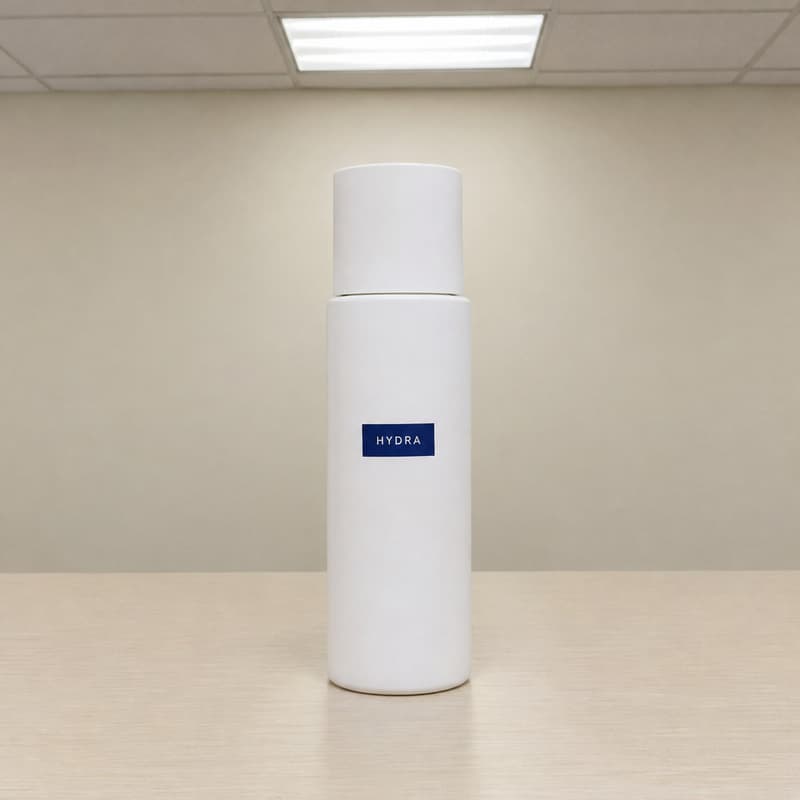
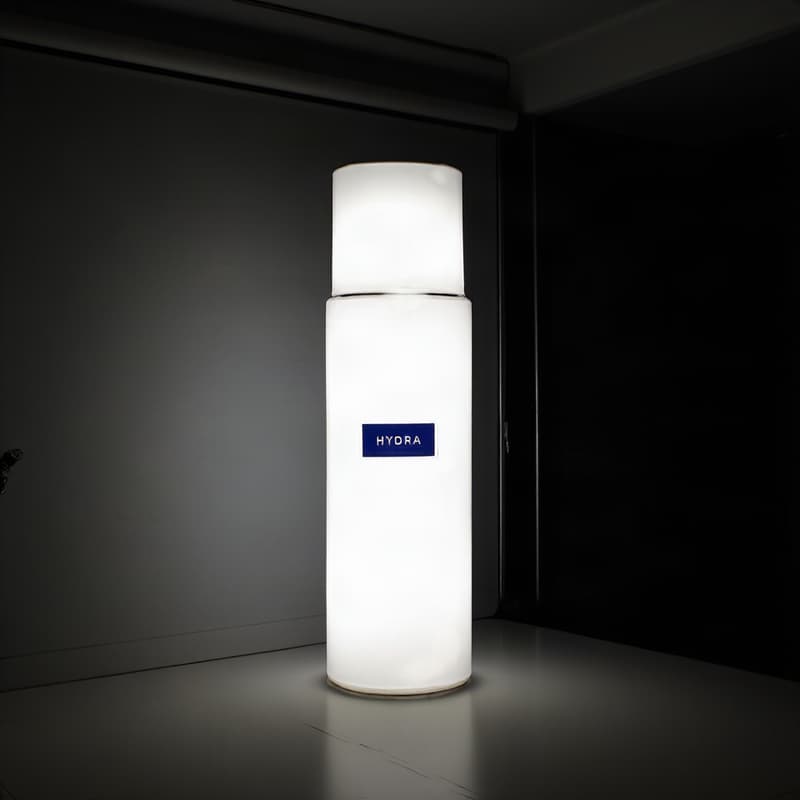
Product shot under studio light
Office-light photo becomes a clean softbox setup
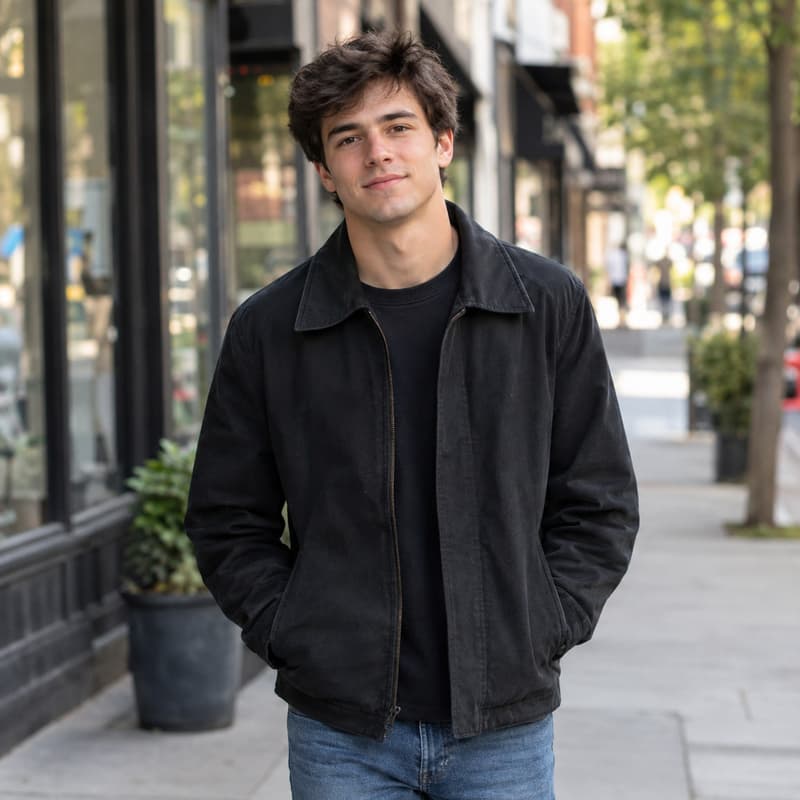
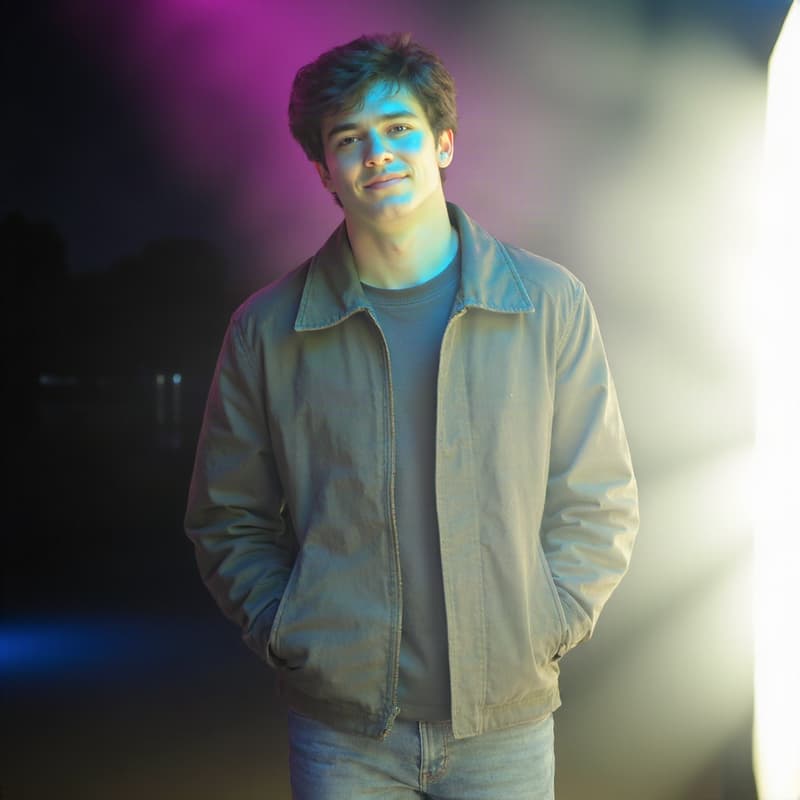
Portrait relit with neon from the right
Street snapshot turns night scene — identity untouched
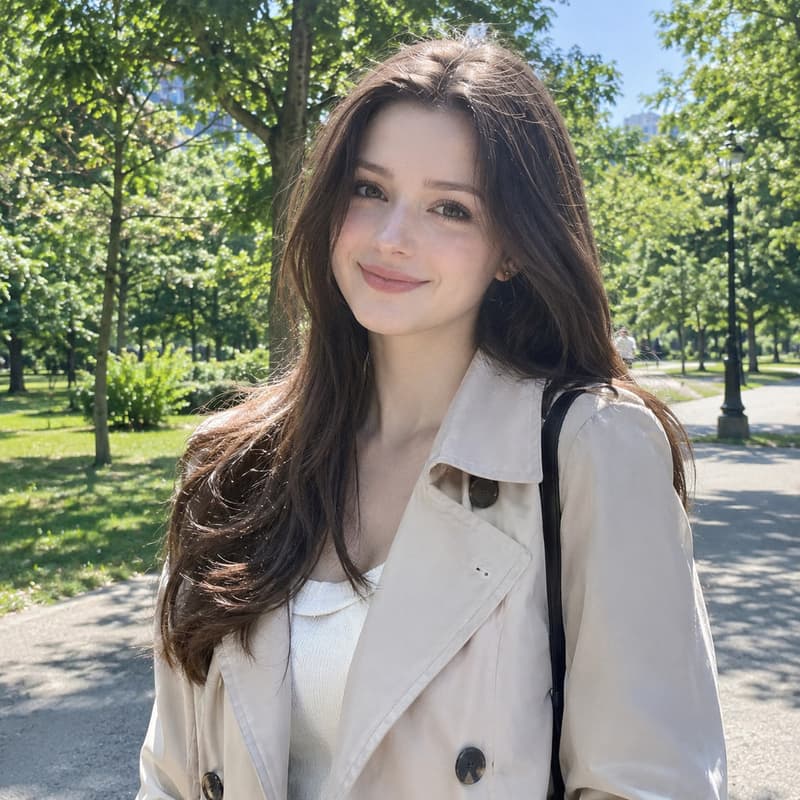
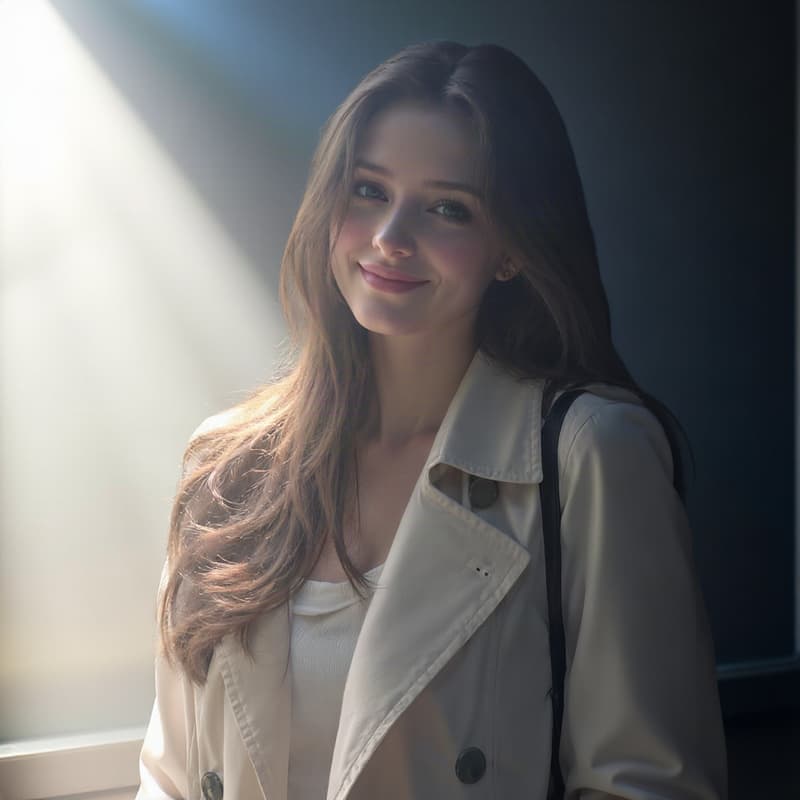
Portrait relit into blue hour
Cool twilight ambience, same face, same pose
What this AI relight tool does
It takes a photo with flat, dull or wrong lighting — a portrait shot against the sun, a product photographed under office lights — and re-lights it the way a photographer would: pick where the light comes from (front, back, top, bottom, left, right, upper-left or upper-right), then choose the mood, from soft natural daylight to golden hour, blue hour, moonlight, neon haze or a clean studio setup. Your subject keeps its identity: the face, the outfit, the label on the bottle all carry over.
One honest note: relighting is a re-interpretation, not a filter. The AI re-renders the photo under the new light — the subject, pose and composition stay, while the scene's details and background ambience are painted fresh to match the lighting, so give the before/after slider a look before you publish. Diagonal directions steer the light broadly from that side rather than hitting an exact angle. Need the result bigger? The Image Upscaler takes it to 4K.
A relit photo usually wants to go somewhere: keep working on it in the AI Image Generator, change the viewpoint with the Camera Angle Changer, or learn what the terms mean in the glossary.
Image relight specifications
| Parameter | Value | Notes |
|---|---|---|
| Input | JPEG, PNG, WEBP · up to 15 MB | Any photo with a clear subject — portraits, product shots, scenes. .jpg and .jpeg are both fine. |
| Output | PNG · same aspect as input · up to ~1 MP | PNG at the same aspect ratio as your photo, capped at about 1 megapixel — sized for listings, feeds and thumbnails. |
| Light directions | 8 directions around the subject | Eight directions around your subject — front, back, top, bottom, left, right and the two upper diagonals. Diagonals steer the light broadly from that side. |
| Light styles | 10 curated light styles | Ten curated styles: natural, sunrise, golden hour, blue hour, moonlight, neon haze, spectral cyan, cinematic, retro neon and studio. |
| Credits | 36 credits per image · no daily cap | Charged per image when you submit — the same price for any direction and style, with no daily cap. |
| Result retention | 7–365 days by plan | Results stay downloadable for the retention window of your plan, then are deleted from storage. |
| On failure | Credits refunded automatically | If an image cannot be processed, the credits for that image are returned to your balance automatically. |
How to relight a photo
Three steps from flat lighting to the mood you need
Add your photo
Drag it in, paste from the clipboard or click anywhere on the drop area. A clear subject — a person, a product, a landmark — relights cleanest.
Place the light, pick a style
Drag the disc or tap a direction shortcut, then choose a light style card. The price is shown before you run anything.
Compare and download
The result comes back as a before/after slider, so you can check the new lighting up close. Download the PNG, or send it on to AI Image or AI Video without leaving the site.
AI image relight — FAQ
Credits, light directions, and what happens to your original
Take it further
Relight your first photo
Pick a direction and a style — AI does the lighting.