 GPT Image 2.5
GPT Image 2.5
OpenAI's newest image model comes in two editions: GPT Image 2.5 Flare generates fast, GPT Image 2.5 Sunburst holds its precision on detailed work. Both render finer detail and more natural light than the previous generation, and an edit changes only what you asked for.
- Failed generations auto-refunded
- Credit packs never expire
- Every model's price is public
- Cancel anytime in one click
- Text to image · Image to image
- Generation modes
- 10
- Pixel sizes
- 5
- Quality tiers
- From 4
- Credits per image
GPT Image 2.5 sample images and full prompts
Six images from GPT Image 2.5, each shown with the prompt that produced it and the edition it ran on. Click Remix to load that prompt and its settings into the creator, then rewrite it around your own subject.
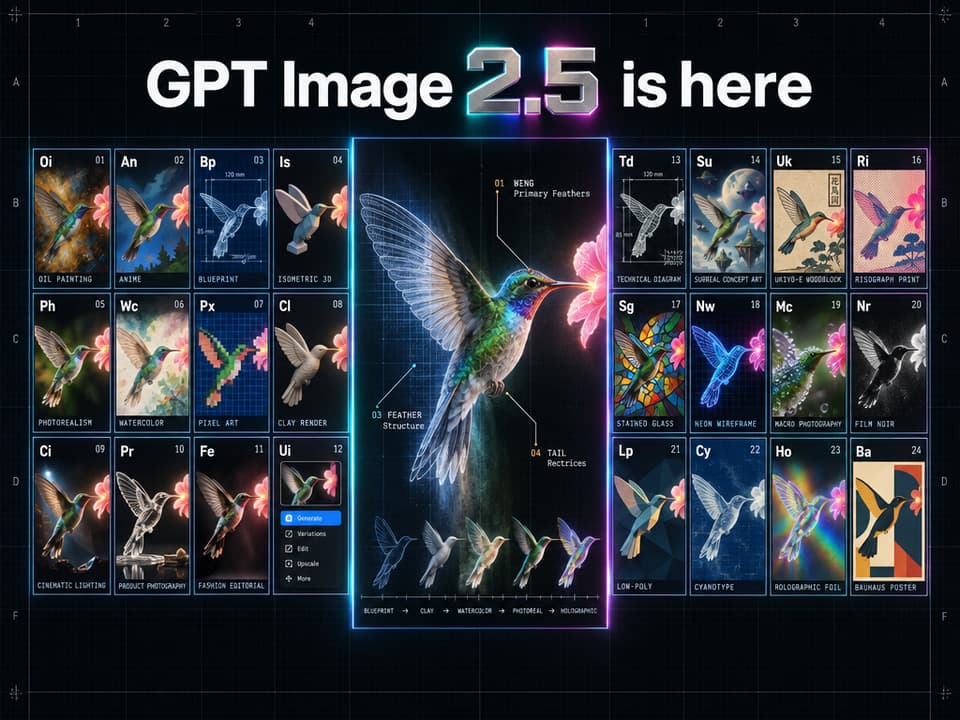
- GPT Image 2.5 (Sunburst)
- Text to image
- 1536x1152
- high
Create a high-end hero infographic announcing "GPT Image 2.5 is here." CONCEPT A futuristic periodic table of visual styles fused with a museum-grade anatomical specimen plate. The whole poster reads as one precision instrument: engineered, luminous, flawlessly clean. It should feel like a limited-edition print from a Swiss design studio crossed with a launch-keynote hero slide. FORMAT Landscape 16:9. Near-black obsidian background with a barely visible graphite grain. A faint hairline construction grid spans the canvas; row and column coordinates (A–F, 1–4) sit in the outer margins like an engineering drawing, with tiny registration marks in the corners. HEADLINE "GPT Image 2.5 is here" set large and centered in the top band, in a tight, sharply kerned geometric grotesk. "GPT Image" and "is here" are flat, crisp white type. The "2.5" is a physical object: a single block of machined, brushed titanium with beveled edges, a thin ribbon of spectral light refracting along the bevel and casting a soft cyan-to-magenta glow onto the background. Perfect letterforms, perfect spelling, zero distortion. THE ONE-SUBJECT RULE Every panel depicts the exact same subject — a hummingbird frozen in mid-hover, wings blurred, three-quarter view, drinking from a single glowing flower — re-rendered in 24 completely different visual styles. Same pose, same angle, same framing in every tile, so the grid demonstrates identity consistency across styles. THE GRID (shaped like the periodic table) Two symmetrical wings of 12 tiles each (3 rows × 4 columns) flank a tall central specimen panel, echoing the two-block silhouette of the periodic table. All 24 tiles are identical in size with mathematically equal gutters, edges locked to the construction grid, nothing cropped, nothing overlapping. Each tile is styled as an element cell: a two-letter symbol top-left, a small index number top-right, the full style name in tiny monospaced caps along the bottom edge. Borders are 1px cool-grey hairlines with a faint edge-lit glow. Left wing: Oi Oil Painting · An Anime · Bp Blueprint · Is Isometric 3D · Ph Photorealism · Wc Watercolor · Px Pixel Art · Cl Clay Render · Ci Cinematic Lighting · Pr Product Photography · Fe Fashion Editorial · Ui UI Mockup Right wing: Td Technical Diagram · Su Surreal Concept Art · Uk Ukiyo-e Woodblock · Ri Risograph Print · Sg Stained Glass · Nw Neon Wireframe · Mc Macro Photography · Nr Film Noir · Lp Low-Poly · Cy Cyanotype · Ho Holographic Foil · Ba Bauhaus Poster CENTRAL SPECIMEN PANEL A tall hero panel showing the same hummingbird at large scale in one continuous style sweep: left to right it transitions seamlessly from blueprint linework → clay render → watercolor → photorealism → holographic foil, with no visible seams. Thin anatomical leader lines with numbered callouts extend from the beak, feather groups and wing edge outward toward the matching tiles in the wings, each carrying a tiny monospaced label. A faint diffraction spectrum bleeds along the gutters nearest the panel. EMBEDDED PROOF-OF-CAPABILITY (subtle) - All text on every tile is real, legible and correctly spelled, including micro-labels. - The UI Mockup tile contains a readable miniature interface with actual words and coherent icons. - The Technical Diagram and Blueprint tiles have accurate dimension lines and readable annotations. - The Product Photography tile renders the hummingbird as a glass sculpture with physically correct refraction and reflections. - The Ukiyo-e tile includes a correctly formed vertical Japanese caption block. - All photographic tiles share one consistent key light from the upper left. - Feathers, glass, metal and fabric render with no artifacts. COLOR & FINISH Restrained spectral palette on obsidian: electric cyan, hot magenta, acid lime and warm amber, used only as edge glows, callout accents and the hero bevel. Thin lines everywhere, generous negative space, strong hierarchy: headline → central specimen → tile grid → micro-labels. Extremely polished, premium, electric. TYPOGRAPHY One geometric grotesk for the headline, one monospace for all labels. Sharp, aligned, evenly spaced. CONSTRAINTS No date. No tagline. No extra caption. No logos or watermarks. The only text is the headline plus the tile and callout labels.
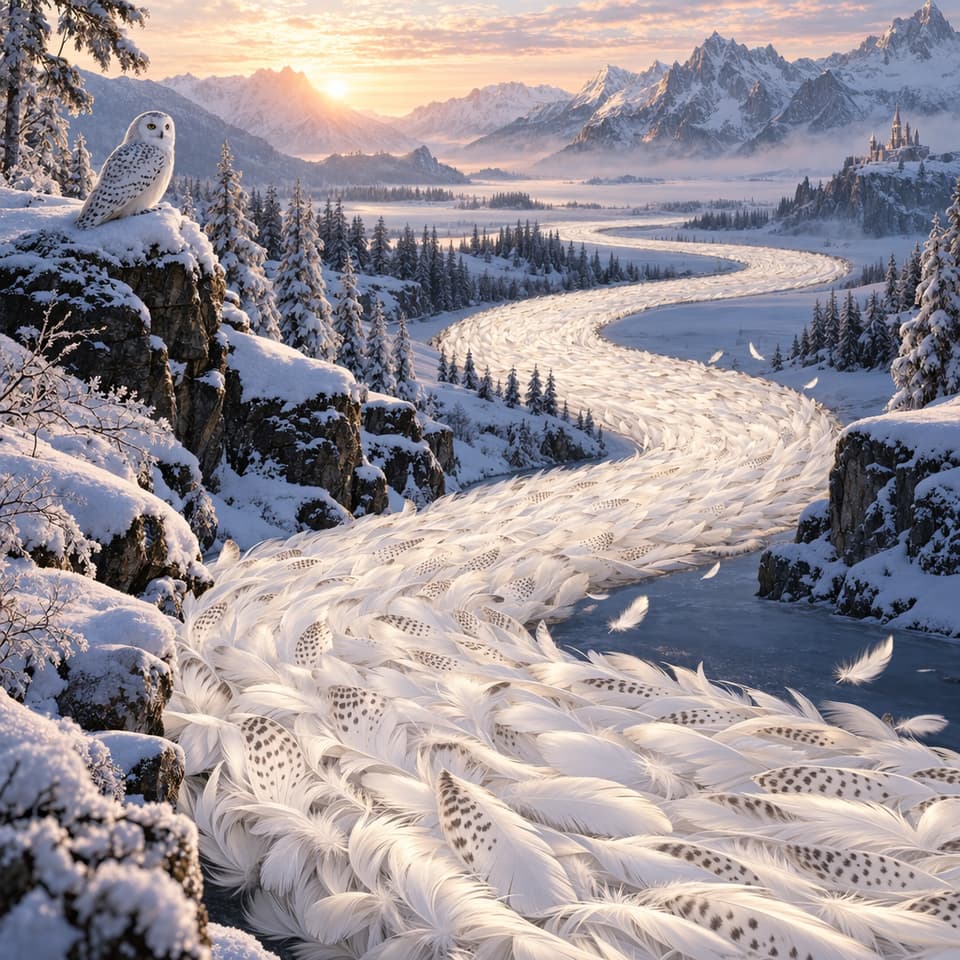
- GPT Image 2.5 (Sunburst)
- Text to image
- 1024x1024
- high
Draw a gorgeous image of a river made of white owl feathers, snaking its way through a serene winter landscape
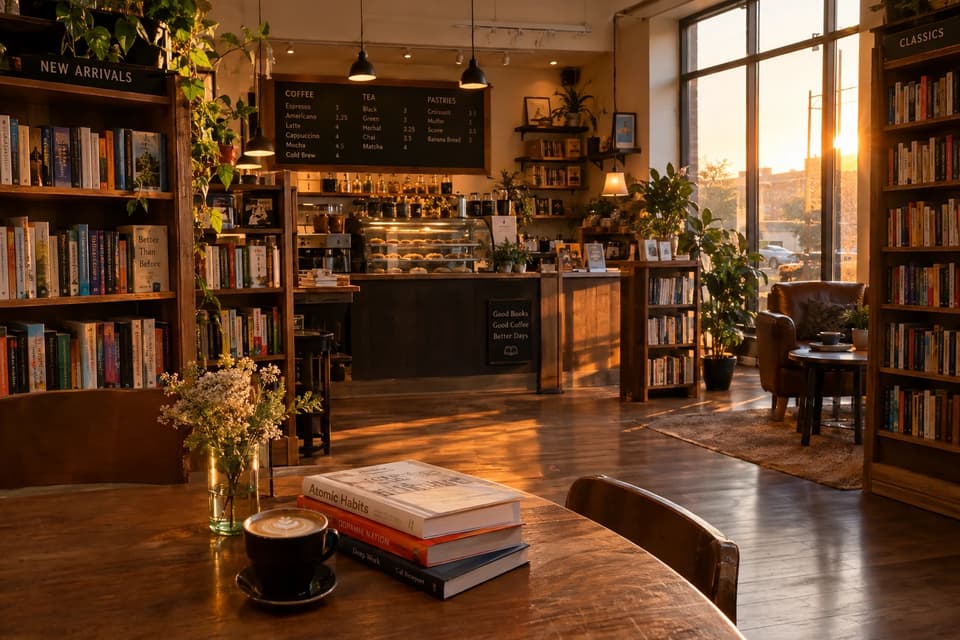
- GPT Image 2.5 (Flare)
- Text to image
- 1536x1024
- high
A cozy bookstore cafe interior at golden hour, warm lighting, photorealistic
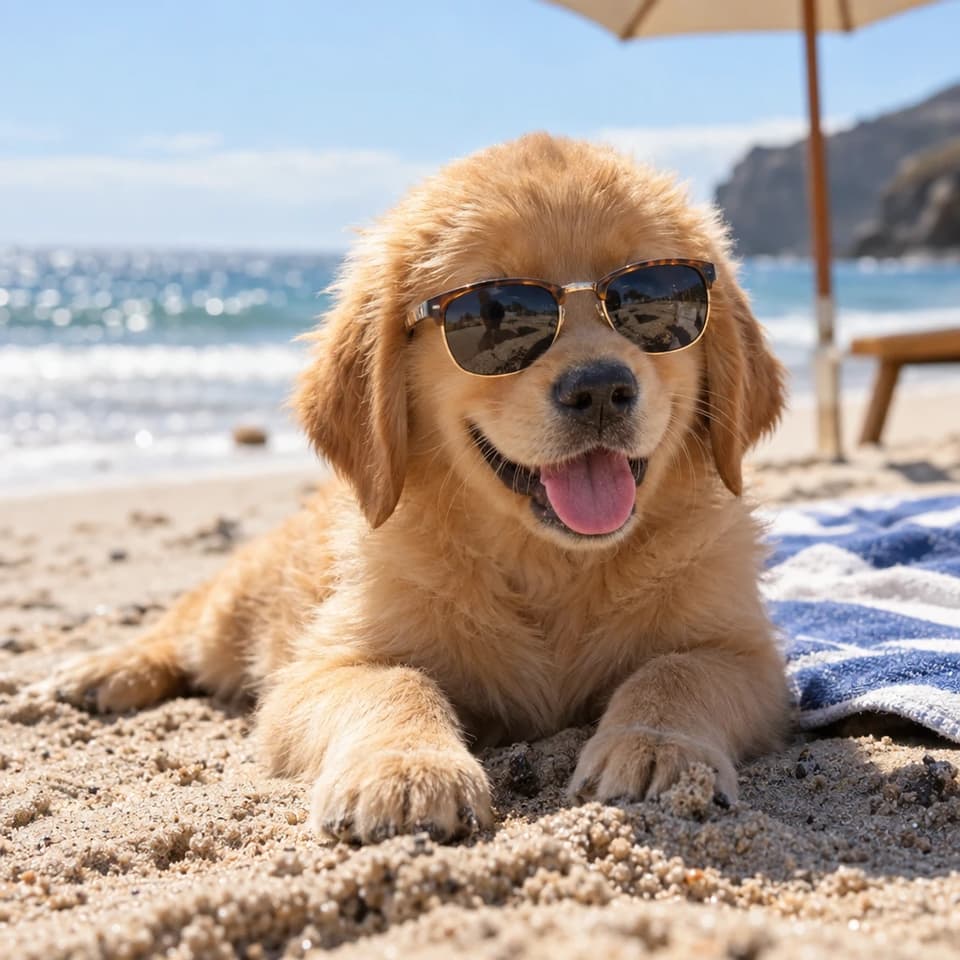
- GPT Image 2.5 (Sunburst)
- Text to image
- 1024x1024
- high
A golden retriever puppy wearing tiny sunglasses on a sunny beach, photorealistic, shallow depth of field
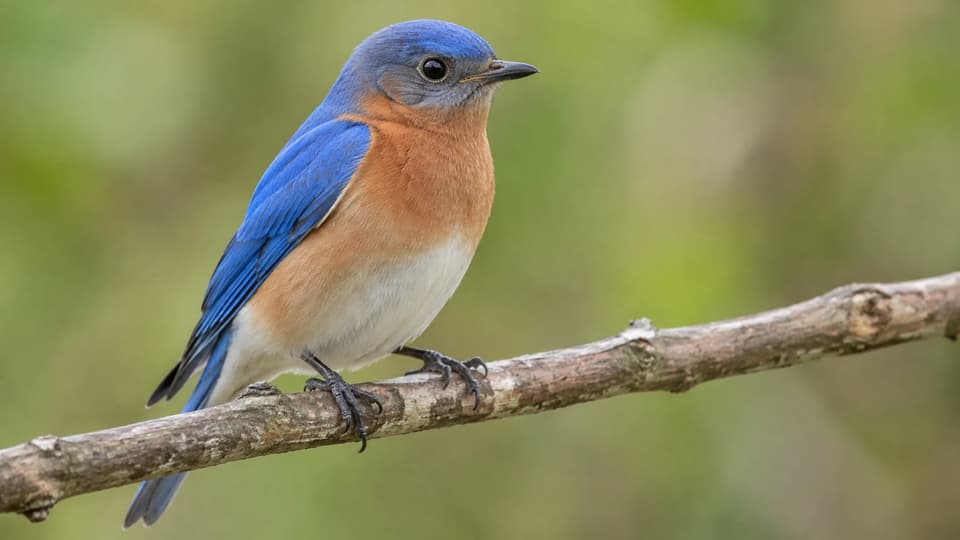
- GPT Image 2.5 (Sunburst)
- Text to image
- 2048x1152
- high
a bird

- GPT Image 2.5 (Sunburst)
- Text to image
- 1024x1024
- high
Generate an image of gray tabby cat hugging an otter with an orange scarf
What is GPT Image 2.5?
GPT Image 2.5 is OpenAI's newest image generation and editing model, released on September 8, 2026. It comes in two editions. GPT Image 2.5 Flare is the everyday default: better images than GPT Image 2 at up to half the latency, which makes it the one to reach for on social and creator work, product visuals, quick concepts and anything you generate in volume. GPT Image 2.5 Sunburst trades speed for control and holds detail through a long chain of edits — the edition for campaign creative, finished product imagery and painstaking retouching.
Next to GPT Image 2 the difference shows first in the light: shadows fall more naturally and surfaces carry real texture. Faces and products from your reference photos stay recognisable. Editing is the bigger jump — name one change and the rest of the frame is left alone, and the tenth edit is as clean as the first. Text inside the image holds together, infographics keep their grid, dense layouts stay upright, and a style you asked for is the style you get.
Both editions are live on Molyin: generate from a prompt, or bring in reference images and edit them in plain language. 10 pixel sizes up to a 3840px edge, 5 quality tiers from quick draft to maximum detail. It sits in the same AI image generator as every other model and runs on the same credit balance — per-image rates are on the credit pricing page.
GPT Image 2.5 vs GPT Image 2
GPT Image 2 is still live and still excellent for dense text and editorial layouts. Here is what you gain by moving up to GPT Image 2.5.
| Capability | GPT Image 2.5 | GPT Image 2 |
|---|---|---|
| Generation speed | GPT Image 2.5 Flare: up to 50% faster than GPT Image 2, and better images with it | Baseline |
| Editing precision | Changes only what you asked for and leaves the rest of the frame untouched; GPT Image 2.5 Sunburst is the more precise of the two | Natural-language editing with reference images |
| Multi-turn edits | The tenth edit is as clean as the first | Detail can drift after repeated edits |
| Quality tiers | 5 tiers: low · medium · high · xhigh · max | 3 tiers: low · medium · high |
| Lighting & texture | Natural shadows, real surface texture, subjects that survive the trip from your reference photo | Strong photorealism |
| Complex layouts | Denser grids, infographics that stay accurate, closer style adherence | Dense text, magazine pages and multi-panel storytelling |
| Credits per image | 4 / 14 / 34 / 66 / 130 (low → max) | 3 / 11 / 30 (low / medium / high) |
These are the live Molyin rates per image. Both models draw on the same credit balance — nothing extra to subscribe to.
GPT Image 2.5 vs image models live on Molyin
| Model | Positioning | Release date | On Molyin |
|---|---|---|---|
| GPT Image 2.5 | OpenAI's newest — GPT Image 2.5 Flare for speed, GPT Image 2.5 Sunburst for precision | Sep 8, 2026 | Live — generate above |
| Grok Imagine 2.0 | xAI Quality Mode — precise editing and Smart Resize | Aug 7, 2026 | Live — generate above |
| Seedream 5.0 | ByteDance flagship — infographics, annotation editing, Pro and Lite | Jul 8, 2026 | Live — generate above |
| GPT Image 2 | OpenAI's previous flagship — instruction following, dense text, design taste | Apr 21, 2026 | Live — generate above |
| Nano Banana 2 | Google, standard and Lite — speed, crisp text, ultrawide ratios | Feb 26, 2026 · Lite Jun 30, 2026 | Live — generate above |
| FLUX.2 | Black Forest Labs — Dev, Pro and Max | 2025 | Live — generate above |
One subscription, one credit balance — every model on this list is included.
GPT Image 2.5 full specifications
| Parameter | Value | Notes |
|---|---|---|
| Generation modes | Text to image · Image to image | Write a prompt, or upload reference images and edit them in plain language. |
| Editions | GPT Image 2.5 Flare · GPT Image 2.5 Sunburst | GPT Image 2.5 Flare is the default for fast everyday work. GPT Image 2.5 Sunburst spends more time per image to hold precision through detailed creative and editing. Both sit in the model dropdown. |
| Pixel sizes | 1024×1024 · 1536×1024 · 1024×1536 · 1536×1152 · 1152×1536 · 2048×2048 · 2048×1152 · 1152×2048 · 3840×2160 · 2160×3840 | Square, landscape and portrait presets from 1K to 4K-class. Inside a quality tier, every size costs the same. |
| Maximum edge | Up to 3840 px per edge | The longest side of any output. The presets run from 1:3 vertical to 3:1 ultrawide. |
| Quality tiers | low / medium / high / xhigh / max | Quick draft through maximum detail. Credits follow the tier, never the pixel size. |
| Reference images | ≤ 16 | Image-to-image takes several references at once to keep a subject and a style consistent. |
| Images per request | Up to 10 per request | Get several takes on one prompt in a single run. |
| Output formats | png / jpeg / webp | Choose the file format per generation. |
| Background | auto / transparent / opaque | Transparent needs PNG or WebP; opaque forces a solid backdrop; auto lets the prompt decide. |
| Image editing | Natural-language editing | Say what should change in ordinary words; everything you did not mention stays as it was. |
| Text rendering | Dense, legible text | Headlines, micro-labels, infographics and UI mockups stay readable — see the style-table sample above. |
| Seed control | Not supported | This model does not expose a seed, so results are not reproducible that way. |
| Credits per image | 4 / 14 / 34 / 66 / 130 (low / medium / high / xhigh / max) | Priced by quality tier alone — same rate for every size, and the same on GPT Image 2.5 Flare and GPT Image 2.5 Sunburst. Full table on the credits page. |
Everything listed here is already supported on the site, and stays in sync with the model's latest official capabilities.
How to use GPT Image 2.5 on Molyin
Three steps from idea to finished image, on the credits you already have.
Pick the edition
GPT Image 2.5 Flare for speed, GPT Image 2.5 Sunburst for precision — or switch to any other image model in the dropdown.
Describe your image
Write the prompt: the layout, any text that has to appear, the size you need. Or upload reference images to edit instead.
Generate and download
Choose a quality tier, generate, refine with follow-up edits, then download.
GPT Image 2.5 FAQ
What creators ask about OpenAI's newest image model, answered from running it ourselves.
Start Creating with Molyin Today
Sign up free and turn your first idea into a cinematic video in minutes.