 Seedream 5.5
 AI Image Generator
Transparent PNG, 100 stable edits, sharp typography.
- Automatic refunds on failed generations
- Credit packs never expire
- Transparent, upfront credit rates
- Cancel subscriptions anytime
- Text to image · Image to image
- Generation modes
- 8
- Aspect ratio presets
- Up to 2K
- Output resolution
- From 6
- Credits per image
Seedream 5.5 example prompts
Six prompt-image pairs, each with the full prompt that produced it. Use Remix to load a prompt and its settings into the generator, then adjust it for your own image.
- Seedream 5.5
- Text to image
- 2:3
- 2K
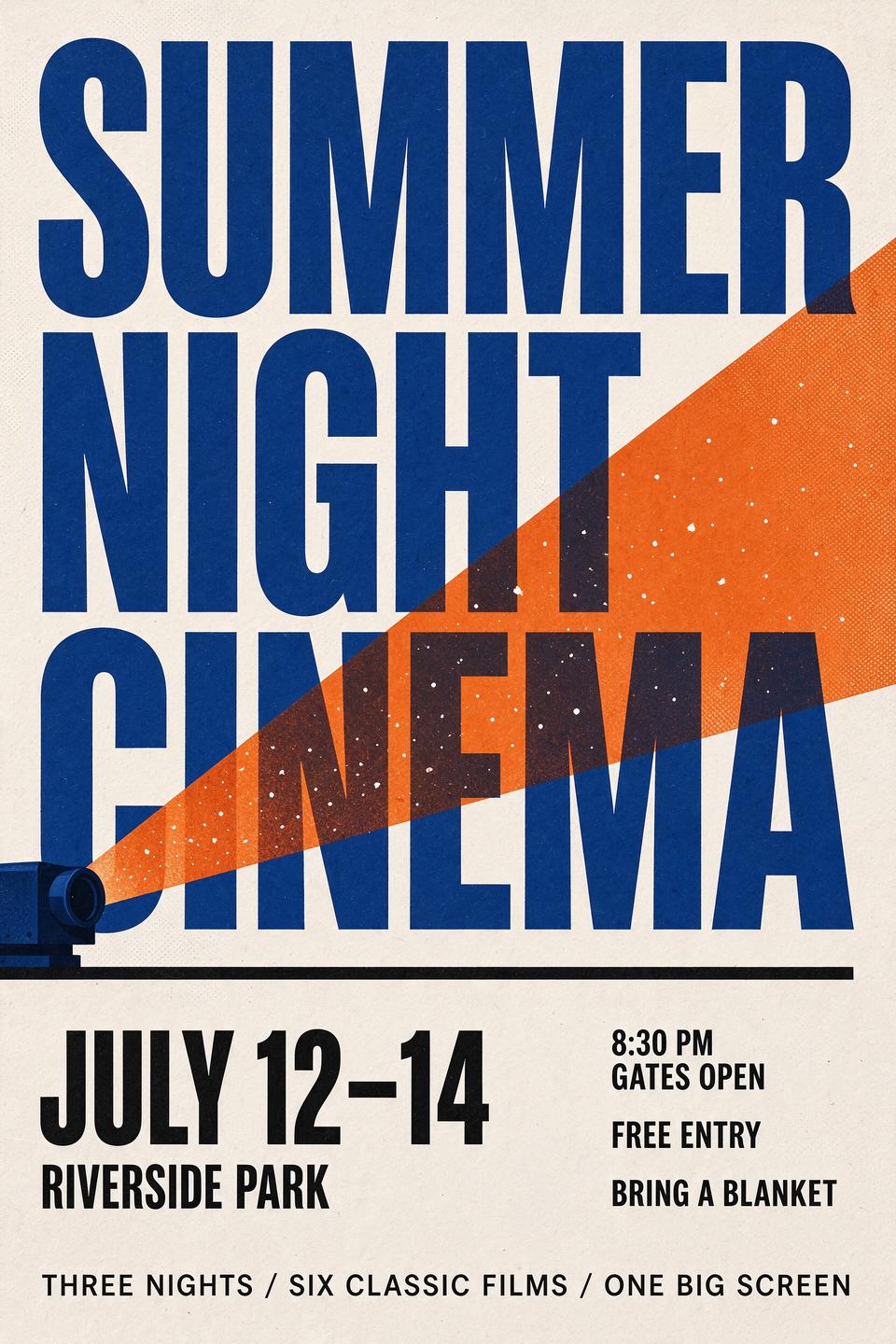
Design a vertical Swiss-style typographic poster for a fictional open-air film festival. Off-white textured paper background with a subtle halftone grain. The top half is dominated by a huge bold condensed sans-serif headline in deep ultramarine blue that reads "SUMMER NIGHT CINEMA", set on three stacked lines and tightly kerned. Overlapping the headline, a large flat-color shape of a projector beam: a warm orange cone of light spreading diagonally from the lower left toward the upper right, with tiny white dust particles floating inside it. In the lower third, a grid of smaller black text: on the left, "JULY 12-14" in bold with "RIVERSIDE PARK" beneath it; on the right, a column listing "8:30 PM GATES OPEN", "FREE ENTRY" and "BRING A BLANKET". A thin black horizontal rule separates the headline area from the details. At the very bottom, a small line of text reads "THREE NIGHTS / SIX CLASSIC FILMS / ONE BIG SCREEN". Clean alignment on a strict grid, generous margins, flat print-ready colors limited to ultramarine, warm orange, black and off-white. Every word spelled exactly as written, sharp and legible. No people, no logos.
- Seedream 5.5
- Text to image
- 16:9
- 1.5K
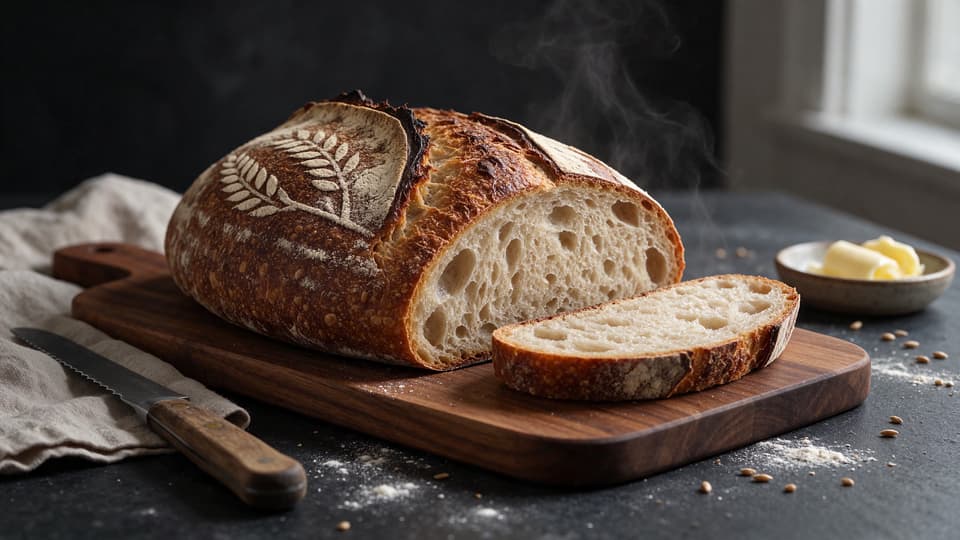
Editorial food photograph of a freshly baked sourdough loaf on a rustic walnut cutting board, shot from a low three-quarter angle. The loaf has a deep mahogany crust with a dramatic curled ear along its single diagonal score, a light dusting of rice flour stenciled in a wheat-stalk pattern on top, and fine blisters across the crust. One end has been sliced off, revealing an open, glossy crumb with irregular airy holes, and a thin wisp of steam rises from the cut face. Beside the board: a folded oatmeal linen cloth, a vintage serrated bread knife with a worn wooden handle, a small ceramic dish holding a curl of pale butter, and a scattering of flour and loose wheat grains on a dark slate tabletop. Soft window light from the right with gentle falloff into a deep charcoal background, warm and moody color grading, shallow depth of field with the crumb in razor-sharp focus. Shot on a 90mm lens, high detail, natural textures. No text, no people, no logos.
- Seedream 5.5
- Text to image
- 4:3
- 1K
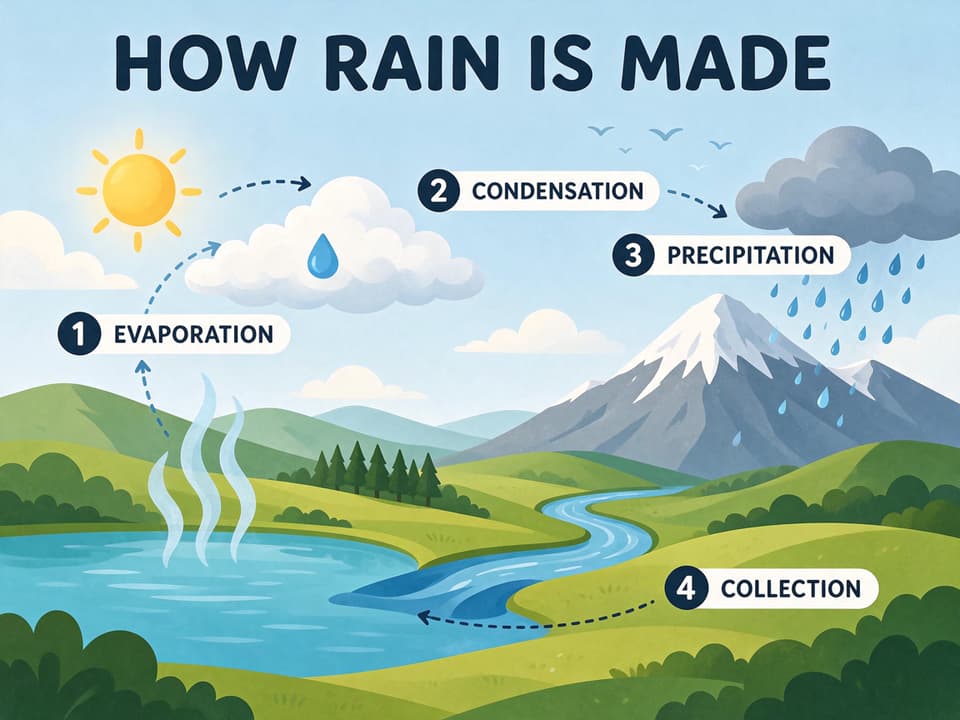
A clean educational infographic illustration titled "HOW RAIN IS MADE" in bold rounded dark-navy letters across the top. Flat vector style with soft gradients on a pale sky-blue background. The scene is a simple landscape cross-section: a turquoise lake at the lower left, rolling green hills and a small pine forest in the middle, a snow-capped mountain on the right, and a stylized warm-yellow sun in the upper left. Four numbered stages connected by curved dashed arrows form a loop: 1 "EVAPORATION" with wavy vapor lines rising from the lake; 2 "CONDENSATION" with a fluffy white cloud forming above; 3 "PRECIPITATION" with a gray cloud releasing blue raindrops over the mountain; 4 "COLLECTION" with a river flowing from the mountain back into the lake. Each stage label sits in a white rounded tag next to a small numbered circle. Friendly, uncluttered children's science textbook look with consistent line weight. Every word spelled exactly as written. No people, no logos.
- Seedream 5.5
- Image to image
- 4:3
- 1.5K
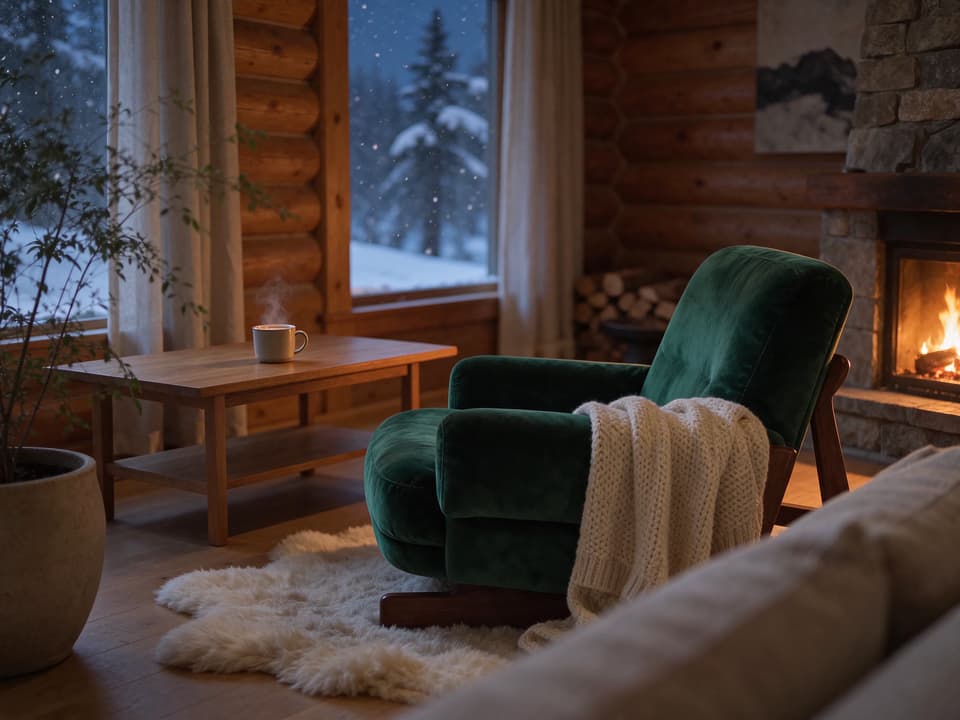
Keep the armchair's exact shape, walnut frame and position and the same camera angle, but transform the whole scene into a cozy mountain cabin on a winter night. Reupholster the armchair in deep emerald-green velvet with a soft sheen. Replace the white walls with warm honey-toned log walls, change the view through the window to falling snow over dark pine trees under a deep blue night sky, and add a stone fireplace with a crackling fire at the right edge of the room. Drape a chunky cream knit blanket over one armrest, replace the ceramic cup with a steaming mug of hot cocoa, and lay a soft sheepskin rug under the chair. Relight everything with warm, flickering firelight from the right and a cool blue glow from the window, with realistic shadows and reflections.
- Seedream 5.5
- Image to image
- 3:4
- 2K
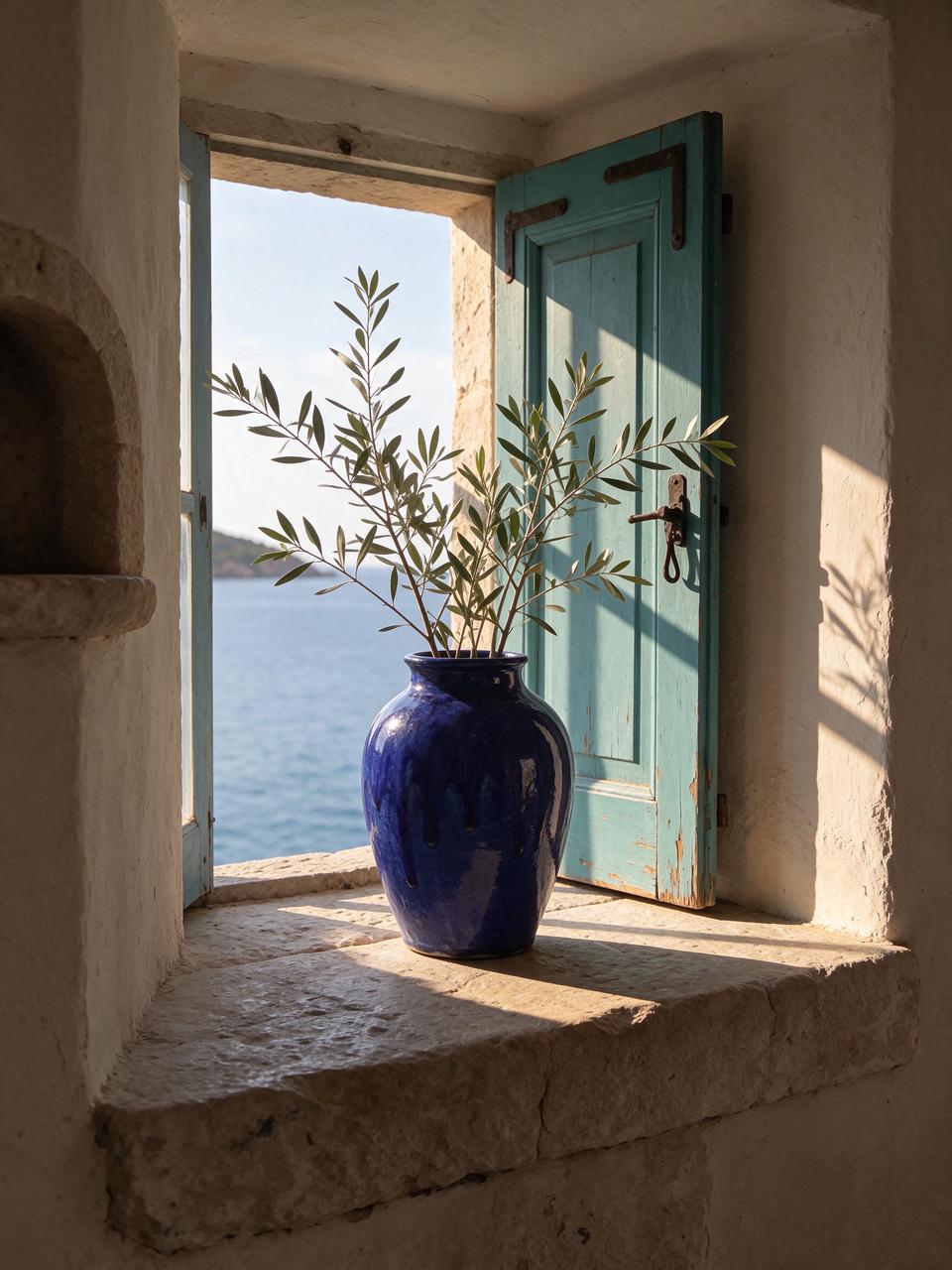
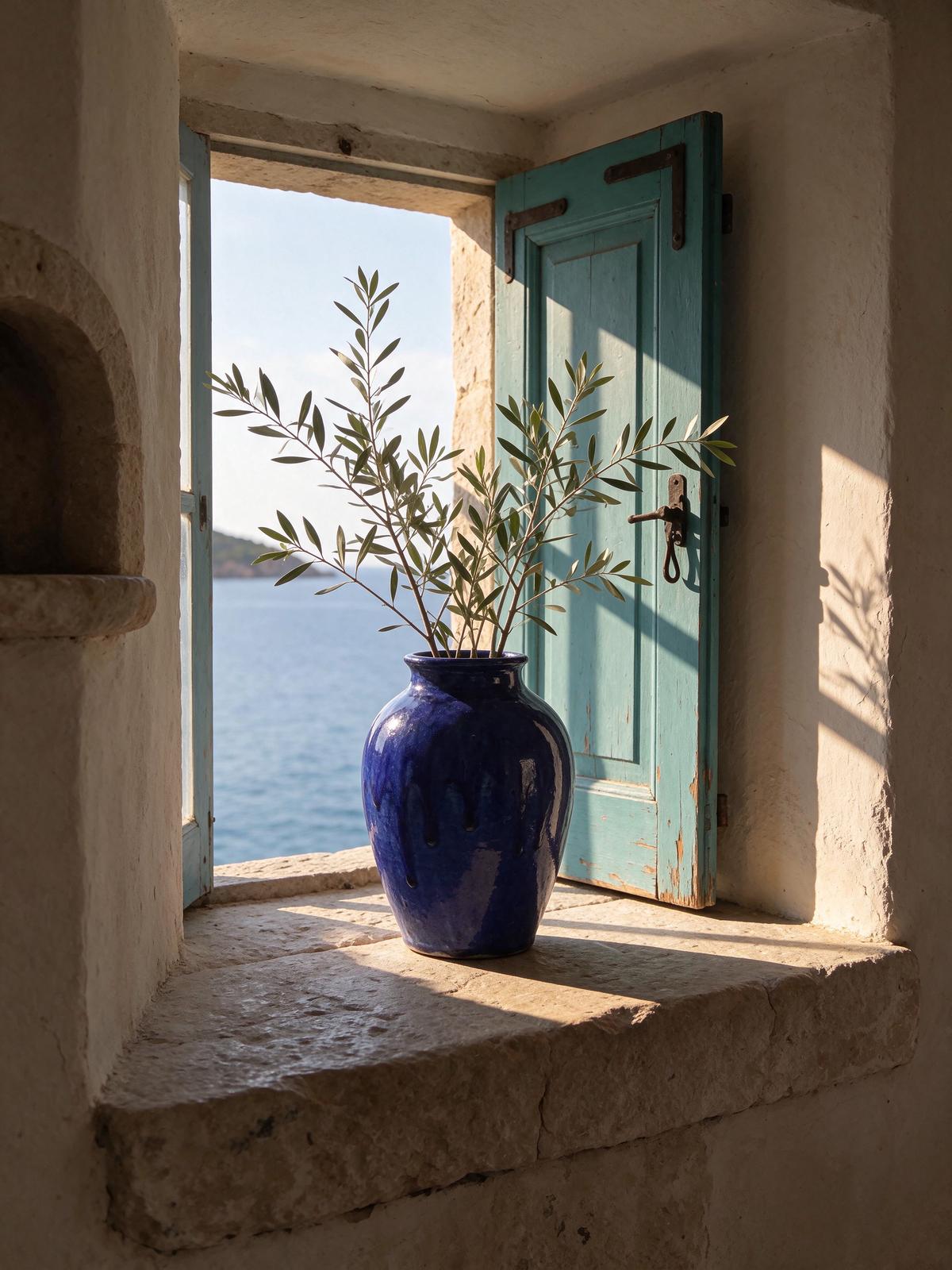
Place the cobalt-blue ceramic vase from the first image in the center of the empty stone windowsill in the second image. Keep the vase's shape, glaze colors, drips and proportions exactly as in the first image, and keep the window, the turquoise shutter, the sea view and the composition of the second image unchanged. Fill the vase with a few long, loose olive branches with silvery-green leaves that lean gently toward the window. Match the warm late-afternoon sunlight coming from the right: add a soft highlight along the glaze, a natural contact shadow and a long cast shadow on the sill, and a faint reflection of the sky in the glaze, so the vase looks truly photographed in that place.
- Seedream 5.5
- Image to image
- 1:1
- 1K
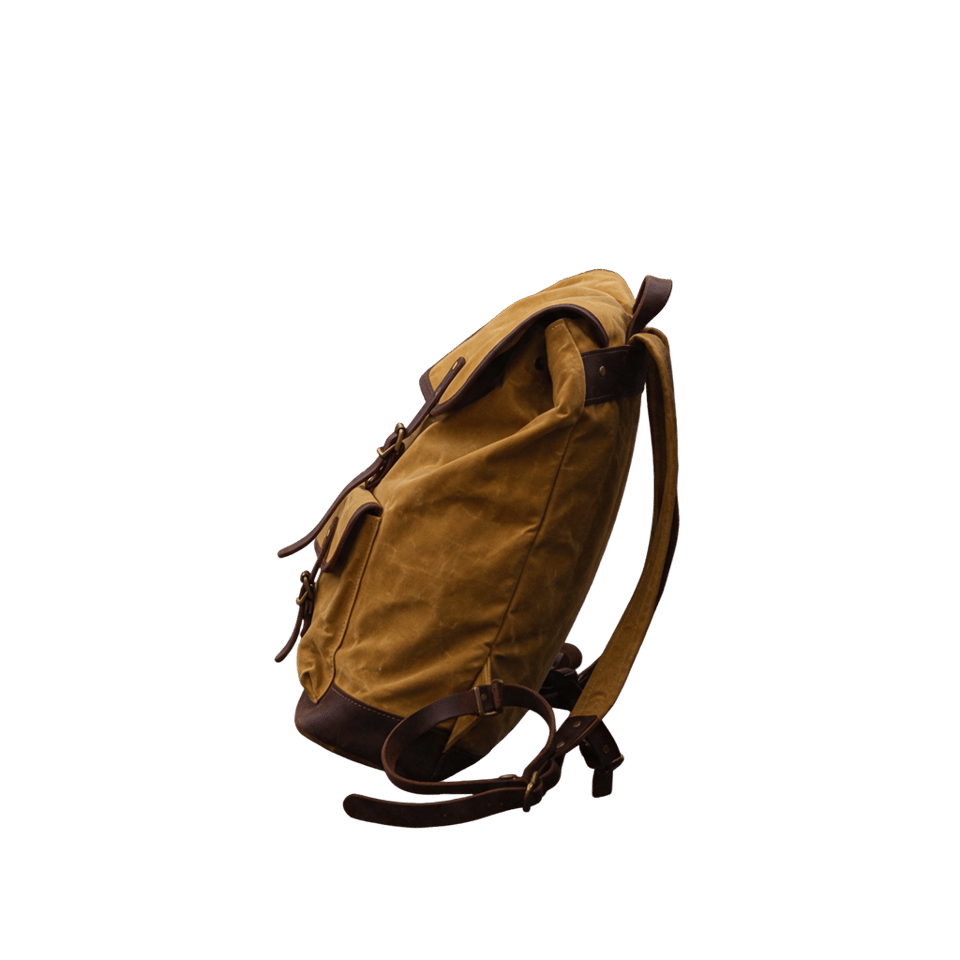
Extract only the backpack from this photo as a clean product cutout on a fully transparent background. Remove the bench, the park, the leaves and every other background element. Keep the backpack's shape, mustard-yellow waxed canvas, leather straps, brass buckles and stitching exactly as in the original, centered with a small margin around it, with crisp natural edges, no halo, no shadow and no added objects.
Two references in, one finished scene out
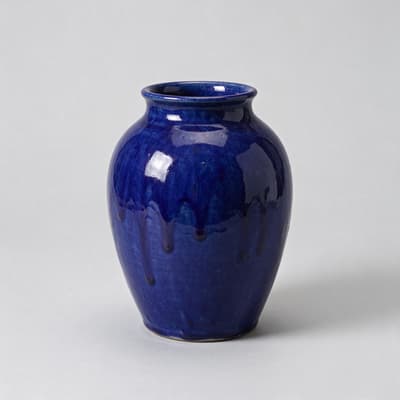
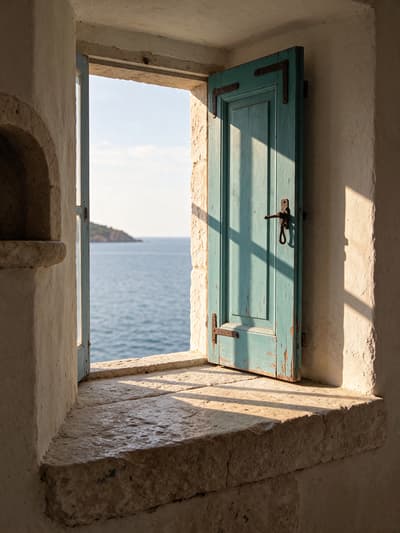
Upload separate product and scene images, describe how they should meet, and Seedream 5.5 matches light, shadow and scale in one pass. The vase and the windowsill below were two independent images.
Prompt
Place the cobalt-blue ceramic vase from the first image in the center of the empty stone windowsill in the second image. Keep the vase's shape, glaze colors, drips and proportions exactly as in the first image, and keep the window, the turquoise shutter, the sea view and the composition of the second image unchanged. Fill the vase with a few long, loose olive branches with silvery-green leaves that lean gently toward the window. Match the warm late-afternoon sunlight coming from the right: add a soft highlight along the glaze, a natural contact shadow and a long cast shadow on the sill, and a faint reflection of the sky in the glaze, so the vase looks truly photographed in that place.
What is Seedream 5.5?
Seedream 5.5 is ByteDance's newest image generation model, released on November 9, 2026. It builds on Seedream 5.0 Pro with three upgrades that matter in production: more stable multi-turn editing, native RGBA transparent output, and clearer text inside dense layouts. Where earlier models drifted after repeated edits, Seedream 5.5 keeps untouched areas at pixel level across long editing sessions.
The transparent output is generated natively — choose PNG and a transparent background, and the model returns a real alpha channel with clean edges around hair, fur, glass and fabric. Text rendering is sharper too: dense small print and multi-line headlines keep their shape instead of smearing together. Photographic output gets the same attention, with more natural lighting, materials and skin texture instead of the over-glossy AI look.
On Molyin, Seedream 5.5 is live for text-to-image and image-to-image: 8 aspect ratios, 3 output sizes up to 2K, up to 10 reference images per edit, and transparent PNG in one pass. It runs inside our AI image generator on the same credit balance as every other model, with per-image rates on the credit pricing page.
Seedream 5.5 vs Seedream 5.0 Pro vs GPT Image 2.6
Three image models with different strengths — here is where each one pulls ahead.
| Capability | Seedream 5.5 | Seedream 5.0 Pro | GPT Image 2.6 |
|---|---|---|---|
| Photorealism | Natural lighting, materials and skin with less over-gloss | Strong photoreal output, occasionally glossy | High-detail realism with strong instruction following |
| Text rendering | Dense small text and multi-line headlines stay legible | High-density infographics and posters | Crisp text with refined editorial layout |
| Image editing | Up to 100 rounds, with untouched areas preserved at pixel level | Annotation-guided edits in one pass | Natural-language editing with planning-depth control |
| Transparent background | Native RGBA output, full or partial alpha | Not available | Supported |
| Aspect ratios | 8 presets, 1:1 to 21:9 | 8 presets, 1:1 to 21:9 | 16 presets, from 3:1 ultrawide to 1:3 vertical |
| Reference images | Up to 10 per edit | Up to 10 per edit | Up to 16 per edit |
| Output resolution | 1K / 1.5K / 2K | 1K / 2K (Pro) · up to 4K (Lite) | Up to 4K |
| Credits per image | 6 / 6 / 10 at 1K / 1.5K / 2K, plus 2 per reference | 12 / 18 at 1K / 2K, plus 1 per extra reference after the first | 14–130 by quality tier |
Credit rates come from the live Molyin price list. All three models run on the same credit balance.
Seedream 5.5 vs image models available on Molyin
| Model | Positioning | Release date | On Molyin |
|---|---|---|---|
| Seedream 5.5 | ByteDance's newest — transparent PNG, 100-round editing, dense text | Nov 9, 2026 | Available — generate above |
| GPT Image 2.6 | OpenAI flagship — Flare for speed, Sunburst for precision | Nov 4, 2026 | Available — generate above |
| GPT Image 2.5 | OpenAI classic — Flare and Sunburst, five quality tiers | Sep 8, 2026 | Available — generate above |
| Grok Imagine 2.0 | xAI Quality Mode — precise editing and Smart Resize | Aug 7, 2026 | Available — generate above |
| Seedream 5.0 | ByteDance flagship — infographics, annotation editing, Pro and Lite | Jul 8, 2026 | Available — generate above |
| GPT Image 2 | OpenAI classic flagship — instruction following, dense text, design taste | Apr 21, 2026 | Available — generate above |
| Nano Banana 2 | Google, standard and Lite — speed, crisp text, ultrawide ratios | Feb 26, 2026 · Lite Jun 30, 2026 | Succeeded by Nano Banana 2.1 |
| FLUX.2 | Black Forest Labs — Dev, Pro and Max | 2025 | Available — generate above |
One subscription, one credit balance — every model available above is included.
Seedream 5.5 full specifications
| Parameter | Value | Notes |
|---|---|---|
| Generation modes | Text to image · Image to image | Generate from a prompt, or upload up to 10 reference images and edit. |
| Aspect ratios | 1:1 · 4:3 · 3:4 · 16:9 · 9:16 · 3:2 · 2:3 · 21:9 | 8 presets from square to 21:9 cinematic — posters, banners, social formats and print layouts without cropping. |
| Output resolution | 1K / 1.5K / 2K | Three output sizes; pick the tier per generation and the credit price follows. |
| Reference images | ≤ 10 | Image-to-image accepts up to 10 references in one request, each billed at the same per-image rate. |
| Image editing | Up to 100 rounds | Keep editing the same image across long sessions; untouched areas stay at pixel level. |
| Transparent background | Native RGBA PNG | Generate a transparent PNG directly, with full or partial alpha — no cutout pass. |
| Text rendering | Dense text | Multi-line headlines, labels and small print stay legible inside complex layouts. |
| Prompt length | ≤ 5,000 | Long prompts are supported, so you can spell out layout, copy and art direction in one go. |
| Output formats | png / jpeg | Choose PNG or JPEG per generation; transparent output requires PNG. |
| Seed control | Not supported | Reproducibility via seed is not exposed for this model. |
| Credits per image | 6 / 6 / 10 | Transparent per-image pricing from the live price list — full details on the credits page. |
Everything listed here is already supported on the site, and stays in sync with the model's latest official capabilities.
Seedream 5.5 credit pricing
One credit balance, billed per image. These are the live rates.
Priced by output resolution
| Model | Resolution | Credits/image |
|---|---|---|
| Seedream 5.5 | 1K | 6 |
| 1.5K | 6 | |
| 2K | 10 |
Subscription plans and one-time credit packs are compared side by side on the pricing page.
How to use Seedream 5.5 on Molyin
Three steps from idea to finished image — no separate subscription needed.
Choose Seedream 5.5
Pick Seedream 5.5 in the image generator, or switch to any other live image model.
Describe or upload
Write a prompt, or upload up to 10 references and describe the change you want. For transparent assets, choose PNG and a transparent background.
Generate and download
Generate at up to 2K, keep editing across rounds, and download the finished image.
Seedream 5.5 FAQ
What creators ask about ByteDance's newest image model — answered from running it ourselves.
Start Creating on Molyin
Sign up for free welcome credits and turn your ideas into production-quality media in minutes.