 GPT Image 2.6
Flare for speed, Sunburst for precise, consistent edits.
- Automatic refunds on failed generations
- Credit packs never expire
- Transparent, upfront credit rates
- Cancel subscriptions anytime
- Text to image · Image to image
- Generation modes
- 24
- Pixel sizes
- 5
- Quality tiers
- From 14
- Credits per image
GPT Image 2.6 sample images and full prompts
Explore 6 sample images created with GPT Image 2.6 alongside their complete prompts and edition settings. Click Remix to import the prompt and parameters into the generator and customize it for your project.
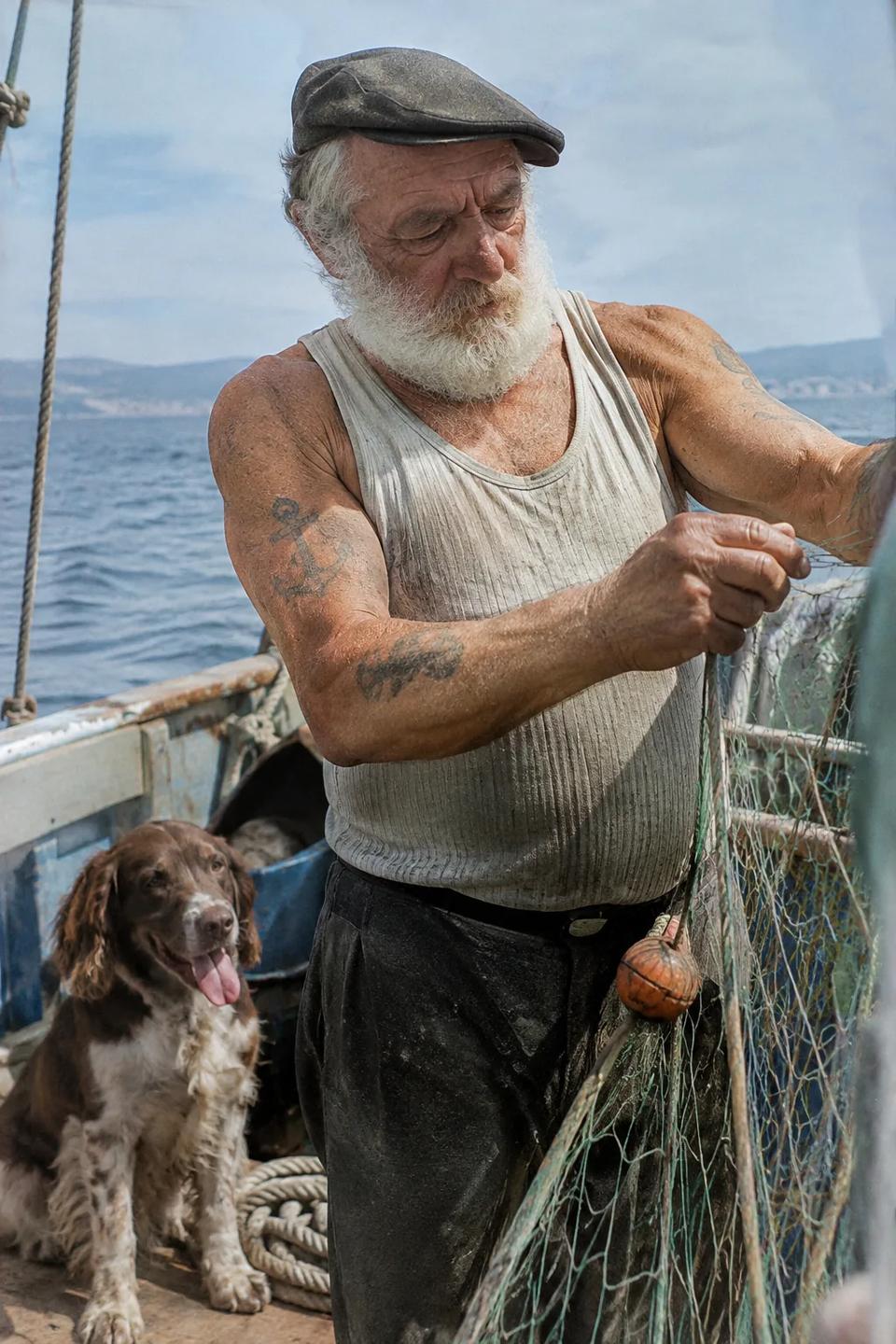
- GPT Image 2.6 (Sunburst)
- Text to image
- 1024x1536
- medium
Create a photorealistic candid photograph of an elderly sailor standing on a small fishing boat. He has weathered skin with visible wrinkles, pores, and sun texture, and a few faded traditional sailor tattoos on his arms. He is calmly adjusting a net while his dog sits nearby on the deck. Shot like a 35mm film photograph, medium close-up at eye level, using a 50mm lens. Soft coastal daylight, shallow depth of field, subtle film grain, natural color balance. The image should feel honest and unposed, with real skin texture, worn materials, and everyday detail. No glamorization, no heavy retouching.
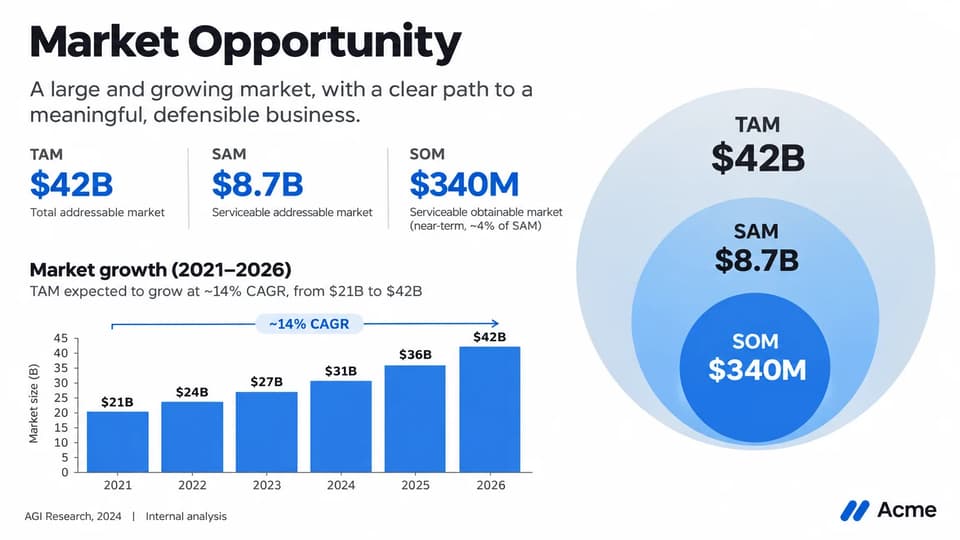
- GPT Image 2.6 (Sunburst)
- Text to image
- 2048x1152
- high
Create one pitch-deck slide titled **"Market Opportunity"** that feels like a real Series A fundraising slide from a YC-backed startup. Use a clean white background, modern sans-serif typography like Inter, and a crisp, minimal layout. The slide should include: * A TAM/SAM/SOM concentric-circle diagram in muted blues and grays * Specific, believable market sizing numbers: * **TAM:** $42B * **SAM:** $8.7B * **SOM:** $340M * A clean bar chart below showing market growth from **2021 to 2026**, with a subtle upward trend * Small footnotes: **"AGI Research, 2024"** and **"Internal analysis"** * A company logo placeholder in the bottom-right corner The design should look like it belongs in a deck that actually raised money: highly readable text, clear data hierarchy, polished spacing, and professional startup-style visual language. Avoid clip art, stock photography, gradients, shadows, decorative elements, or anything that feels generic or overdesigned.
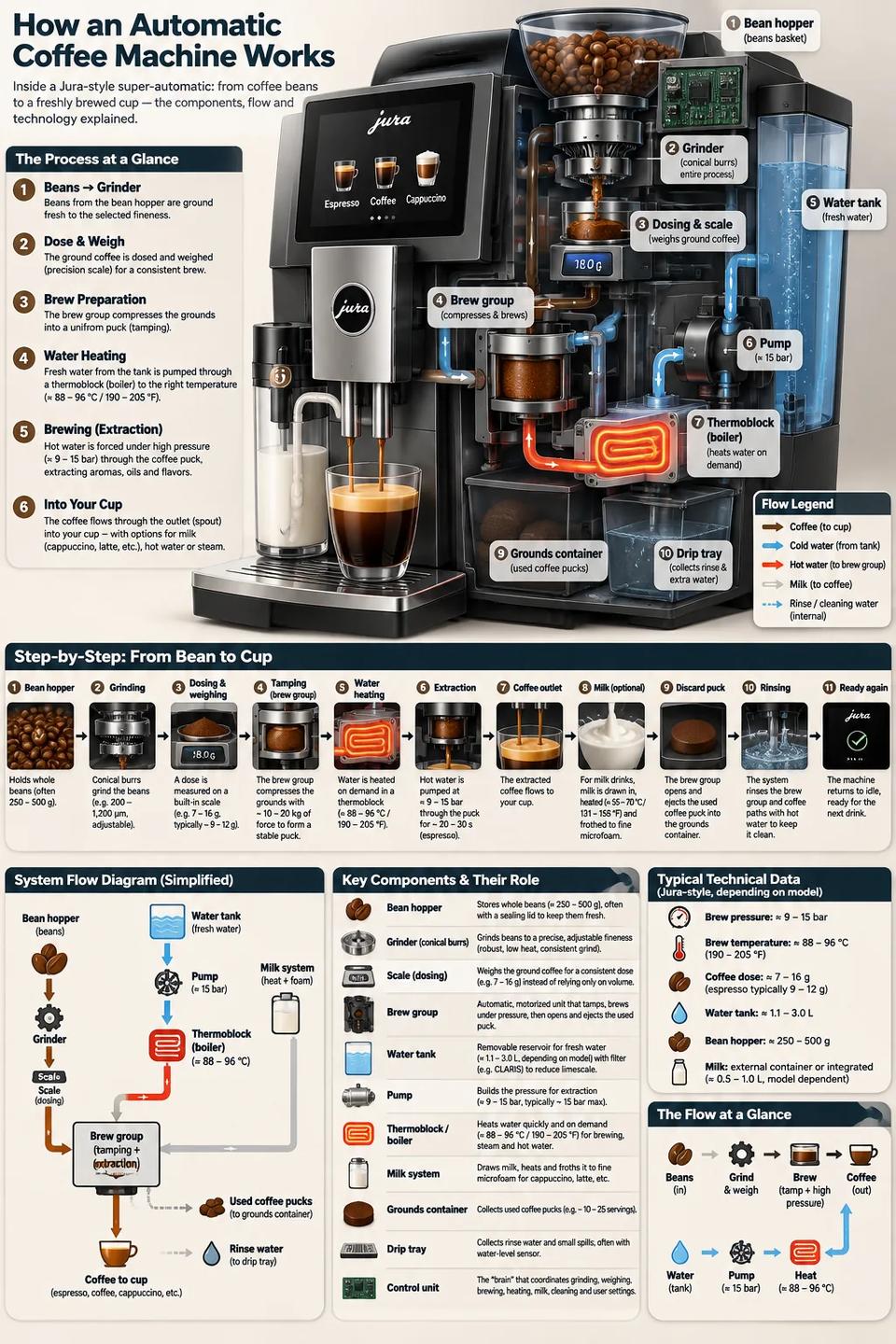
- GPT Image 2.6 (Sunburst)
- Text to image
- 1024x1536
- medium
Create a detailed Infographic of the functioning and flow of an automatic coffee machine like a Jura. From bean basket, to grinding, to scale, water tank, boiler, etc. I'd like to understand technically and visually the flow.
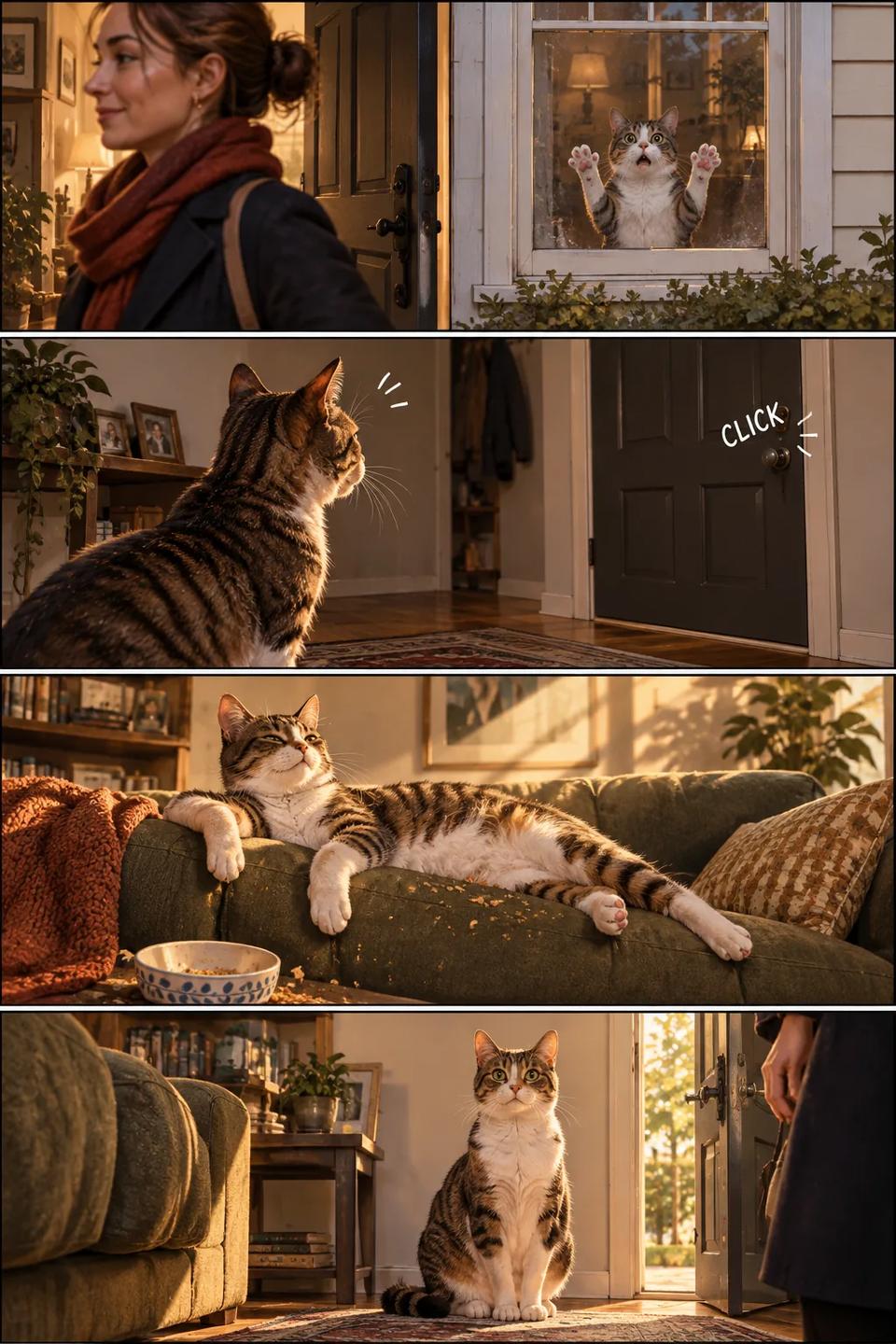
- GPT Image 2.6 (Flare)
- Text to image
- 1024x1536
- medium
Create a short vertical comic-style reel with 4 panels. Panel 1: The owner leaves through the front door. The pet is framed in the window behind them, small against the glass, eyes wide, paws pressed high, the house suddenly quiet. Panel 2: The door clicks shut. Silence breaks. The pet slowly turns toward the empty house, posture shifting, eyes sharp with possibility. Panel 3: The house transformed. The pet sprawls across the couch like it owns the place, crumbs nearby, sunlight cutting across the room like a spotlight. Panel 4: The door opens. The pet is seated perfectly by the entrance, alert and composed, as if nothing happened.

- GPT Image 2.6 (Flare)
- Text to image
- 1024x1536
- medium
Create a realistic mobile app UI mockup for a local farmers market. Show today's market with a simple header, a short list of vendors with small photos and categories, a small “Today's specials” section, and basic information for location and hours. Design it to be practical, and easy to use. White background, subtle natural accent colors, clear typography, and minimal decoration. It should look like a real, well-designed, beautiful app for a small local market. Place the UI mockup in an iPhone frame.
- GPT Image 2.6 (Flare)
- Text to image
- 1536x1024
- high
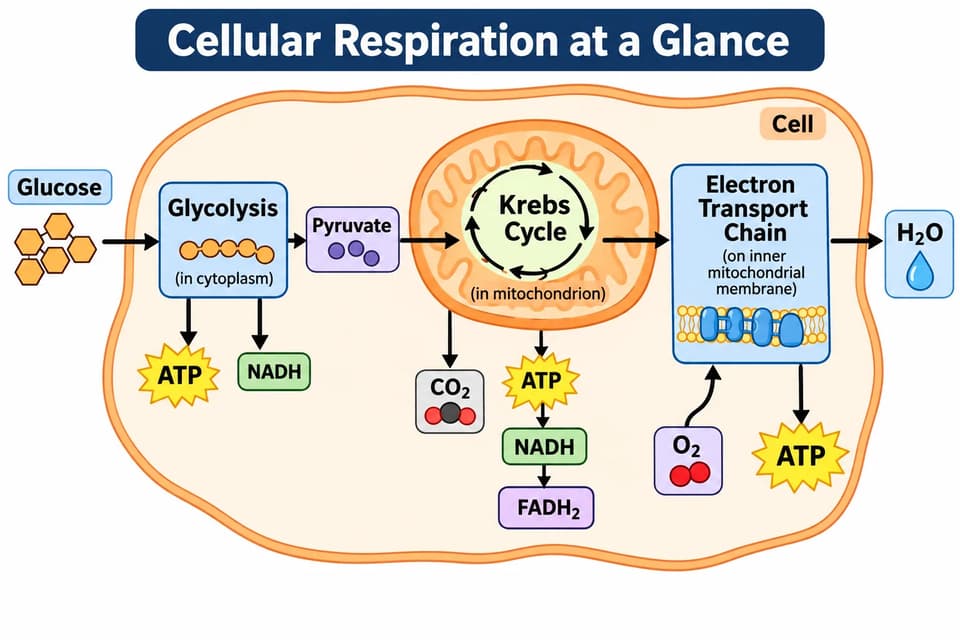
Create a simple biology diagram titled "Cellular Respiration at a Glance" for high school students. Show how glucose turns into energy inside a cell. Include glycolysis, the Krebs cycle, and the electron transport chain. Use arrows to connect the steps, and label the main molecules: glucose, pyruvate, ATP, NADH, FADH2, CO2, O2, and H2O. Make it look like a clean classroom handout or slide, with a white background, simple icons, clear labels, and easy-to-read text. Avoid tiny text, extra decoration, or anything that makes the diagram hard to understand.
What is GPT Image 2.6?
GPT Image 2.6 is OpenAI's image generation and editing model released in November 2026. GPT Image 2.6 Flare is engineered for speed, generating roughly 50% faster than GPT Image 2.5 for marketing graphics, product mockups, and high-volume workflows. GPT Image 2.6 Sunburst prioritizes fine-grained precision and subject consistency across extended revision chains, making it ideal for finished commercial visuals and intricate retouching.
A key addition is planning depth, which allows you to configure complexity (Low, Medium, or High) independently of output quality. Lower settings streamline focused edits like background replacement, while higher settings resolve dense typography, layered compositions, and spatial arrangements. Multi-turn modifications maintain scene coherence without subject drifting.
Both editions are available on Molyin: generate directly from prompts or provide reference images for natural-language guided edits. Choose from 24 pixel sizes across 8 aspect ratios, up to 3840px, and 5 quality tiers. Integrated within the AI image generator, sharing your unified credit balance. Detailed rates are on the credit pricing page.
GPT Image 2.6 vs GPT Image 2.5
GPT Image 2.5 remains active and dependable. The table below compares the core capabilities and upgrades introduced in GPT Image 2.6.
| Capability | GPT Image 2.6 | GPT Image 2.5 |
|---|---|---|
| Generation speed | Flare generates approximately 50% faster, improving throughput for marketing and bulk asset creation | Baseline speed |
| Planning depth | Complexity control: Low / Medium / High with no surcharge | Not available |
| Quality tiers | 5 tiers: low · medium · high · xhigh · max | 5 tiers: low · medium · high · xhigh · max |
| Text & layouts | Tighter layout grids with clear micro-labels and structured typography | Solid text rendering suitable for standard layouts and single-point edits |
| Edit consistency | Maintains subject identity and background elements across multi-turn revisions | Precise single-step edits; subject details may drift during extended chains |
| Credits per image | 14 / 24 / 34 / 66 / 130 (low → max) | 4 / 14 / 34 / 66 / 130 (low → max) |
These are the current Molyin rates per image. Both models draw on the same credit balance with no separate subscription required.
GPT Image 2.6 vs image models available on Molyin
| Model | Positioning | Release date | On Molyin |
|---|---|---|---|
| GPT Image 2.6 | OpenAI flagship — Flare for speed, Sunburst for precision, with planning-depth control | Nov 4, 2026 | Available — generate above |
| GPT Image 2.5 | OpenAI classic — Flare and Sunburst, five quality tiers | Sep 8, 2026 | Available — generate above |
| Grok Imagine 2.0 | xAI Quality Mode — precise editing and Smart Resize | Aug 7, 2026 | Available — generate above |
| Seedream 5.0 | ByteDance flagship — infographics, annotation editing, Pro and Lite | Jul 8, 2026 | Available — generate above |
| GPT Image 2 | OpenAI classic flagship — instruction following, dense text, design taste | Apr 21, 2026 | Available — generate above |
| Nano Banana 2 | Google, standard and Lite — speed, crisp text, ultrawide ratios | Feb 26, 2026 · Lite Jun 30, 2026 | Succeeded by Nano Banana 2.1 |
| FLUX.2 | Black Forest Labs — Dev, Pro and Max | 2025 | Available — generate above |
One subscription covers all supported models using a unified credit balance.
GPT Image 2.6 technical specifications
| Parameter | Value | Notes |
|---|---|---|
| Generation modes | Text to image · Image to image | Generate new visuals from text prompts or refine uploaded source images using natural language. |
| Editions | GPT Image 2.6 Flare · GPT Image 2.6 Sunburst | Flare is built for rapid generation; Sunburst is optimized for intricate compositions and consistent editing. Selectable in the model dropdown. |
| Pixel sizes | 1024×1024 · 1008×672 · 672×1008 · 1024×768 · 768×1024 · 1280×720 · 720×1280 · 1344×576 · 2048×2048 · 2064×1376 · 1376×2064 · 2048×1536 · 1536×2048 · 2048×1152 · 1152×2048 · 2016×864 · 2880×2880 · 3504×2336 · 2336×3504 · 3264×2448 · 2448×3264 · 3840×2160 · 2160×3840 · 3808×1632 | Preset options across square, landscape, and portrait from 1K to 4K resolution. Credit pricing is identical across all sizes within a quality tier. |
| Longest edge | Up to 3840px longest edge | Maximum resolution ceiling supporting aspect ratios from 1:3 vertical to 3:1 panoramic. |
| Quality tiers | low / medium / high / xhigh / max | 5 configurable tiers from fast drafts to maximum fidelity. Pricing is tied exclusively to quality tier rather than pixel resolution. |
| Reference images | ≤ 16 | Support for multiple input references in image-to-image mode to anchor subject features and styling. |
| Batch output | Up to 10 images per prompt | Generate multiple candidate variations from a single submission. |
| Output formats | png / jpeg / webp | Selectable file formats including WebP, PNG, and JPEG. |
| Background | auto / transparent / opaque | Transparent background requires PNG or WebP output; Opaque renders a solid backdrop; Auto aligns with prompt intent. |
| Planning depth | low / medium / high (default high) | Controls model pre-computation. Low accelerates targeted edits; High optimizes dense typography and spatial layout without extra credit costs. |
| Image editing | Natural language editing | Direct modifications through natural language while preserving untouched areas of the composition. |
| Text rendering | Dense and sharp | Optimized for structured micro-labels, technical diagrams, and UI mockups. |
| Seed control | Unsupported | Random seed control is not exposed by the upstream API. |
| Credits per image | 14 / 24 / 34 / 66 / 130 (low / medium / high / xhigh / max) | Pricing scales by quality tier. Flare and Sunburst share identical rates regardless of output dimensions. See the credit pricing page for details. |
Everything listed here is already supported on the site, and stays in sync with the model's latest official capabilities.
Getting started with GPT Image 2.6
Three straightforward steps using your unified credit balance.
Select edition
Choose Flare for speed or Sunburst for precision. You can also switch to any other image model in the dropdown.
Describe your vision
Provide a descriptive prompt covering composition, text labels, and desired dimensions, or upload reference images for editing.
Configure and generate
Select your quality tier and planning depth, generate your image, refine as needed, and download the finished asset.
GPT Image 2.6 FAQ
Common questions covering GPT Image 2.6 features, edition selection, planning depth, and pricing.
Start Creating on Molyin
Sign up for free welcome credits and turn your ideas into production-quality media in minutes.